A Gift For The Wife
The author of this example is Alexander Okunev.
Alexander has decided to use the AKVIS Coloriage plug-in to color a photo of his wife taken on film in 1980.
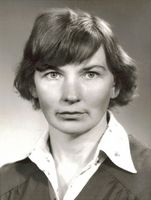 |
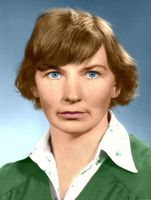 |
Conversion this black-and-white photo to color can be done in a series of simple steps.
- Step 1.
Scan the original photo and open it in a graphics editor, such as Adobe Photoshop.
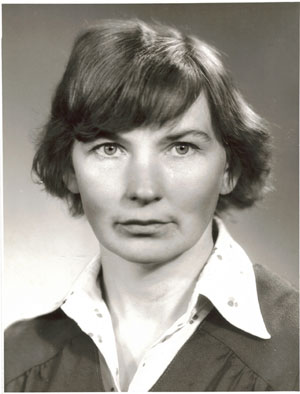
- Step 2. After looking at the larger version, it is apparent that there is a small amount of spots and scratches on the photo. We will use the AKVIS Retoucher plug-in to remove them.
Before calling the AKVIS Retoucher plug-in we shall select all minor defects with the Lasso tool
 .
.
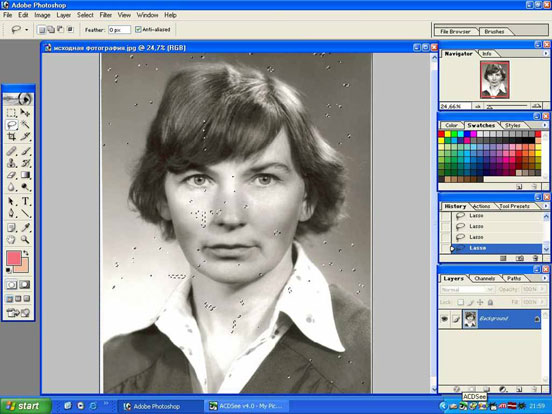
You can use any of the selection tools in your graphics editor for selecting spots and scratches and in Adobe Photoshop selections can also be made in Quick Mask mode.
After all defects have been selected, we shall call the AKVIS Retoucher plug-in (Filter -> AKVIS -> Retoucher).
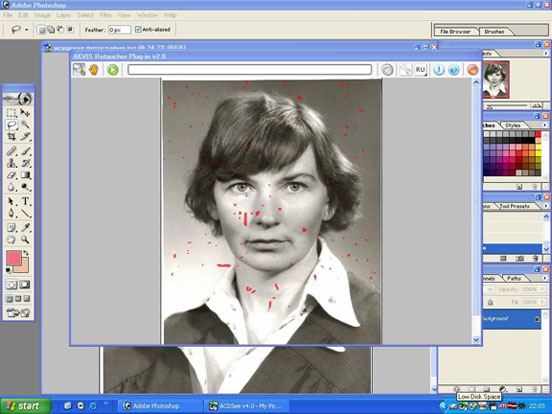
In the Retoucher plug-in window the selected defects will appear in red. Start processing by pressing the button
 . After AKVIS Retoucher has removed all of the defects, we shall apply the effect by pressing the button
  . The plug-in window will close and in the graphics editor we will see the photo without spots and scratches.
- Step 3. Now we can start coloring. We shall start the AKVIS Coloriage Plug-in (Filter -> AKVIS -> Coloriage).
Now we will start drawing strokes. We shall choose colors for the background, clothes, hair and skin. We shall draw around the eyes and lips using the same color we used for the skin. On the iris of the eyes shall draw blue strokes and on the whites of the eyes white points.
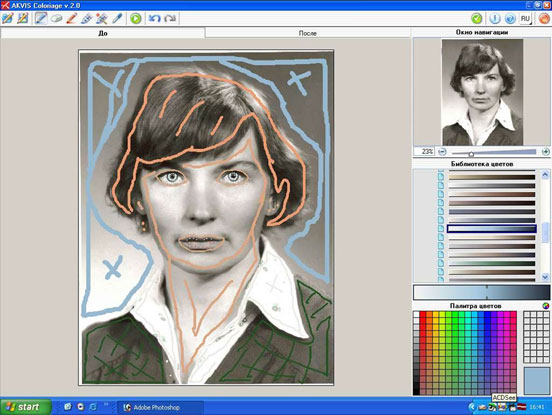
- Step 4. The strokes are set and now the process of coloring can begin. We shall press the button and wait. The colored image will be displayed in the After tab.
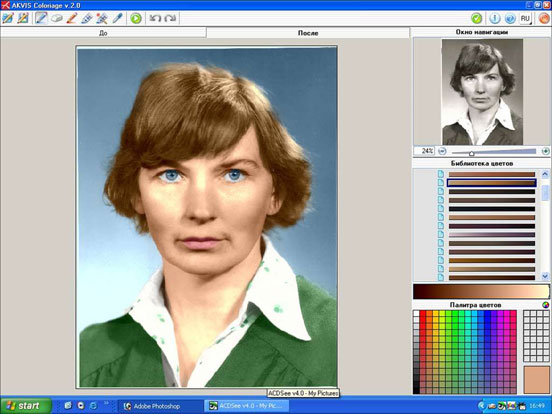
Let’s apply the result of the coloring by pressing the button
.
- Step 5. On the lit areas of the photo (under they eyes and on the neck) color was applied poorly. To correct this we will use the Healing Brush
 and Clone Stamp
  tools in Adobe Photoshop.
Also we will use the Clone Stamp tool to restore the missing edge of the photo on the left and top sides.
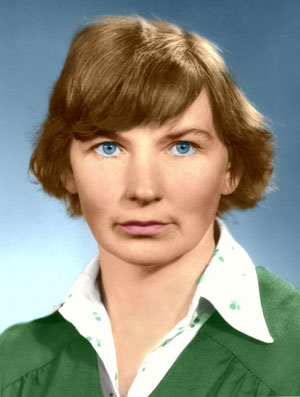
The photo is ready. We can print and give.
Coloriage AI v. 15.7 - Free 10-day Trial
