Removing Tattoos
The author of this tutorial is Tammy Russotto. She writes that the AKVIS programs make editing so much quicker and easier. It's even more fun. Make sure to practice and in no time you will be zipping through your edits with no problem.
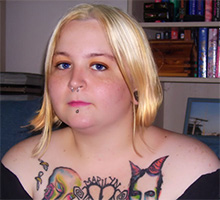
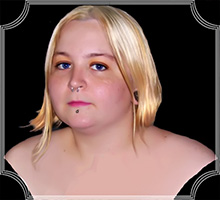
In this case the author wanted to make a portrait to be used to send to family and she decided to remove the tattoos. The model in the image is Tammy's 25 year old daughter, Tiffany.
Please follow these steps:
- Step 1. Open image in your editing program, for example AliveColors image editor, by the command File → Open.

Original photo of a daughter - Step 2. Using the Rectangular Selection tool
 select the areas to be retouched.
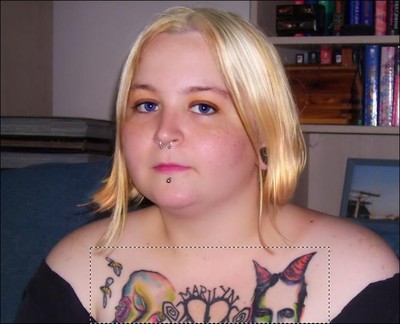
Select the tattoos - Step 3. Then call up the AKVIS Retoucher AI plugin: Effects → AKVIS → Retoucher.
The selected area will be displayed with a transparent red color.
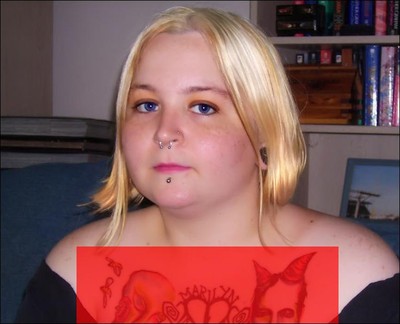
Selected area displayed with a red color - Step 4. Click on
 to begin the retouching process and you can watch as the selected area is removed.
- Step 5. When it's done click on
 to save it and return to editing program. If there are other areas that need to be retouched repeat the above instructions.
- Step 6. Select a background and change its color. You can use the selection tools or AKVIS SmartMask AI.
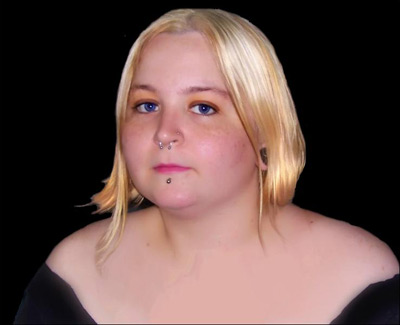
Fragment on new background - Step 7. Open AKVIS ArtSuite plug-in to add a frame: Effects → AKVIS → ArtSuite.
In this tutorial the author has chosen the Artistic Frame in white. The frame width was changed so that it will fit the image.

Choose a frame - Step 8. Once you have achieved the frame you want, click on the checkmark button to apply the frame to the image and return to editing program. If you feel there are any tweeks to be made go ahead and do it and then save a beautiful new image.
Retoucher AI v. 13.0 - Free 10-day Trial
