Graphic software for Windows Mac graphic software  
Please enter your email to be kept posted on updates and discounts:
 
  
  Products     Download     Online Store     Tutorial     Support     About Company
en  fr  de  es  pt  it  jp  ru    
 

Tutorial: AKVIS Sketch

Create a Painting out of a Photo


The author of this example K.J. Hartmann writes:

I tried many times to convert a photo to sketch or drawing using different programs but I was not always satisfied with the final image. Now I'm using AKVIS Sketch and I'm very delighted with the result!

For this tutorial I used AKVIS Sketch and one of the standard Adobe Photoshop filters. I will show you how to convert a photo into work of art.
  • Step 1. Open the image in Adobe Photoshop and duplicate this image to get one more layer (Layer->Duplicate layer (Ctrl+J).

    By default the upper layer is selected and we start working with it.
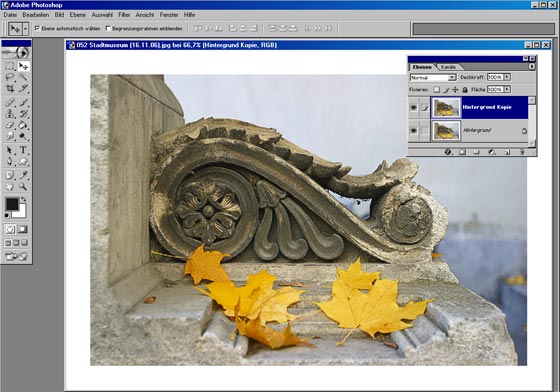
    Autumn picture: two layers
  • Step 2. Call the plugin (Filters->AKVIS->Sketch).
  • Step 3. Set the parameter Coloration in the Effects panel to 40. Press the button Run. The After tab shows the resulting pencil sketch.
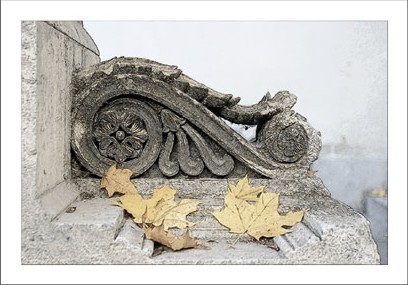
    Pencil sketch
  • Step 4. To apply the result press the button Apply.

    Here is the pencil sketch that we have on the second layer of our image.
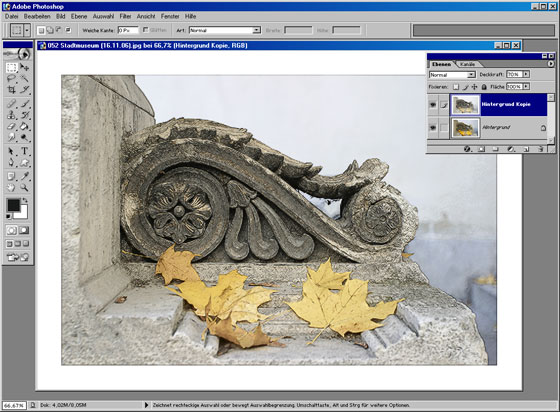
    Autumn picture: pencil sketch
  • Step 5. Now deactivate the visibility of the second layer with a double-click on the eye icon near the layer in the Layers palette. We need it to see the result of our manipulations with the lower layer. Then activate the lower layer (background layer) and work with it.
  • Step 6. Call Filter->Artistic->Palette Knife on the background layer and set the parameters as you like.
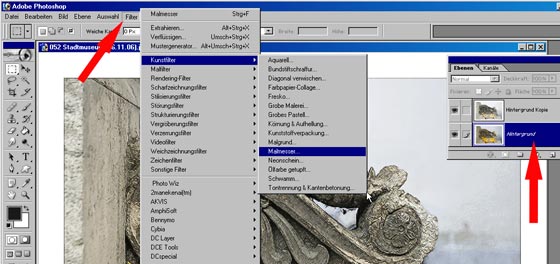
    Filter Palette Knife

    The result will be similar to the following picture:
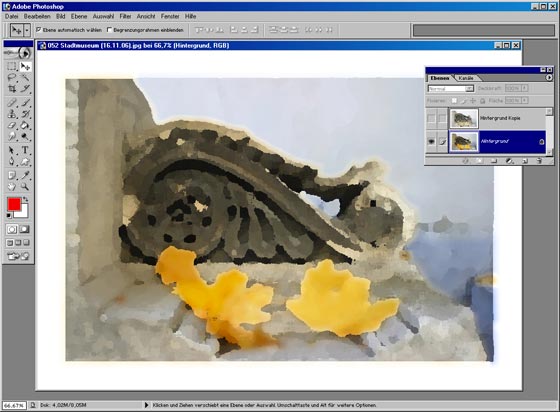
    Painting
  • Step 7. Activate the visibility of the first layer with a double-click on the eye icon in the Layers palette. Choose the blend mode Soft light in the drop-out menu of the Layers palette.
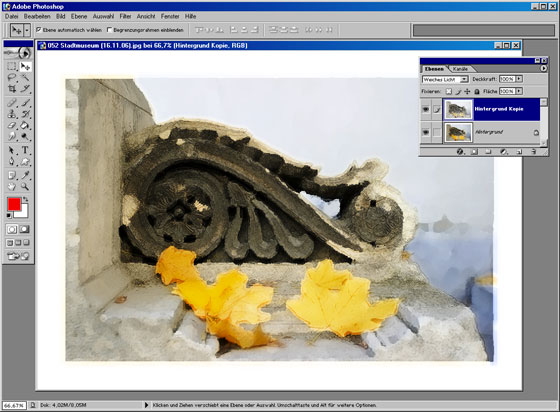
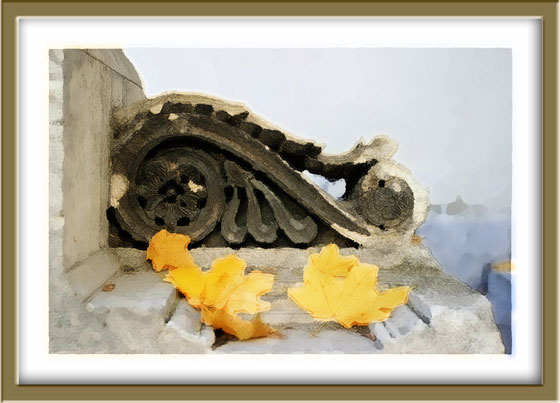
    Autumn painting

    The picture will look well in a photo frame.
    You can try AKVIS Frame Suite for this purpose.
    Picture with a frame
    Click the image to open its larger copy in a new window.

 
How It Works How It Works
   — AKVIS Sketch plug-in — AKVIS Sketch plug-in
   — AKVIS Sketch stand-alone — AKVIS Sketch stand-alone
   — Make a Sketch from a Photo — Make a Sketch from a Photo
   — Background Tab — Background Tab
   — Imitate Sketch Drawing on a Canvas — Imitate Sketch Drawing on a Canvas
Examples Examples
   — Pencil Sketch: Let's Draw a Tulip — Pencil Sketch: Let's Draw a Tulip
   — Color Sketch — Color Sketch
   — Graphite Pencil Portrait — Graphite Pencil Portrait
   — Watercolor Drawing — Watercolor Drawing
   — Artistic Processing — Artistic Processing
   — A Painting out of a Photo — A Painting out of a Photo
   — A watercolor portrait from a photo — A watercolor portrait from a photo
   — Winter Dream — Winter Dream
   — Sketch of a Pet — Sketch of a Pet
   — A Little Girl — A Little Girl
   — Westmuir Street in Glasgow — Westmuir Street in Glasgow
   — A woman in a Tub: a real work of art — A woman in a Tub: a real work of art
   — Postcard on a Pencil Drawing — Postcard on a Pencil Drawing
   — Baseball Photo to Color Drawing — Baseball Photo to Color Drawing
   — A Wolf: make a Sketch from a Photo — A Wolf: make a Sketch from a Photo
   — Pastel Drawing Technique — Pastel Drawing Technique
   — Motorshow: a Pencil Drawing — Motorshow: a Pencil Drawing
   — Watercolor of a Wolf — Watercolor of a Wolf
   — A Hand Draws a Hand — A Hand Draws a Hand
   — Transform a Video into a Cartoon — Transform a Video into a Cartoon
   — Convert Vector Drawing to Sketch — Convert Vector Drawing to Sketch
   — Portrait out of a Newspaper Clipping — Portrait out of a Newspaper Clipping
   — Quiet Harbor — Quiet Harbor
   — Sweet Couple — Sweet Couple
   — Black&White Image in Photo Frame — Black&White Image in Photo Frame
   — Dream to Reality — Dream to Reality
   — Christmas Card from a Photo — Christmas Card from a Photo
   — Artist at Work — Artist at Work


   Privacy Policy | Site Map | Search | English  | Français  | Deutsch  | Español  | Português  | Italiano  | 日本語  | Pусский  | © 2004-2008, AKVIS Software Inc. All rights reserved.