Graphic software for Windows Mac graphic software
Please enter your email to be kept posted on updates and discounts:
 
  
  Products     Download     Online Store     Tutorial     Support     Company
en  fr  de  es  pt  it  jp  ru    
 

Tutorial: AKVIS Sketch

Graphite Pencil Portrait


AKVIS Sketch allows converting any photo into a pencil sketch. The most popular subject for a sketch is a person. You can often see street artists offering to draw a portrait for those who want and showing hand-drawn portraits of celebrities.
A pencil portrait can be a good present for your relatives and friends.

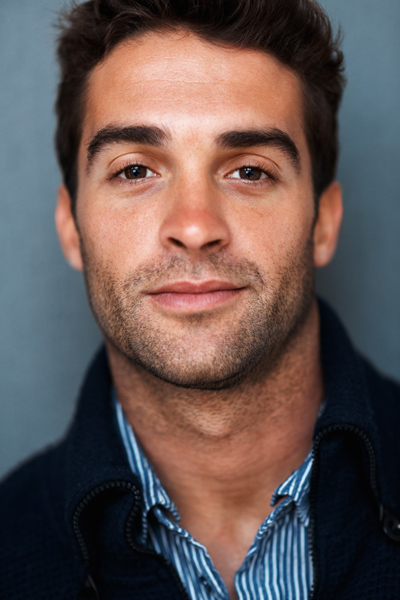
We have chosen a black and white portrait of John Travolta («Pulp Fiction» 1994, «Get Shorty» 1995, «Broken Arrow» 1996, «Face/Off» 1997, «Swordfish» 2001).
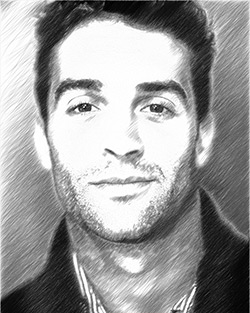
Original photo portrait Result: graphite pencil drawing
Original photo portrait Graphite pencil drawing

Open a portrait photo.
If you use AKVIS Sketch in its standalone edition just run the program and open the original photo.
If you use the plugin version of AKVIS Sketch open the photo in your photo editor and then call the plugin.
Photo Portrait of John Travolta
John Travolta.
Photographer: Andrew Eccles.


Run AKVIS Sketch with the default parameters by pressing the button . The After window will show the resulting pencil sketch.
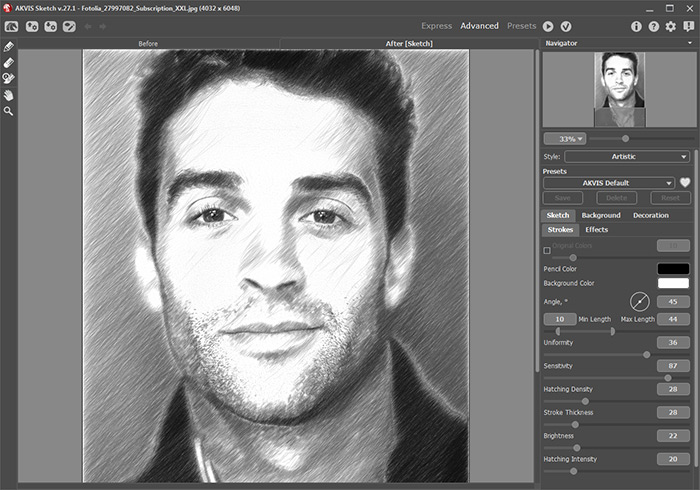
Adjust the settings.

  • Step 1. Increase the value of Size in the Strokes field on 1 unit. The strokes on the drawing will get wider and blurred on edges.

    Default stroke size Increase stroke size on drawing
    Stroke Size = 8 Stroke Size = 9

  • Step 2. Set the parameter Watercolor to 30. As a result the hard strokes on the face, hand and the background turn into light shadows.
    Without Watercolor effect Use Watercolor for bluring
    Watercolor = 0 Watercolor = 30
  • Step 3. Reduce the value of the parameter Midtones Hatching from 100 to 85 to make the hatching of the light areas of the portrait (the face, the hand and the background) less pronounced.
    Max hatching on light areas of drawing Less hatching on light areas of drawing
    Midtones Hatching = 100 Midtones Hatching = 85

    You can change other parameters as you wish.

    If you work with the plugin version, you should firstly apply the changes by pressing the button .

    Now you can save the graphite pencil portrait.
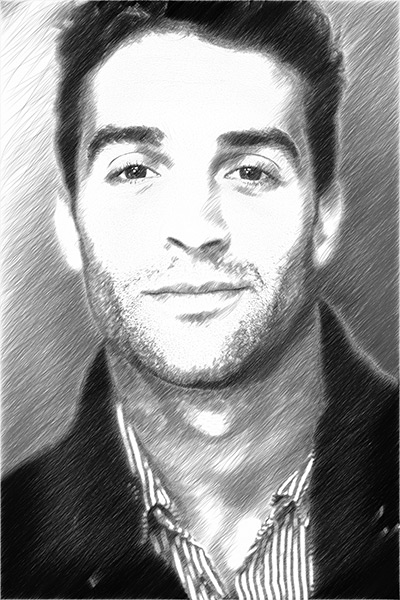
    Graphite Pencil Portrait
 
How It Works How It Works
   — Workspace — Workspace
   — How To Use The Program — How To Use The Program
   — Make a Sketch from a Photo — Make a Sketch from a Photo
   — Background Effects — Background Effects
   — Add Text/Signature — Add Text/Signature
   — Imitate Sketch Drawing on a Canvas — Imitate Sketch Drawing on a Canvas
   — Working with the Presets — Working with the Presets
   — Preferences — Preferences
Examples Examples
   — Pencil Sketch: Let's Draw a Tulip — Pencil Sketch: Let's Draw a Tulip
   — Convert a Photo to a Color Sketch — Convert a Photo to a Color Sketch
   — Transform a Video into a Cartoon — Transform a Video into a Cartoon
   — Pastel Drawing Technique — Pastel Drawing Technique
   — Graphite Pencil Portrait — Graphite Pencil Portrait
   — Watercolor Drawing — Watercolor Drawing
   — Artistic Processing — Artistic Processing
   — Watercolor Painting out of Photo — Watercolor Painting out of Photo
   — Winter Dream: Fairy-Tale Forest — Winter Dream: Fairy-Tale Forest
   — A Woman in a Tub: a Real Work of Art — A Woman in a Tub: a Real Work of Art
   — Watercolor Portrait — Watercolor Portrait
   — Pencil Sketch of a Pet — Pencil Sketch of a Pet
   — Postcard Framed in Pencil Drawing — Postcard Framed in Pencil Drawing
   — Baseball Photo to Color Drawing — Baseball Photo to Color Drawing
   — Make a Sketch from a Wolf Photo — Make a Sketch from a Wolf Photo
   — Motorshow: a Pencil Drawing — Motorshow: a Pencil Drawing
   — A Little Girl: B&W Pencil Sketch — A Little Girl: B&W Pencil Sketch
   — Westmuir Street in Glasgow — Westmuir Street in Glasgow
   — Wild Beast of Prey: Watercolor — Wild Beast of Prey: Watercolor
   — A Hand Draws a Hand — A Hand Draws a Hand
   — Convert Vector Drawing to Sketch — Convert Vector Drawing to Sketch
   — Portrait out of a Newspaper Clipping — Portrait out of a Newspaper Clipping
   — Quiet Harbor:  a Watercolor Painting — Quiet Harbor: a Watercolor Painting
   — Sweet Couple: Create a Postcard — Sweet Couple: Create a Postcard
   — Black-and-White Image in Photo Frame — Black-and-White Image in Photo Frame
   — Dream to Reality: How to Blend... — Dream to Reality: How to Blend...
   — Christmas Card from a Photo — Christmas Card from a Photo
   — Artist at Work — Artist at Work
   — Romantic Mood Without Photoshop — Romantic Mood Without Photoshop
   — Stop the Moment! (Sketch&Blur) — Stop the Moment! (Sketch&Blur)
   — Versailles: Traveling to the Past — Versailles: Traveling to the Past
   — Drawing on Aged Paper — Drawing on Aged Paper
   — Self-Expression: Sketch in a Minute — Self-Expression: Sketch in a Minute
   — Two Beloved Dogs — Two Beloved Dogs
   — Orchid: Drawing in Watercolor Pencil — Orchid: Drawing in Watercolor Pencil
   — Shiny Apple: An Artist's Touch — Shiny Apple: An Artist's Touch
   — Cardinal: A Scene From Nature — Cardinal: A Scene From Nature
   — Variations On A Rose — Variations On A Rose


   Privacy Policy | Site Map | Search    
   Contact Us | Twitter | Facebook   
| English  |Français  |Deutsch  |Español  |Português  |Italiano  |日本語  |Pусский  | © 2004-2010 AKVIS Software Inc. All rights reserved.