Graphic software for Windows Mac graphic software
Please enter your email to be kept posted on updates and discounts:
 
  
  Products     Download     Online Store     Tutorial     Support     Company
en  fr  de  es  pt  it  jp  ru    
 

Tutorial: AKVIS Sketch

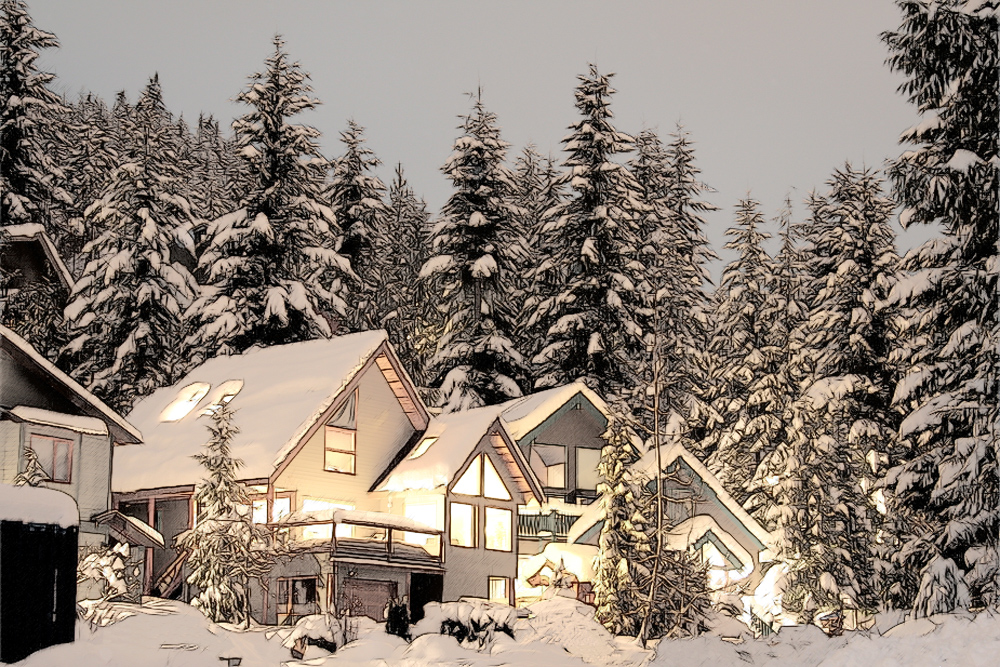
Winter Dream


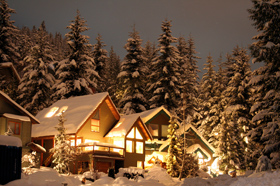
Would you like to celebrate New Year's Eve or Christmas in this fairy-tale wooden house? Just imagine - nothing but snow-covered fir-trees all around, transparent winter air.. it's cold outside, but you sit in a cosy wicker chair near the fireplace.. wooden logs crackle in the fire and the scent of the fir tree adds to the aroma of tangerines and pastry.

This photo can be easily converted into a pencil sketch with the AKVIS Sketch.
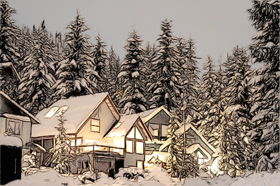
Winter Forest Winter dream: color pencil sketch
Source image Result

We use the Sketch plugin in this tutorial, but you can take the standalone edition and use the same parameters to achive this result.

Follow the instructions:

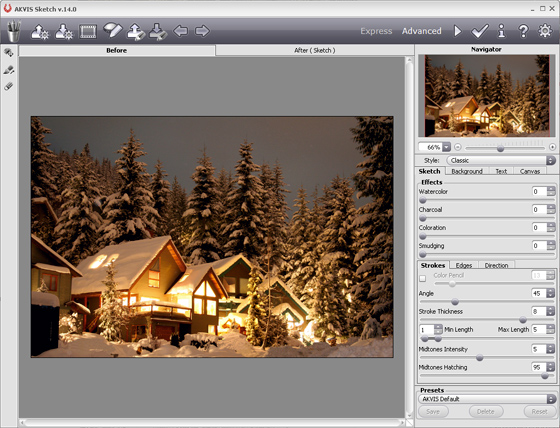
  • Step 1. Open the photo with your photo editor and call the plug-in AKVIS Sketch.
    AKVIS Sketch
  • Step 2. When the plug-in window opens, press the button Convert photo to pencil sketch. The photo will be converted into a pencil drawing with the default settings.
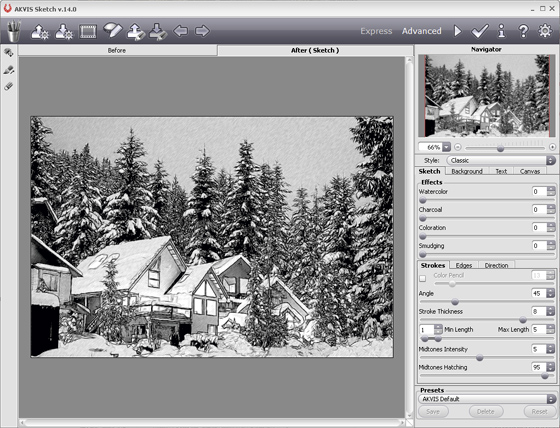
    pencil drawing
  • Step 3. Adjust the settings:

    - reduce the value of the parameter Size so that the sketch was drawn in finer traits;

    - reduce the value of the parameter Midtones Hatching to reduce the number of traits in the sky and in the snow.

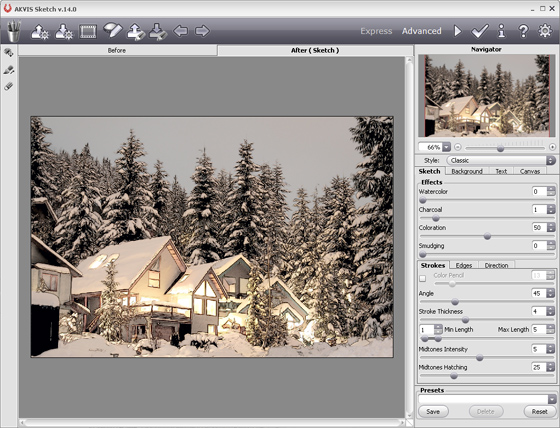
  • Step 4. Press the button Convert photo to pencil sketch and see the photo converted into a pencil sketch with the new settings.
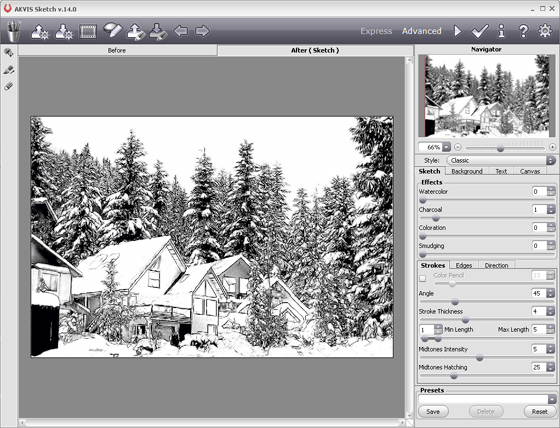
    pencil drawing
  • Step 5. Now add color to the sketch by increasing the value of the parameter Coloration.
    Color pencil sketch
  • Step 6. Apply the result by pressing the button . Here is our winter dream in artistic realization.
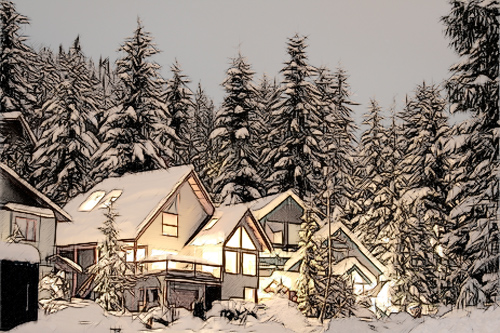
Winter dream: color pencil sketch
Click on the picture to open the photo in a new window.
 
How It Works How It Works
   — Workspace — Workspace
   — How to Work with the Program — How to Work with the Program
   — Make a Sketch from a Photo — Make a Sketch from a Photo
   — Background Effects — Background Effects
   — Add Text/Signature — Add Text/Signature
   — Imitate Sketch Drawing on a Canvas — Imitate Sketch Drawing on a Canvas
Examples Examples
   — Pencil Sketch: Let's Draw a Tulip — Pencil Sketch: Let's Draw a Tulip
   — Convert a Photo to a Color Sketch — Convert a Photo to a Color Sketch
   — Graphite Pencil Portrait — Graphite Pencil Portrait
   — Watercolor Drawing — Watercolor Drawing
   — Artistic Processing — Artistic Processing
   — A Painting out of a Photo — A Painting out of a Photo
   — A Watercolor Portrait from a Photo — A Watercolor Portrait from a Photo
   — Winter Dream — Winter Dream
   — Pencil Sketch of a Pet — Pencil Sketch of a Pet
   — A woman in a Tub: a Real Work of Art — A woman in a Tub: a Real Work of Art
   — Postcard on a Pencil Drawing — Postcard on a Pencil Drawing
   — Baseball Photo to Color Drawing — Baseball Photo to Color Drawing
   — Make a Sketch from a Wolf Photo — Make a Sketch from a Wolf Photo
   — Pastel Drawing Technique — Pastel Drawing Technique
   — Motorshow: a Pencil Drawing — Motorshow: a Pencil Drawing
   — A Little Girl: B&W Pencil Sketch — A Little Girl: B&W Pencil Sketch
   — Westmuir Street in Glasgow — Westmuir Street in Glasgow
   — Wild Beast of Prey: Watercolor — Wild Beast of Prey: Watercolor
   — Transform a Video into a Cartoon — Transform a Video into a Cartoon
   — A Hand Draws a Hand — A Hand Draws a Hand
   — Convert Vector Drawing to Sketch — Convert Vector Drawing to Sketch
   — Portrait out of a Newspaper Clipping — Portrait out of a Newspaper Clipping
   — Quiet Harbor:  a Watercolor Painting — Quiet Harbor: a Watercolor Painting
   — Sweet Couple: Create a Postcard — Sweet Couple: Create a Postcard
   — Black-and-White Image in Photo Frame — Black-and-White Image in Photo Frame
   — Dream to Reality: How to Blend... — Dream to Reality: How to Blend...
   — Christmas Card from a Photo — Christmas Card from a Photo
   — Artist at Work — Artist at Work
   — Romantic Mood Without Photoshop — Romantic Mood Without Photoshop
   — Stop the Moment! (Sketch&Blur) — Stop the Moment! (Sketch&Blur)
   — Versailles: Traveling to the past — Versailles: Traveling to the past


   Privacy Policy | Site Map | Search | English  |Français  |Deutsch  |Español  |Português  |Italiano  |日本語  |Pусский  | © 2004-2009, AKVIS Software Inc. All rights reserved.