Graphic software for Windows Mac graphic software  
Please enter your email to be kept posted on updates and discounts:
 
  
  Products     Download     Online Store     Tutorial     Support     About Company
en  fr  de  es  pt  it  jp  ru    
 

Tutorial: AKVIS Sketch

Watercolor Drawing


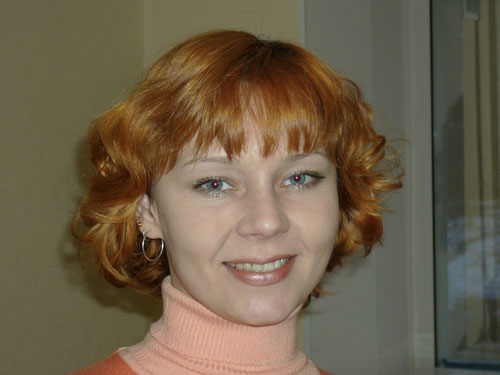
To imitate a watercolor drawing with the plug-in AKVIS Sketch we have chosen a portrait.
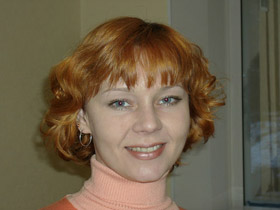
    Portrait of a girl
  • Step 1. Open the photo with a photo editor and call the AKVIS Sketch plug-in.

    Press the button Convert to convert the original photo into a pencil drawing. The conversion will be made with the default settings.
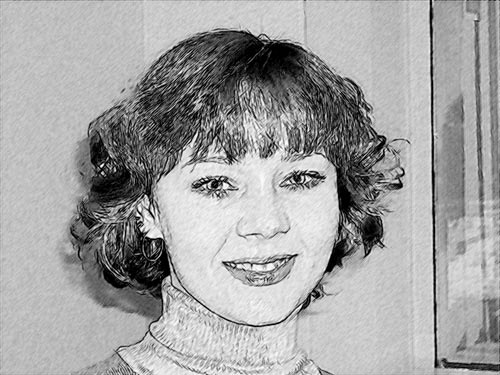
    Pencil sketch: automatic processing
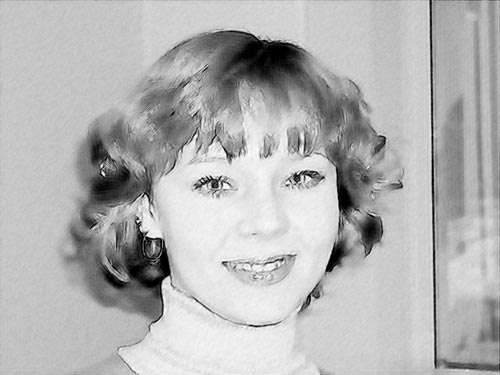
  • Step 2. Reduce the value of the parameters Size and Midtones Intensity, then press the button . As a result the details will be drawn in finer strokes (which is especially apparent on the hair), the face and the background get neater.
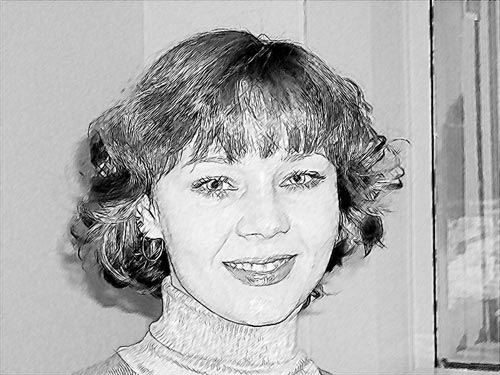
    Pencil sketch: finer strokes
  • Step 3. What we have now is a pencil sketch. But our task is to create a watercolor drawing. Watercolor painting is characterized by light strokes, blurred edges and transparent colors. It can be done by adjusting the parameter Watercolor in the Effects field. By default it has the value of 0. The more you increase the value of the parameter, the more blurred are the strokes and the less is the detail. In this case we set the parameter to 10.
    Watercolor Drawing
  • Step 4. The chin line got blurred, we will restore the precision of the lines by increasing the value of Size and Sharpen.
    Sharpen the contours
  • Step 5. To add the original colors we move the slider of the Coloration effect to the right, approximately to 80.
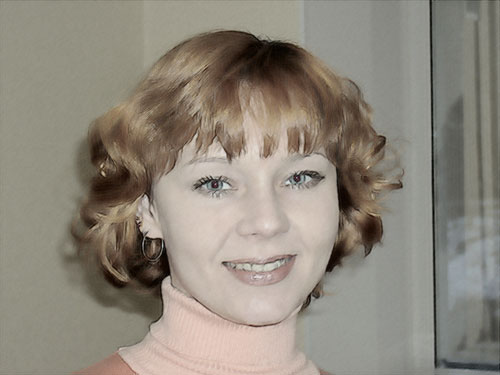
    Add color to watercolor drawing
  • Step 6. Press the button Apply to apply the result and close the plugin's window.
 
How It Works How It Works
   — AKVIS Sketch plug-in — AKVIS Sketch plug-in
   — AKVIS Sketch stand-alone — AKVIS Sketch stand-alone
   — Make a Sketch from a Photo — Make a Sketch from a Photo
   — Background Tab — Background Tab
   — Imitate Sketch Drawing on a Canvas — Imitate Sketch Drawing on a Canvas
Examples Examples
   — Pencil Sketch: Let's Draw a Tulip — Pencil Sketch: Let's Draw a Tulip
   — Color Sketch — Color Sketch
   — Graphite Pencil Portrait — Graphite Pencil Portrait
   — Watercolor Drawing — Watercolor Drawing
   — Artistic Processing — Artistic Processing
   — A Painting out of a Photo — A Painting out of a Photo
   — A watercolor portrait from a photo — A watercolor portrait from a photo
   — Winter Dream — Winter Dream
   — Sketch of a Pet — Sketch of a Pet
   — A Little Girl — A Little Girl
   — Westmuir Street in Glasgow — Westmuir Street in Glasgow
   — A woman in a Tub: a real work of art — A woman in a Tub: a real work of art
   — Postcard on a Pencil Drawing — Postcard on a Pencil Drawing
   — Baseball Photo to Color Drawing — Baseball Photo to Color Drawing
   — A Wolf: make a Sketch from a Photo — A Wolf: make a Sketch from a Photo
   — Pastel Drawing Technique — Pastel Drawing Technique
   — Motorshow: a Pencil Drawing — Motorshow: a Pencil Drawing
   — Watercolor of a Wolf — Watercolor of a Wolf
   — A Hand Draws a Hand — A Hand Draws a Hand
   — Transform a Video into a Cartoon — Transform a Video into a Cartoon
   — Convert Vector Drawing to Sketch — Convert Vector Drawing to Sketch
   — Portrait out of a Newspaper Clipping — Portrait out of a Newspaper Clipping
   — Quiet Harbor — Quiet Harbor
   — Sweet Couple — Sweet Couple
   — Black&White Image in Photo Frame — Black&White Image in Photo Frame
   — Dream to Reality — Dream to Reality
   — Christmas Card from a Photo — Christmas Card from a Photo
   — Artist at Work — Artist at Work


   Privacy Policy | Site Map | Search | English  | Français  | Deutsch  | Español  | Português  | Italiano  | 日本語  | Pусский  | © 2004-2008, AKVIS Software Inc. All rights reserved.