Graphic software for Windows Mac graphic software  
Please enter your email to be kept posted on updates and discounts:
 
  
  Products     Download     Online Store     Tutorial     Support     About Company
en  fr  de  es  pt  it  jp  ru    
 

Tutorial: AKVIS Sketch

Quiet harbor


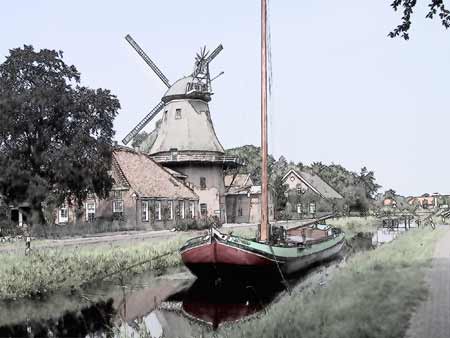
The author of this tutorial is Manfred Altenkirch. He created a watercolor painting from an ordinary photo using AKVIS Sketch. Let's follow his steps to achieve the same result.

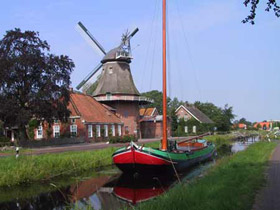
  • Step 1. Open the image in Irfanview, or you can use any other photo editor compatible with AKVIS plugins.
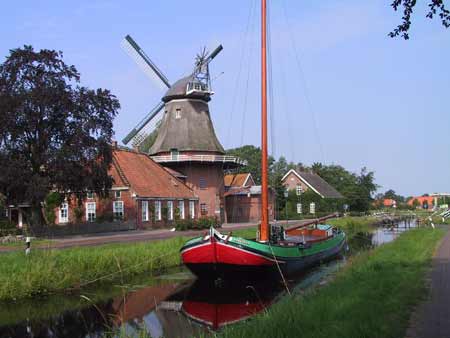
    original photo
  • Step 2. Call AKVIS Sketch from the menu of the photo editor Filter->Akvis->Sketch.

    When the plug-in window opens, press the button Run.

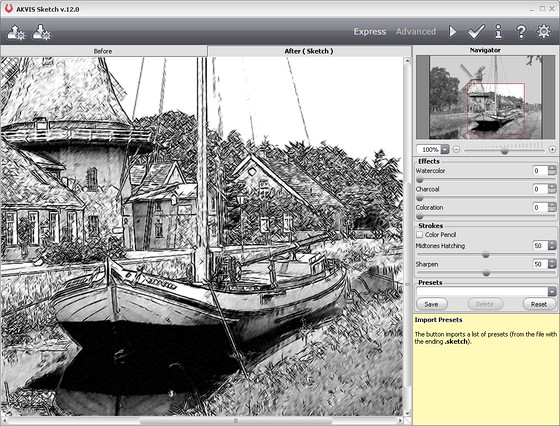
    The photo will be converted into a pencil drawing with the default settings. The resulting pencil sketch will be shown in the After tab.
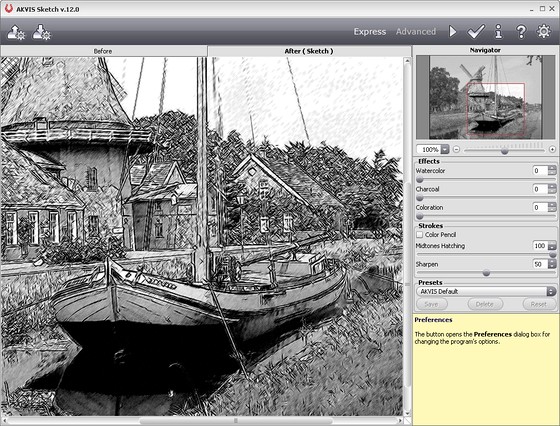
    Plugin window
  • Step 3. Reduce the value of the parameter Midtones hatching=50 to reduce the intensity in the midtone areas and press the button Run, to see the changes.
    Midtones hatching parameter
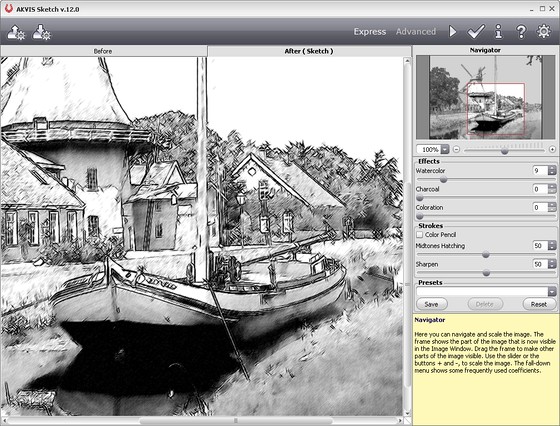
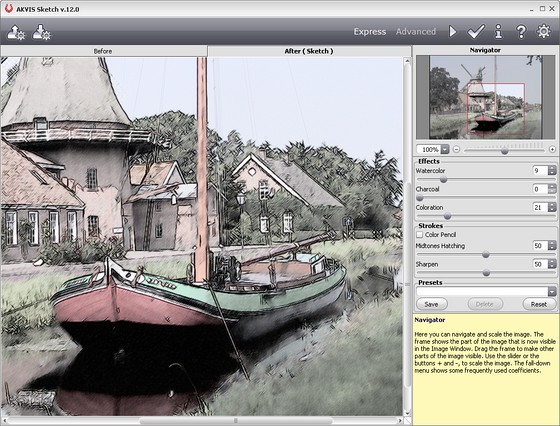
  • Step 4. Move the slider of the Watercolor=9 to blur the image a bit. Press the button Run. Here is the result:
    Watercolor parameter
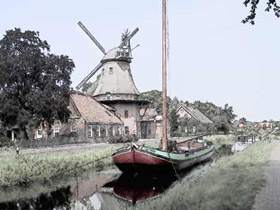
  • Step 5. Let's add color to the image. Increase the value of Coloration=21. Press the button Run again.
    Colorization
  • Step 6. To apply the result to the image and close the plugin window press the button Apply.

    Here is the final result:

    Quiet harbor

    You can add a photo frame if you like. Use the tools of Photoshop or, which is faster, the program AKVIS ArtSuite.
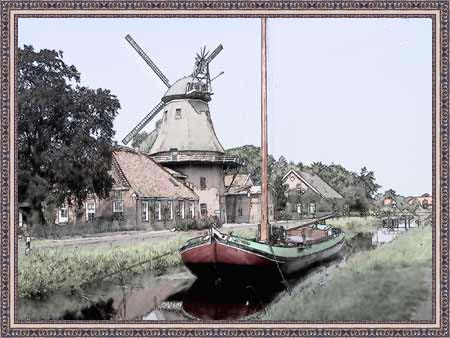
    Watercolor painting: Quiet harbor
 
How It Works How It Works
   — AKVIS Sketch plug-in — AKVIS Sketch plug-in
   — AKVIS Sketch stand-alone — AKVIS Sketch stand-alone
   — Make a Sketch from a Photo — Make a Sketch from a Photo
   — Background Tab — Background Tab
   — Imitate Sketch Drawing on a Canvas — Imitate Sketch Drawing on a Canvas
Examples Examples
   — Pencil Sketch: Let's Draw a Tulip — Pencil Sketch: Let's Draw a Tulip
   — Color Sketch — Color Sketch
   — Graphite Pencil Portrait — Graphite Pencil Portrait
   — Watercolor Drawing — Watercolor Drawing
   — Artistic Processing — Artistic Processing
   — A Painting out of a Photo — A Painting out of a Photo
   — A watercolor portrait from a photo — A watercolor portrait from a photo
   — Winter Dream — Winter Dream
   — Sketch of a Pet — Sketch of a Pet
   — A Little Girl — A Little Girl
   — Westmuir Street in Glasgow — Westmuir Street in Glasgow
   — A woman in a Tub: a real work of art — A woman in a Tub: a real work of art
   — Postcard on a Pencil Drawing — Postcard on a Pencil Drawing
   — Baseball Photo to Color Drawing — Baseball Photo to Color Drawing
   — A Wolf: make a Sketch from a Photo — A Wolf: make a Sketch from a Photo
   — Pastel Drawing Technique — Pastel Drawing Technique
   — Motorshow: a Pencil Drawing — Motorshow: a Pencil Drawing
   — Watercolor of a Wolf — Watercolor of a Wolf
   — A Hand Draws a Hand — A Hand Draws a Hand
   — Transform a Video into a Cartoon — Transform a Video into a Cartoon
   — Convert Vector Drawing to Sketch — Convert Vector Drawing to Sketch
   — Portrait out of a Newspaper Clipping — Portrait out of a Newspaper Clipping
   — Quiet Harbor — Quiet Harbor
   — Sweet Couple — Sweet Couple
   — Black&White Image in Photo Frame — Black&White Image in Photo Frame
   — Dream to Reality — Dream to Reality
   — Christmas Card from a Photo — Christmas Card from a Photo
   — Artist at Work — Artist at Work


   Privacy Policy | Site Map | Search | English  | Français  | Deutsch  | Español  | Português  | Italiano  | 日本語  | Pусский  | © 2004-2008, AKVIS Software Inc. All rights reserved.