Graphic software for Windows Mac graphic software
Please enter your email to be kept posted on updates and discounts:
 
  
  Products     Download     Online Store     Tutorial     Support     Company
en  fr  de  es  pt  it  jp  ru    
 

Tutorial: AKVIS Sketch

A Woman in a Tub: Changing a Photo into a Work of Art


The author of this article Danny Raphael is the moderator of the Photo-based Art forum at www.RetouchPRO.com.

Danny is an expert in Photoshop and can make a photo into a real work of art.
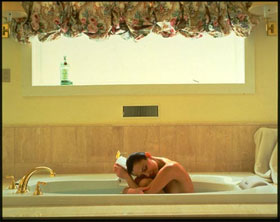
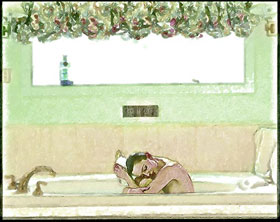
Source photo of a woman Drawing of a woman in bath tub
Turn photo of a woman into beautiful drawing
  • Step 1. Open the original photo of a woman in Adobe Photoshop.
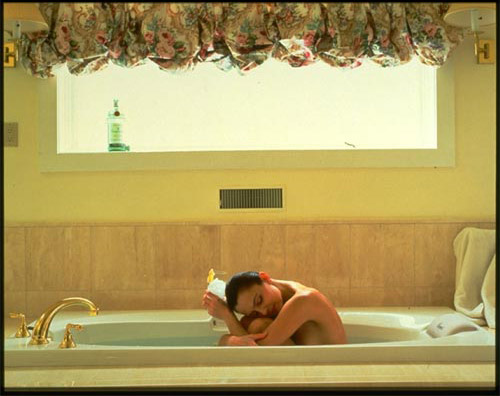
    A woman in a tub: source photo
  • Step 2. Add a new Adjustment layer Levels and lighten the image by moving the grey slider from 1 to 1,64.
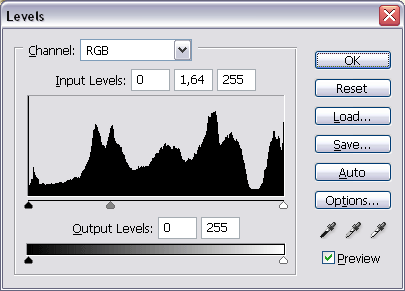
    Levels dialogue box
  • Step 3. While being in Levels Adjustment layer, in the Tools panel set black as the foreground color, choose the Brush tool with the soft head and transparency at about 70%. Stroke the bottle on the windowseal with the Brush. We perform the masking for the Adjustment layer to influence the whole image but the bottle (it becomes too light with Levels applied).
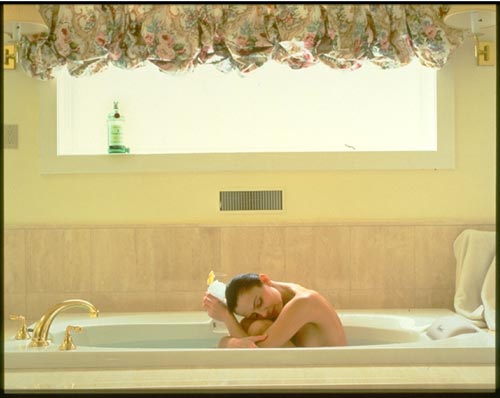
    The result of Levels aplication
  • Step 4. Still in Levels Adjustment layer, first choose Select - All, and then Copy Merged from the Edit menu.
  • Step 5. Insert the copied image by Edit - Paste. Name our layer Layer A.
  • Step 6. Duplicate Layer A by dragging it to the Create a New Layer button at the bottom of Layers palette. Name the new layer Layer B.
  • Step 7. In Layer B open AKVIS Sketch plugin and apply it with default settings.
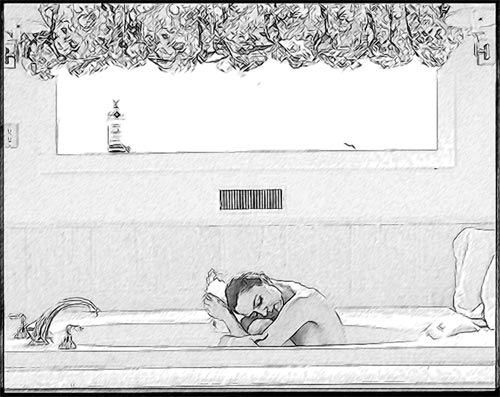
    A pencil drawing - AKVIS Sketch, default settings

    The Layers palette containes 4 layers at this stage.
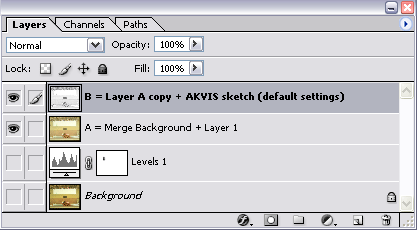
    Layers palette
  • Step 8. Duplicate Layer B and name it Layer C. In Layer C apply Unsharp Mask filter. But all we want to be sharper is the woman, so lets add a vector mask to the layer (Add vector mask button at the bottom of Layers) palette, and mask with the brush everything beside the woman in the image.
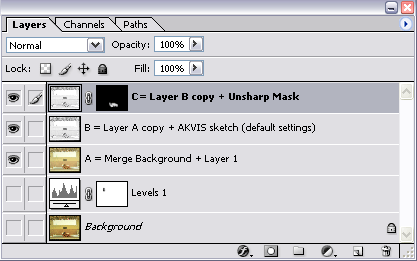
    Layers palette
  • Step 9. Merge Layer B and Layer C into a single Layer D. In Layer D apply Fantastic Machines Paint Engine plugin in Watercolour3 mode.
  • Step 10. Contrary to Step 8 we want to apply the plugin to the whole image except the woman. To do that add a vector mask to Layer D to mask the woman.
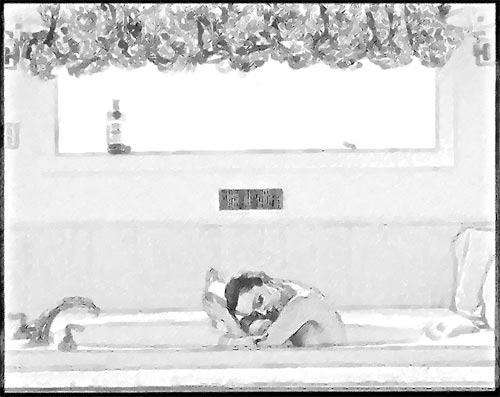
    Paint Engine application results
  • Step 11. To procede with our work we'll need a copy of Layer A. Place this layer at the top of the Layers palette. Change the layer's blend mode from Normal to Color.
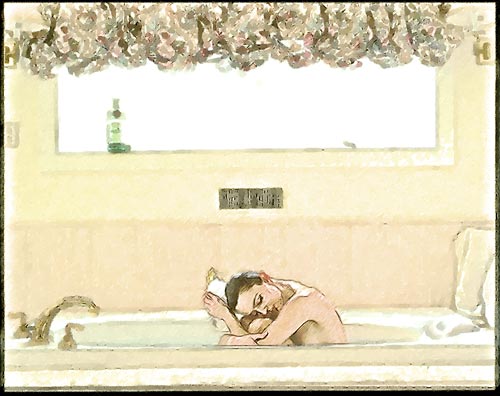
    Results of blending in color mode
  • Step 12. Create a new Adjustment layer Hue/Saturation with Hue=-4, Saturation=0, Lightness=0.
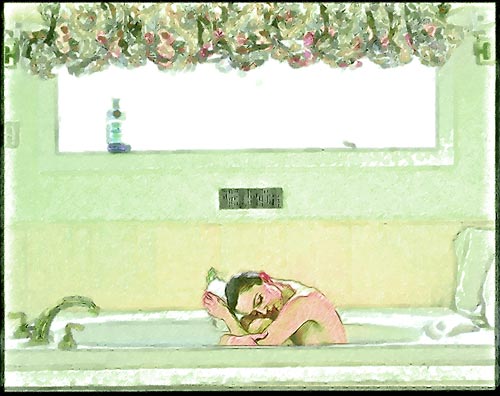
    Hue/Saturation Adjustment layer
  • Step 13. Lets use the masking again (as in Step 3) for the green hue not to cover all of the image.
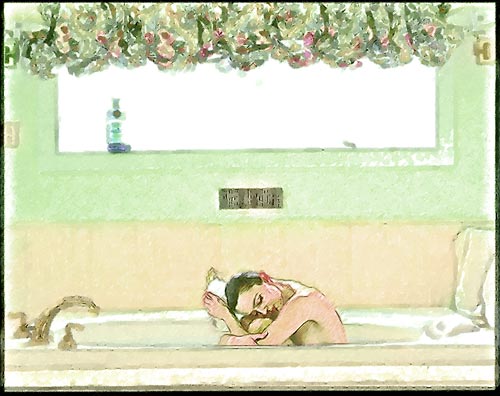
    After addition of Hue/Saturation Adjustment layer with the mask
  • Step 14. In the final step add an Adjustment layer Selective Color with the following settings:
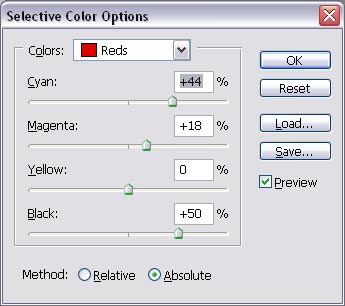
    Selective Color Dialogue box

    The layers palette looks like this now:
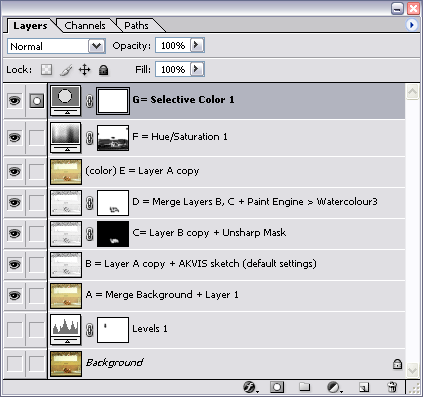
    Layers palette

    The resulted image has nothing in common with the photo. It's a beautiful drawing made by a real artist.
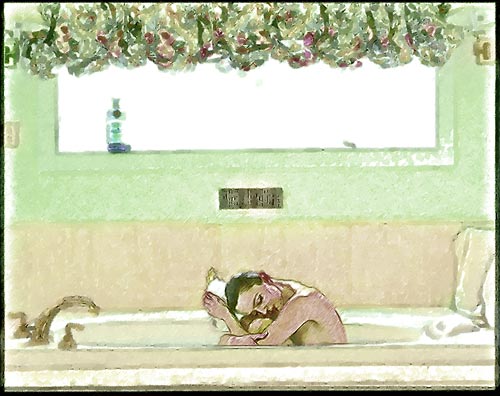
    A woman in a tub -  drawing from photo
    Drawing from photo
 
How It Works How It Works
   — Workspace — Workspace
   — How To Use The Program — How To Use The Program
   — Make a Sketch from a Photo — Make a Sketch from a Photo
   — Background Effects — Background Effects
   — Add Text/Signature — Add Text/Signature
   — Imitate Sketch Drawing on a Canvas — Imitate Sketch Drawing on a Canvas
   — Working with the Presets — Working with the Presets
   — Preferences — Preferences
Examples Examples
   — Pencil Sketch: Let's Draw a Tulip — Pencil Sketch: Let's Draw a Tulip
   — Convert a Photo to a Color Sketch — Convert a Photo to a Color Sketch
   — Transform a Video into a Cartoon — Transform a Video into a Cartoon
   — Pastel Drawing Technique — Pastel Drawing Technique
   — Graphite Pencil Portrait — Graphite Pencil Portrait
   — Watercolor Drawing — Watercolor Drawing
   — Artistic Processing — Artistic Processing
   — Watercolor Painting out of Photo — Watercolor Painting out of Photo
   — Winter Dream: Fairy-Tale Forest — Winter Dream: Fairy-Tale Forest
   — A Woman in a Tub: a Real Work of Art — A Woman in a Tub: a Real Work of Art
   — Watercolor Portrait — Watercolor Portrait
   — Pencil Sketch of a Pet — Pencil Sketch of a Pet
   — Postcard Framed in Pencil Drawing — Postcard Framed in Pencil Drawing
   — Baseball Photo to Color Drawing — Baseball Photo to Color Drawing
   — Make a Sketch from a Wolf Photo — Make a Sketch from a Wolf Photo
   — Motorshow: a Pencil Drawing — Motorshow: a Pencil Drawing
   — A Little Girl: B&W Pencil Sketch — A Little Girl: B&W Pencil Sketch
   — Westmuir Street in Glasgow — Westmuir Street in Glasgow
   — Wild Beast of Prey: Watercolor — Wild Beast of Prey: Watercolor
   — A Hand Draws a Hand — A Hand Draws a Hand
   — Convert Vector Drawing to Sketch — Convert Vector Drawing to Sketch
   — Portrait out of a Newspaper Clipping — Portrait out of a Newspaper Clipping
   — Quiet Harbor:  a Watercolor Painting — Quiet Harbor: a Watercolor Painting
   — Sweet Couple: Create a Postcard — Sweet Couple: Create a Postcard
   — Black-and-White Image in Photo Frame — Black-and-White Image in Photo Frame
   — Dream to Reality: How to Blend... — Dream to Reality: How to Blend...
   — Christmas Card from a Photo — Christmas Card from a Photo
   — Artist at Work — Artist at Work
   — Romantic Mood Without Photoshop — Romantic Mood Without Photoshop
   — Stop the Moment! (Sketch&Blur) — Stop the Moment! (Sketch&Blur)
   — Versailles: Traveling to the Past — Versailles: Traveling to the Past
   — Drawing on Aged Paper — Drawing on Aged Paper
   — Self-Expression: Sketch in a Minute — Self-Expression: Sketch in a Minute
   — Two Beloved Dogs — Two Beloved Dogs
   — Orchid: Drawing in Watercolor Pencil — Orchid: Drawing in Watercolor Pencil
   — Shiny Apple: An Artist's Touch — Shiny Apple: An Artist's Touch


   Privacy Policy | Site Map | Search | English  |Français  |Deutsch  |Español  |Português  |Italiano  |日本語  |Pусский  | © 2004-2009, AKVIS Software Inc. All rights reserved.