Graphic software for Windows Mac graphic software
Please enter your email to be kept posted on updates and discounts:
 
  
  Products     Download     Online Store     Tutorial     Support     Company
en  fr  de  es  pt  it  jp  ru    
 

Tutorial: AKVIS Sketch

Make a sketch from a photo


To make a sketch you need certain abilities. You either have to be capable of drawing by hand, or have a good knowledge of a graphical editor to change your photo into a drawing by a series of comands, filters, and layers with different merging modes.

But if you cannot draw and do not have time or desire to perform a long and tedious series of steps, you can use AKVIS Sketch. It is easy to use and allows you to get a realistically looking drawing in few seconds.

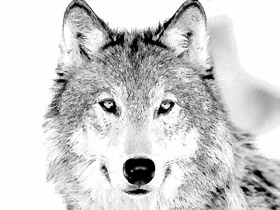
In this example we will show the procedure of changing a photo of a wolf into a pencil drawing.
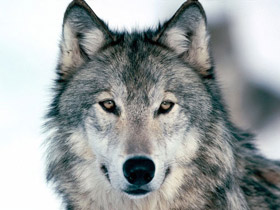
Photo of a wolf Pencil drawing of a wolf
Source image Result

We use the Sketch plugin in this tutorial, but you can take the standalone edition and use the same parameters to achive this result.

So, open the photo in a photo editor and call the Sketch plug-in.
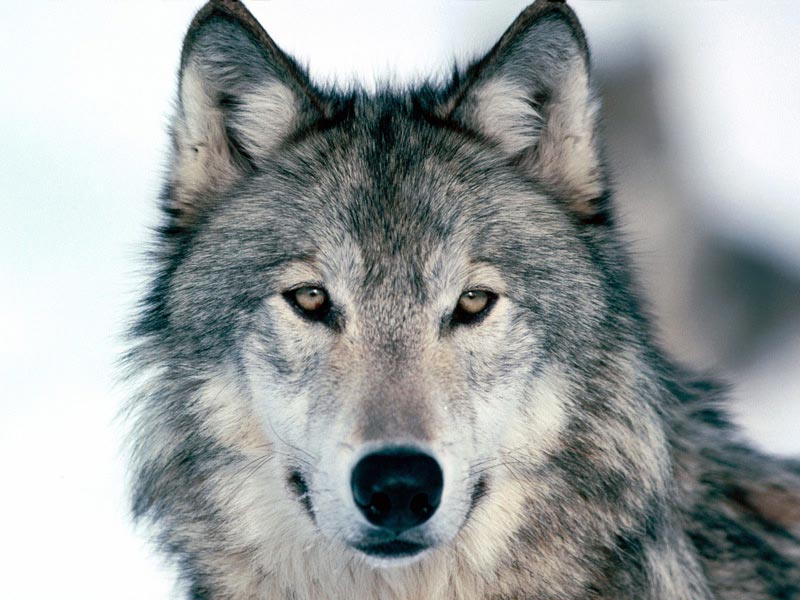
 
Photo of a wolf
Photo of a wolf: click the picture to open it in a larger window

On opening AKVIS Sketch press in the plug-in window the Make sketch button. The photo will be converted into a drawing with default settings.

Results of convertion to a sketch with default settings

Let's analyse the resulted image and adjust the plug-in settings by pressing Make sketch button every time we change a parameter to see the result. You can see the settings we chose for this drawing in the image below.
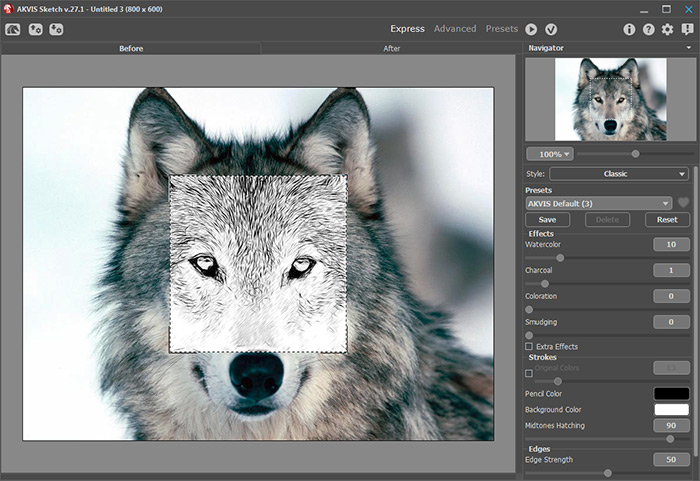
Results of converting into drawing

Let's have a closer look at some parameters:

- Parameter Watercolor . By increasing this parameter by only 1 point we blured the tiniest strokes that could give extra "dirt".

- Parameter Size. The higher is this parameter set, the finer our drawing strokes will be.

- Parameter Midtones Hatching. By decreasing this parameter you decrease the level of detail in the lighter regions of the image.

The parameters are adjusted and you are happy with the drawing.

All you have to do now is to apply the result by pressing Apply result button in the plug-in window. You will get the "pencil sketch" of a wolf in your image editor. Now you can save the picture.
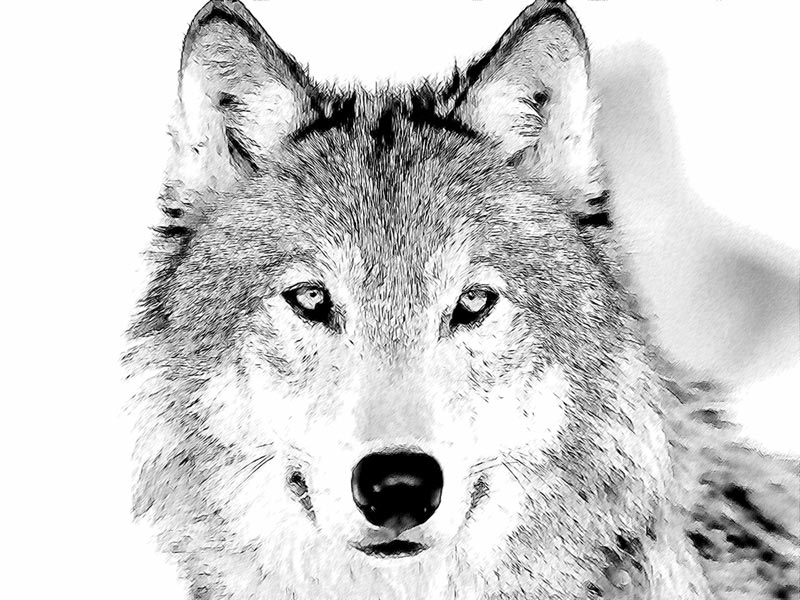
Pencil drawing of a wolf
Click the picture to see the pencil sketch of a wolf in a larger window

 
How It Works How It Works
   — Workspace — Workspace
   — How to Work with the Program — How to Work with the Program
   — Make a Sketch from a Photo — Make a Sketch from a Photo
   — Background Effects — Background Effects
   — Add Text/Signature — Add Text/Signature
   — Imitate Sketch Drawing on a Canvas — Imitate Sketch Drawing on a Canvas
Examples Examples
   — Pencil Sketch: Let's Draw a Tulip — Pencil Sketch: Let's Draw a Tulip
   — Convert a Photo to a Color Sketch — Convert a Photo to a Color Sketch
   — Graphite Pencil Portrait — Graphite Pencil Portrait
   — Watercolor Drawing — Watercolor Drawing
   — Artistic Processing — Artistic Processing
   — A Painting out of a Photo — A Painting out of a Photo
   — A Watercolor Portrait from a Photo — A Watercolor Portrait from a Photo
   — Winter Dream — Winter Dream
   — Pencil Sketch of a Pet — Pencil Sketch of a Pet
   — A woman in a Tub: a Real Work of Art — A woman in a Tub: a Real Work of Art
   — Postcard on a Pencil Drawing — Postcard on a Pencil Drawing
   — Baseball Photo to Color Drawing — Baseball Photo to Color Drawing
   — Make a Sketch from a Wolf Photo — Make a Sketch from a Wolf Photo
   — Pastel Drawing Technique — Pastel Drawing Technique
   — Motorshow: a Pencil Drawing — Motorshow: a Pencil Drawing
   — A Little Girl: B&W Pencil Sketch — A Little Girl: B&W Pencil Sketch
   — Westmuir Street in Glasgow — Westmuir Street in Glasgow
   — Wild Beast of Prey: Watercolor — Wild Beast of Prey: Watercolor
   — Transform a Video into a Cartoon — Transform a Video into a Cartoon
   — A Hand Draws a Hand — A Hand Draws a Hand
   — Convert Vector Drawing to Sketch — Convert Vector Drawing to Sketch
   — Portrait out of a Newspaper Clipping — Portrait out of a Newspaper Clipping
   — Quiet Harbor:  a Watercolor Painting — Quiet Harbor: a Watercolor Painting
   — Sweet Couple: Create a Postcard — Sweet Couple: Create a Postcard
   — Black-and-White Image in Photo Frame — Black-and-White Image in Photo Frame
   — Dream to Reality: How to Blend... — Dream to Reality: How to Blend...
   — Christmas Card from a Photo — Christmas Card from a Photo
   — Artist at Work — Artist at Work
   — Romantic Mood Without Photoshop — Romantic Mood Without Photoshop
   — Stop the Moment! (Sketch&Blur) — Stop the Moment! (Sketch&Blur)
   — Versailles: Traveling to the past — Versailles: Traveling to the past


   Privacy Policy | Site Map | Search | English  |Français  |Deutsch  |Español  |Português  |Italiano  |日本語  |Pусский  | © 2004-2009, AKVIS Software Inc. All rights reserved.