Graphic software for Windows Mac graphic software
Please enter your email to be kept posted on updates and discounts:
 
  
  Products     Download     Online Store     Tutorial     Support     Company
en  fr  de  es  pt  it  jp  ru    
 

Tutorial: AKVIS Sketch

Self-Expression: Sketch In A Minute


The author of this tutorial is Valentina Aynagos.


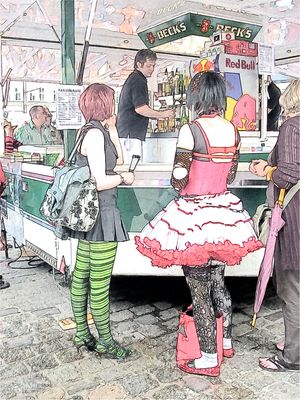
Often on the street, in a cafe, or at a train station one will often see people with a distinctive style. Sometimes a special style of dress is not simply a fad, but an expression of individuality or a sign of belonging to a particular subculture. Nevertheless, imagination can not only be shown through appearance, but also through creativity. In the following tutorial a photo of anime girls was tranformed into an original color drawing in less than a minute. All that is needed is a little imagination and AKVIS Sketch.

    Original Image Result: Anime Girls
  • Step 1. Open the photo in AKVIS Sketch. Soon afterward the Preview Window will display the result based on the program's default settings (AKVIS Default Preset).
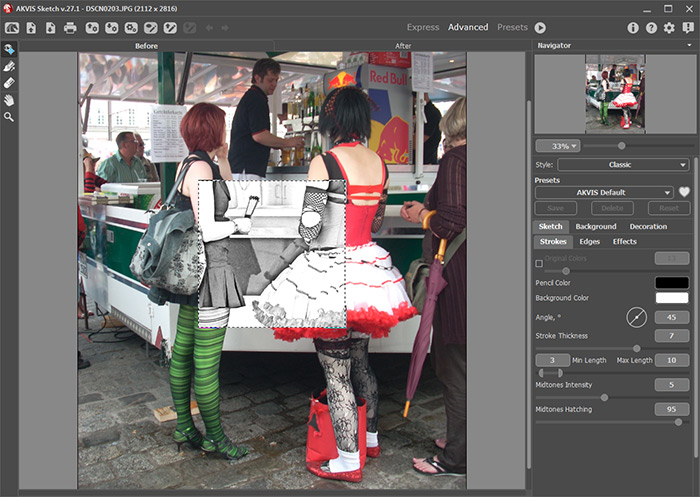
    AKVIS Sketch
    AKVIS Sketch's Workspace
  • Step 2. Leave the preset's settings unchanged and click on the check box next to Color Pencil in the Settings Panel. Press the button to process the image.
    Result of Conversion to Sketch
    Result of Conversion to Sketch
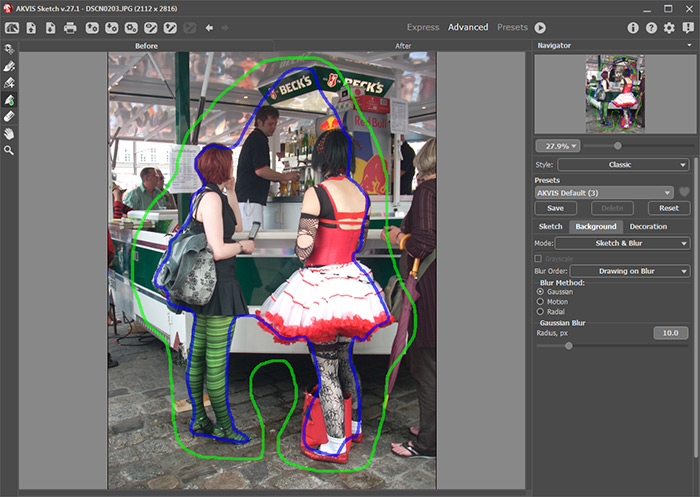
  • Step 3. To use a Gaussian blur effect, click on the Background tab, choose Sketch & Blur mode from the drop-down menu, and the Drawing on Blur processing method.

    Use the blue pencil (Effect Area Tool) to mark areas in the image that will remain unchanged. Use the Green pencil (Blur Area Tool) to indicate the area to be blurred.

    Drawn Boundaries
    Drawn Boundaries
  • Step 4. Process the image again by pressing the button. The sketch begins to be revealed. Processing can be stopped at any time by pressing Esc - this will prevent undesired details from being added to the image.
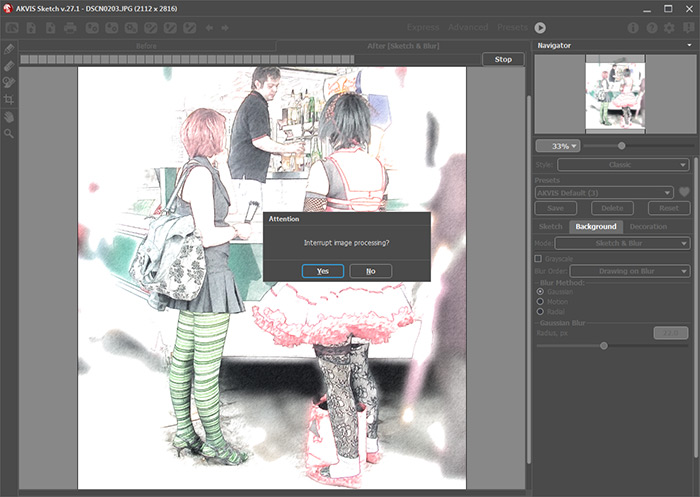
    Image Processing Interrupted
    Image Processing Interrupted
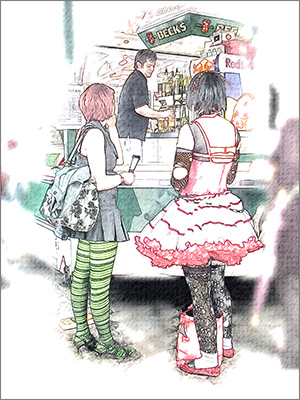
  • Step 5. Press the button and save the result.
    Result: Anime Girls
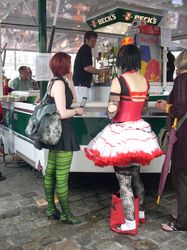
    Result: Anime Girls
 
How It Works How It Works
   — Workspace — Workspace
   — How To Use The Program — How To Use The Program
   — Make a Sketch from a Photo — Make a Sketch from a Photo
   — Background Effects — Background Effects
   — Add Text/Signature — Add Text/Signature
   — Imitate Sketch Drawing on a Canvas — Imitate Sketch Drawing on a Canvas
   — Working with the Presets — Working with the Presets
   — Preferences — Preferences
Examples Examples
   — Pencil Sketch: Let's Draw a Tulip — Pencil Sketch: Let's Draw a Tulip
   — Convert a Photo to a Color Sketch — Convert a Photo to a Color Sketch
   — Transform a Video into a Cartoon — Transform a Video into a Cartoon
   — Pastel Drawing Technique — Pastel Drawing Technique
   — Graphite Pencil Portrait — Graphite Pencil Portrait
   — Watercolor Drawing — Watercolor Drawing
   — Artistic Processing — Artistic Processing
   — Watercolor Painting out of Photo — Watercolor Painting out of Photo
   — Winter Dream: Fairy-Tale Forest — Winter Dream: Fairy-Tale Forest
   — A Woman in a Tub: a Real Work of Art — A Woman in a Tub: a Real Work of Art
   — Watercolor Portrait — Watercolor Portrait
   — Pencil Sketch of a Pet — Pencil Sketch of a Pet
   — Postcard Framed in Pencil Drawing — Postcard Framed in Pencil Drawing
   — Baseball Photo to Color Drawing — Baseball Photo to Color Drawing
   — Make a Sketch from a Wolf Photo — Make a Sketch from a Wolf Photo
   — Motorshow: a Pencil Drawing — Motorshow: a Pencil Drawing
   — A Little Girl: B&W Pencil Sketch — A Little Girl: B&W Pencil Sketch
   — Westmuir Street in Glasgow — Westmuir Street in Glasgow
   — Wild Beast of Prey: Watercolor — Wild Beast of Prey: Watercolor
   — A Hand Draws a Hand — A Hand Draws a Hand
   — Convert Vector Drawing to Sketch — Convert Vector Drawing to Sketch
   — Portrait out of a Newspaper Clipping — Portrait out of a Newspaper Clipping
   — Quiet Harbor:  a Watercolor Painting — Quiet Harbor: a Watercolor Painting
   — Sweet Couple: Create a Postcard — Sweet Couple: Create a Postcard
   — Black-and-White Image in Photo Frame — Black-and-White Image in Photo Frame
   — Dream to Reality: How to Blend... — Dream to Reality: How to Blend...
   — Christmas Card from a Photo — Christmas Card from a Photo
   — Artist at Work — Artist at Work
   — Romantic Mood Without Photoshop — Romantic Mood Without Photoshop
   — Stop the Moment! (Sketch&Blur) — Stop the Moment! (Sketch&Blur)
   — Versailles: Traveling to the Past — Versailles: Traveling to the Past
   — Drawing on Aged Paper — Drawing on Aged Paper
   — Self-Expression: Sketch in a Minute — Self-Expression: Sketch in a Minute
   — Two Beloved Dogs — Two Beloved Dogs
   — Orchid: Drawing in Watercolor Pencil — Orchid: Drawing in Watercolor Pencil
   — Shiny Apple: An Artist's Touch — Shiny Apple: An Artist's Touch
   — Cardinal: A Scene From Nature — Cardinal: A Scene From Nature
   — Variations On A Rose — Variations On A Rose


   Privacy Policy | Site Map | Search    
   Contact Us | Twitter | Facebook   
| English  |Français  |Deutsch  |Español  |Português  |Italiano  |日本語  |Pусский  | © 2004-2010 AKVIS.com. All rights reserved.