Mount Saint Michel: Watercolor Drawing


Please enter your email to be kept posted on updates and discounts:
 
 
  Products     Download     Online Store     Tutorial     Support     Company      Customer Room
en  fr  de  es  pt  it  jp  ru    
 

Tutorial: AKVIS Sketch

Mount Saint Michel: Watercolor Drawing


The author of this tutorial is Michael Algermissen.
This example was made using the standalone version of AKVIS Sketch.

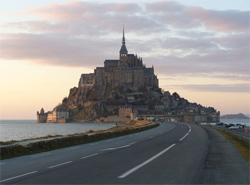
Mount Saint Michel (Mountain of Michael the Archangel) is a small rocky island fortress on the northwest coast of France. Rich in history, this island is one of the most famous places to visit. The author photographed the island on the side with the pier that connects it to the mainland, and decided to convert this photo to a watercolor drawing.

    Original Photo Watercolor Drawing
  • Step 1. Start AKVIS Sketch and open an image.
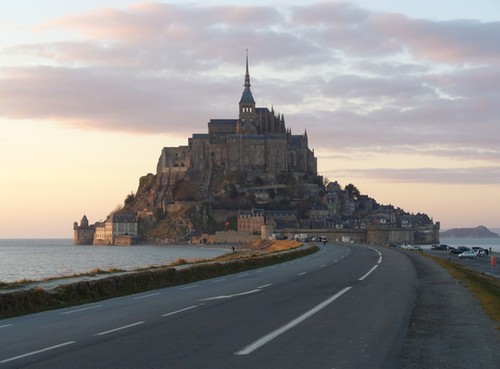
    Original Photo: Mount Saint Michel
    Original Photo
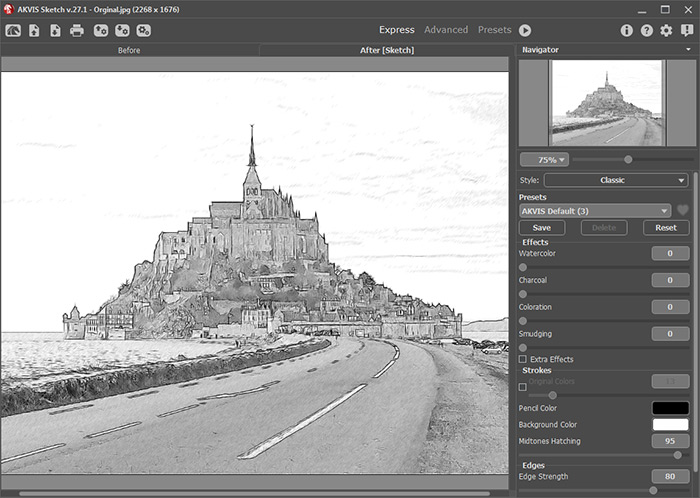
  • Step 2. Edit the photo using the settings in the AKVIS Default preset. Process the image by pressing .
    Default Settings
    Result After Using Default Settings
  • Step 3. Move the slider next to Watercolor to 9. This will blur the lines of the drawing a little.
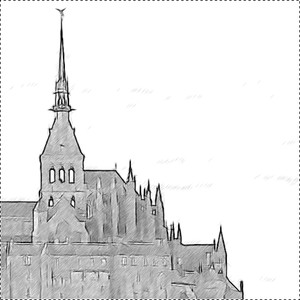
    "Watercolor Effect
    Watercolor Effect

    Now it's time to add some color. Set the Coloration to 80.
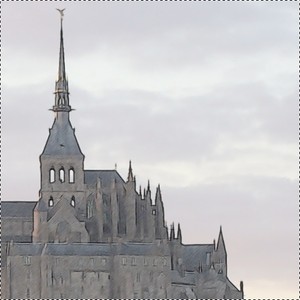
    Adding Color
    Adding Color

    In the upper right corner of the sky there is still excessive shading on the clouds. To remove it, reduce the value of Midtones Hatching to 80.
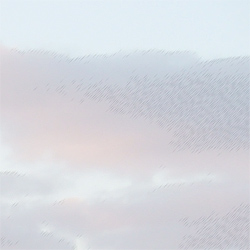
    Parameter's Default Value Hatching Reduced
    Parameter's Default Value
    "Hatching on Clouds"

    Hatching Reduced

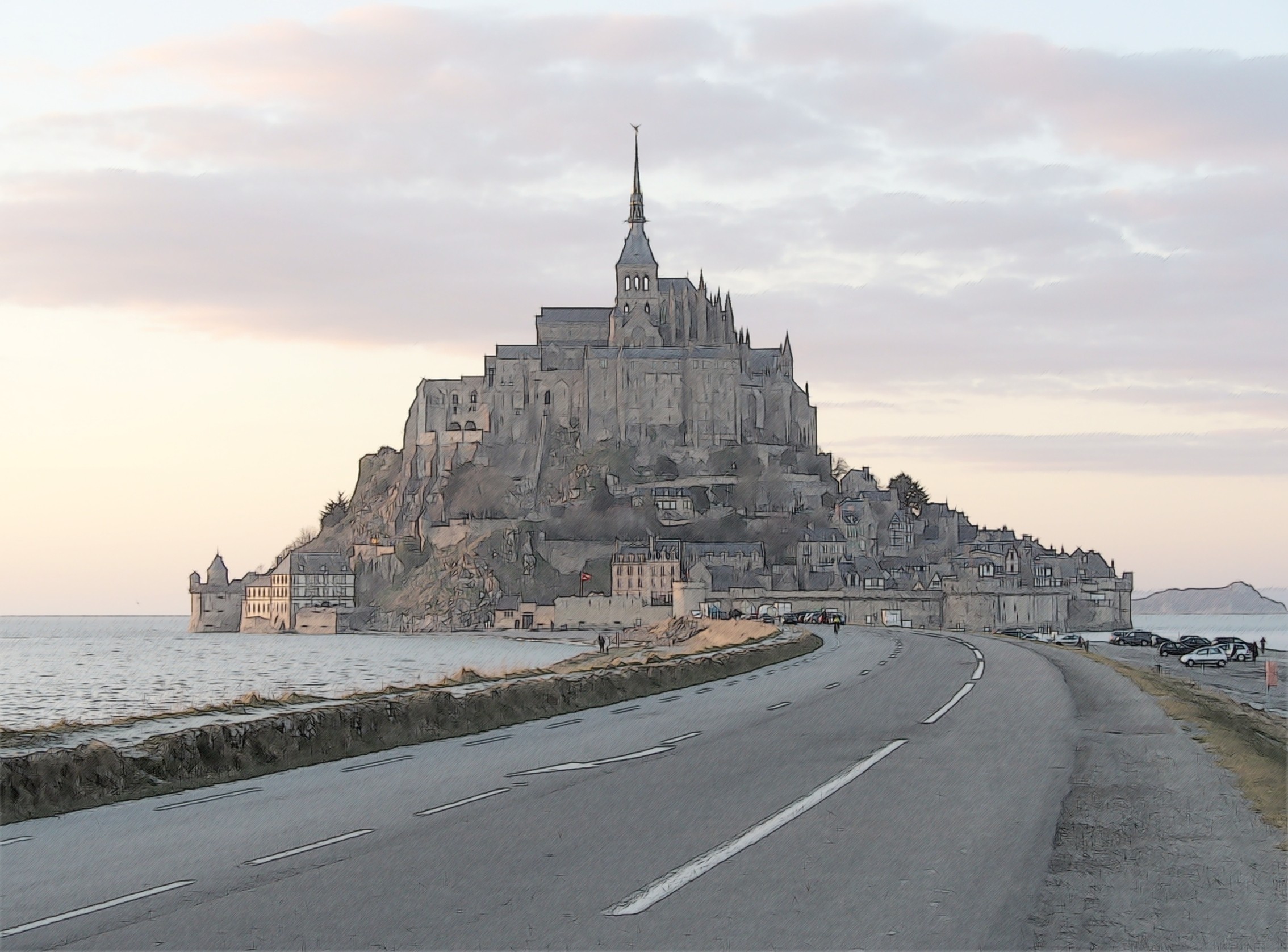
  • Step 4. Start processing the image by pressing , and the drawing is ready:
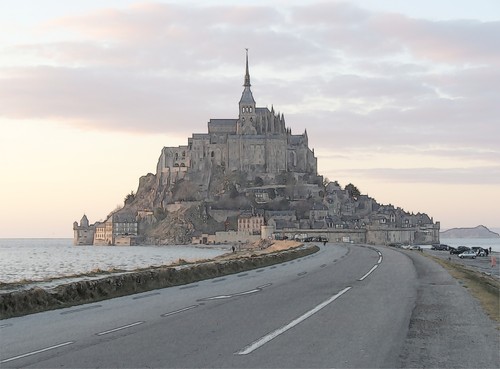
    Watercolor Drawing
    Result (click on the image to see it at full size)
 
How It Works How It Works
   — Workspace — Workspace
   — How To Use The Program — How To Use The Program
   — Classic Style — Classic Style
   — Artistic Style — Artistic Style
   — Background Effects — Background Effects
   — Add Text/Signature — Add Text/Signature
   — Drawing on a Canvas — Drawing on a Canvas
   — Working with the Presets — Working with the Presets
   — Preferences — Preferences
   — Batch Processing — Batch Processing
Examples Examples
   — Pencil Sketch: Let's Draw a Tulip — Pencil Sketch: Let's Draw a Tulip
   — Convert a Photo to a Color Sketch — Convert a Photo to a Color Sketch
   — Transform a Video into a Cartoon — Transform a Video into a Cartoon
   — Sketch Gallery — Sketch Gallery
   — Pastel Drawing Technique — Pastel Drawing Technique
   — AKVIS Sketch in Architecture — AKVIS Sketch in Architecture
   — Graphite Pencil Portrait — Graphite Pencil Portrait
   — Watercolor Drawing — Watercolor Drawing
   — Artistic Processing — Artistic Processing
   — Watercolor Painting out of Photo — Watercolor Painting out of Photo
   — Winter Dream: Fairy-Tale Forest — Winter Dream: Fairy-Tale Forest
   — A Woman in a Tub: a Real Work of Art — A Woman in a Tub: a Real Work of Art
   — Watercolor Portrait — Watercolor Portrait
   — Pencil Sketch of a Pet — Pencil Sketch of a Pet
   — Postcard Framed in Pencil Drawing — Postcard Framed in Pencil Drawing
   — Baseball Photo to Color Drawing — Baseball Photo to Color Drawing
   — Make a Sketch from a Wolf Photo — Make a Sketch from a Wolf Photo
   — Motorshow: a Pencil Drawing — Motorshow: a Pencil Drawing
   — Wild Beast of Prey: Watercolor — Wild Beast of Prey: Watercolor
   — A Hand Draws a Hand — A Hand Draws a Hand
   — Convert Vector Drawing to Sketch — Convert Vector Drawing to Sketch
   — Portrait out of a Newspaper Clipping — Portrait out of a Newspaper Clipping
   — Quiet Harbor:  a Watercolor Painting — Quiet Harbor: a Watercolor Painting
   — Sweet Couple: Create a Postcard — Sweet Couple: Create a Postcard
   — Black-and-White Image in Photo Frame — Black-and-White Image in Photo Frame
   — Dream to Reality: How to Blend... — Dream to Reality: How to Blend...
   — Christmas Card from a Photo — Christmas Card from a Photo
   — Artist at Work — Artist at Work
   — Stop the Moment! (Sketch&Blur) — Stop the Moment! (Sketch&Blur)
   — Versailles: Traveling to the Past — Versailles: Traveling to the Past
   — Drawing on Aged Paper — Drawing on Aged Paper
   — Self-Expression: Sketch in a Minute — Self-Expression: Sketch in a Minute
   — Two Beloved Dogs — Two Beloved Dogs
   — Orchid: Drawing in Watercolor Pencil — Orchid: Drawing in Watercolor Pencil
   — Shiny Apple: An Artist's Touch — Shiny Apple: An Artist's Touch
   — Cardinal: A Scene From Nature — Cardinal: A Scene From Nature
   — Variations On A Rose — Variations On A Rose
   — Cute Girl: а Pastel Drawing on Paper — Cute Girl: а Pastel Drawing on Paper
   — On a Bright Street (Sketch&Photo) — On a Bright Street (Sketch&Photo)
   — Mount Saint Michel Watercolor — Mount Saint Michel Watercolor
   — Gala Evening — Gala Evening
   — Radiant Girl: a Detailed Color Portrait — Radiant Girl: a Detailed Color Portrait
   — Parisian Chic — Parisian Chic
   — Toy Story: Create Your Own Comics — Toy Story: Create Your Own Comics
   — Video Clip Processing — Video Clip Processing
   — Creation of a Short-Film Storyboard — Creation of a Short-Film Storyboard
   — Smudging Technique on a Sketch — Smudging Technique on a Sketch
   — Making Embroidery Patterns — Making Embroidery Patterns
   — Quicktime Transition — Quicktime Transition
   — Red Oleander (Old Drawing Effect) — Red Oleander (Old Drawing Effect)
   — Seeing Eye Dog  (Comic Book) — Seeing Eye Dog (Comic Book)
   — Produce Illustrations for an RPG Article — Produce Illustrations for an RPG Article


back to top


   Privacy Policy | Site Map | Search at AKVIS    
   Contact Us | Twitter | Facebook | YouTube Channel    
| English  |Français  |Deutsch  |Español  |Português  |Italiano  |日本語  |Pусский  | © 2004-2012 AKVIS. All rights reserved.