Graphic software for Windows Mac graphic software  
Please enter your email to be kept posted on updates and discounts:
 
  
  Products     Download     Online Store     Tutorial     Support     About Company
en  fr  de  es  pt  it  jp  ru    
 

Tutorial: AKVIS Sketch

Framed Photo with Drawing


The author of this tutorial is Adriano A. Mayer (Brasil - Canoinhas - Santa Catarina).

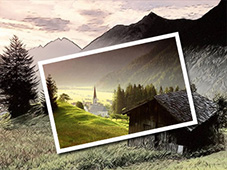
He shows us an original use of AKVIS Sketch. The final image looks like if a postcard lies over a pencil drawing.
Framed photo and drawing made with AKVIS Sketch

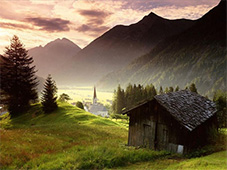
First we choose a beautiful color image for our future collage. It's a picturesque landscape with intensive colors.
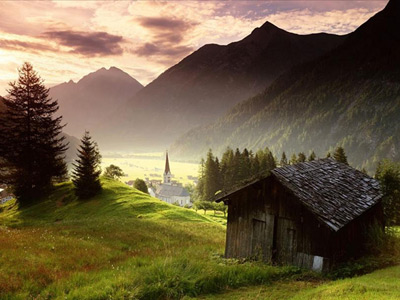
Color landscape photo

Duplicate the layer in the Layers palette and apply AKVIS Sketch to convert the photo to a pencil drawing.
Call the plug-in from the menu of your photo editor Filters - AKVIS - Sketch.

AKVIS Sketch plug in

Set the values of the parameters as shown below.

Sketch parameters

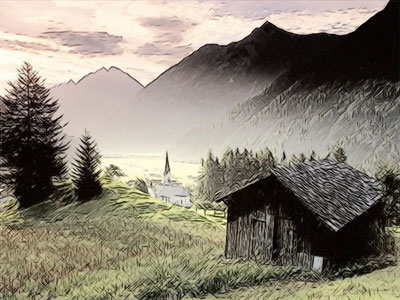
And we have this image:

Color drawing

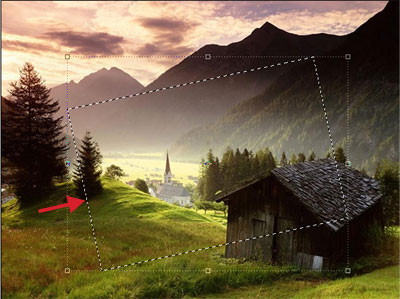
Now on the source layer of the image (background layer) that we left without changes, select a part of the image using the Rectangular Marquee tool (see the example below). To turn the selection use the command Select -> Transform selection.

Select a fragment

Copy the selection to a new layer with the command Edit ->Copy and Edit->Paste. To make the adjustments easier, switch off the visibility of the two lower layers (the eye icon in the Layers palette) and you will see the fragment on a transparent layer.
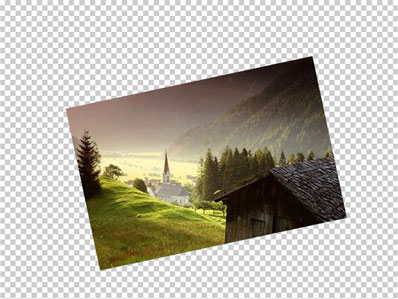
Selected part of the image

Select in the menu of Photoshop Layer - Layer Style - Drop Shadow and set up the shadow at the cut area as follows.
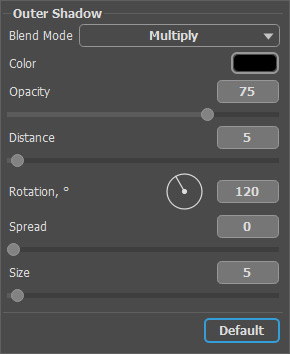
Layer Style - Drop Shadow

Then select Stroke in the list of the styles and adjust the parameters as follows:
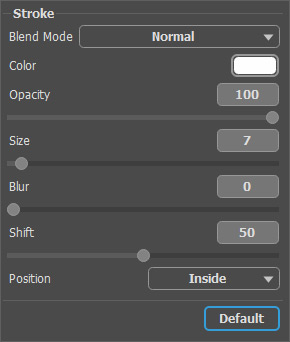
Layer Style - Stroke

Now our photo has a frame! Look at the result:
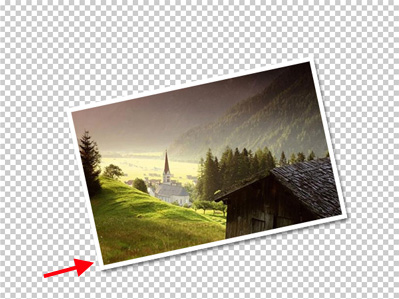
Framed photo

Switch on the visibility of the lower layer and enjoy the final result!
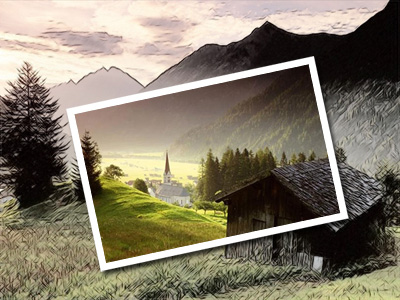
Framed photo on sketch drawing

A few simple steps with AKVIS Sketch and we have a wonderful effect.

 
How It Works How It Works
   — AKVIS Sketch plug-in — AKVIS Sketch plug-in
   — AKVIS Sketch stand-alone — AKVIS Sketch stand-alone
   — Make a Sketch from a Photo — Make a Sketch from a Photo
   — Background Tab — Background Tab
   — Imitate Sketch Drawing on a Canvas — Imitate Sketch Drawing on a Canvas
Examples Examples
   — Pencil Sketch: Let's Draw a Tulip — Pencil Sketch: Let's Draw a Tulip
   — Color Sketch — Color Sketch
   — Graphite Pencil Portrait — Graphite Pencil Portrait
   — Watercolor Drawing — Watercolor Drawing
   — Artistic Processing — Artistic Processing
   — A Painting out of a Photo — A Painting out of a Photo
   — A watercolor portrait from a photo — A watercolor portrait from a photo
   — Winter Dream — Winter Dream
   — Sketch of a Pet — Sketch of a Pet
   — A Little Girl — A Little Girl
   — Westmuir Street in Glasgow — Westmuir Street in Glasgow
   — A woman in a Tub: a real work of art — A woman in a Tub: a real work of art
   — Postcard on a Pencil Drawing — Postcard on a Pencil Drawing
   — Baseball Photo to Color Drawing — Baseball Photo to Color Drawing
   — A Wolf: make a Sketch from a Photo — A Wolf: make a Sketch from a Photo
   — Pastel Drawing Technique — Pastel Drawing Technique
   — Motorshow: a Pencil Drawing — Motorshow: a Pencil Drawing
   — Watercolor of a Wolf — Watercolor of a Wolf
   — A Hand Draws a Hand — A Hand Draws a Hand
   — Transform a Video into a Cartoon — Transform a Video into a Cartoon
   — Convert Vector Drawing to Sketch — Convert Vector Drawing to Sketch
   — Portrait out of a Newspaper Clipping — Portrait out of a Newspaper Clipping
   — Quiet Harbor — Quiet Harbor
   — Sweet Couple — Sweet Couple
   — Black&White Image in Photo Frame — Black&White Image in Photo Frame
   — Dream to Reality — Dream to Reality
   — Christmas Card from a Photo — Christmas Card from a Photo
   — Artist at Work — Artist at Work


   Privacy Policy | Site Map | Search | English  | Français  | Deutsch  | Español  | Português  | Italiano  | 日本語  | Pусский  | © 2004-2008, AKVIS Software Inc. All rights reserved.