Graphic software for Windows Mac graphic software
Please enter your email to be kept posted on updates and discounts:
 
  
  Products     Download     Online Store     Tutorial     Support     Company
en  fr  de  es  pt  it  jp  ru    
 

Tutorial: AKVIS Sketch

Friends in a Cafe: Stop the Moment! (Sketch&Blur)


Have you ever experienced such a good moment in your life that you were ready to exclaim "Oh stay! You are so beautiful!". Unfortunately nobody can stop or halt the time, but we can imagine how it would look and imitate it in a photo.

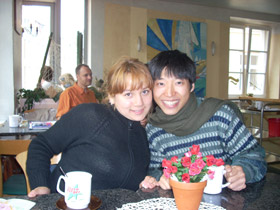
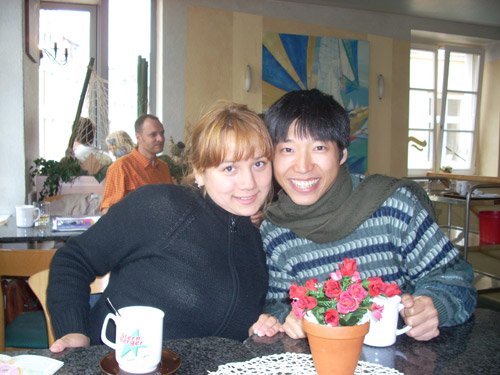
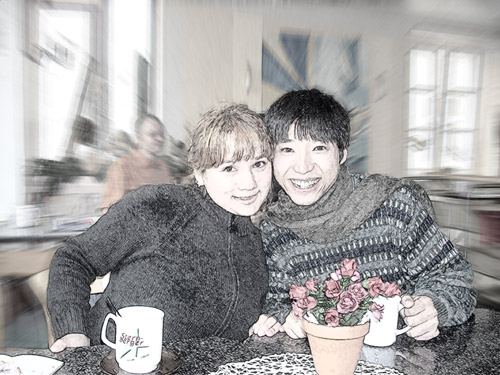
Here is a photo of two good friends in a cafe. We will use the standalone version of AKVIS Sketch to "stop" the moment.
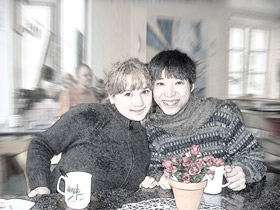
Photo of friends Pencil drawing out of photo
Original photo Pencil drawing

  • Step 1. Open the standalone version of AKVIS Sketch.
  • Step 2. Open the photo you want to convert to a drawing (the button ).
    Friends in a cafe

    Once opened, the image will be processed automatically and the result will appear in the Quick Preview Window in the Before tab.
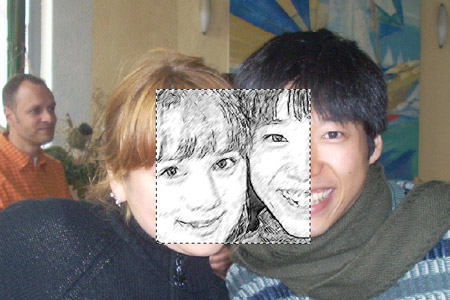
    Processing at default settings
  • Step 3. The features of the faces are not well-defined, so we adjust the parameters in the Sketch tab as shown below:
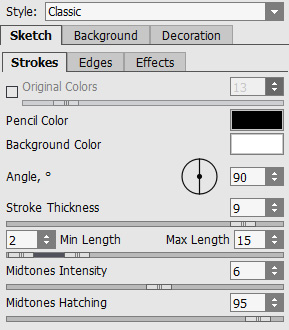
    adjust the parameters

    The result appears in the Preview window.
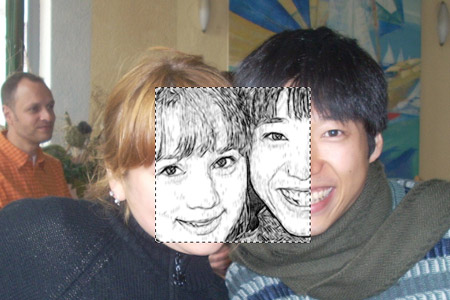
    Result in Preview window
  • Step 4. The sample looks fine, so we can apply the settings to the whole image. Click on to process the photo. The result will be shown in the After tab.
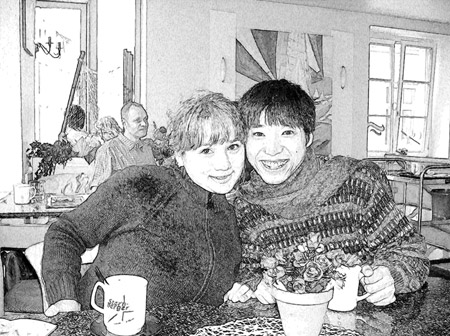
    Convert the whole photo to sketch
  • Step 5. Wonderful moments should also be rich in colors. Add the original colors by increasing the parameter Coloration. That is the only parameter that has an instant influence on the image, it does not require clicking on the Run button.
    Add color to the image
  • Step 6. Switch to the Background tab. We are going to add an effect that imitates a motion of the background, as if time stopped for the friends while everything around them continues moving further.

    Select the Sketch&Blur mode from the drop-down menu. To create this effect we use the Radial Blur Method.
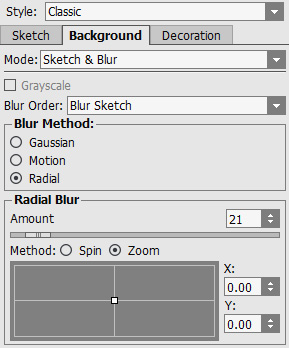
    Adjust the parameters on the Background tab

    Use the pencils and to outline the areas that should be blurred and the areas that will stay unchanged.
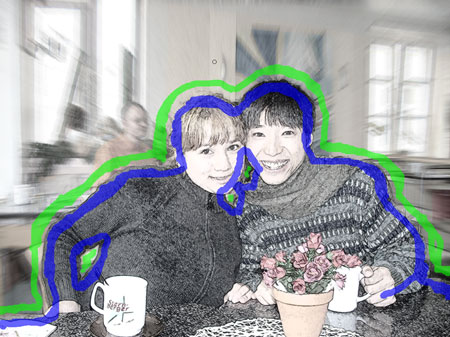
    Blur the background
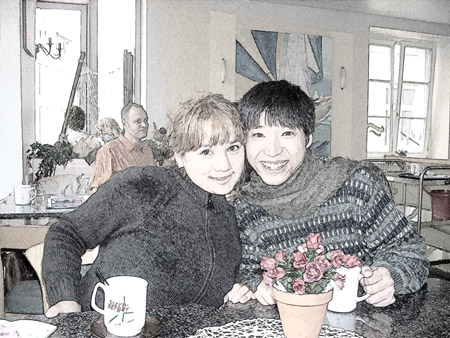
  • Step 7. Start the processing. Here is the resulting sketch:
    Hint: Using the Sketch&Blur mode proves especially useful on photos that have too many small or irrelevant details on the background that divert attention.
    Sketch

    In this way you can stop time in any photo.

Do not forget to save the image by clicking on .

 
How It Works How It Works
   — Workspace — Workspace
   — How to Work with the Program — How to Work with the Program
   — Make a Sketch from a Photo — Make a Sketch from a Photo
   — Background Effects — Background Effects
   — Add Text/Signature — Add Text/Signature
   — Imitate Sketch Drawing on a Canvas — Imitate Sketch Drawing on a Canvas
Examples Examples
   — Pencil Sketch: Let's Draw a Tulip — Pencil Sketch: Let's Draw a Tulip
   — Convert a Photo to a Color Sketch — Convert a Photo to a Color Sketch
   — Graphite Pencil Portrait — Graphite Pencil Portrait
   — Watercolor Drawing — Watercolor Drawing
   — Artistic Processing — Artistic Processing
   — A Painting out of a Photo — A Painting out of a Photo
   — A Watercolor Portrait from a Photo — A Watercolor Portrait from a Photo
   — Winter Dream — Winter Dream
   — Pencil Sketch of a Pet — Pencil Sketch of a Pet
   — A woman in a Tub: a Real Work of Art — A woman in a Tub: a Real Work of Art
   — Postcard on a Pencil Drawing — Postcard on a Pencil Drawing
   — Baseball Photo to Color Drawing — Baseball Photo to Color Drawing
   — Make a Sketch from a Wolf Photo — Make a Sketch from a Wolf Photo
   — Pastel Drawing Technique — Pastel Drawing Technique
   — Motorshow: a Pencil Drawing — Motorshow: a Pencil Drawing
   — A Little Girl: B&W Pencil Sketch — A Little Girl: B&W Pencil Sketch
   — Westmuir Street in Glasgow — Westmuir Street in Glasgow
   — Wild Beast of Prey: Watercolor — Wild Beast of Prey: Watercolor
   — Transform a Video into a Cartoon — Transform a Video into a Cartoon
   — A Hand Draws a Hand — A Hand Draws a Hand
   — Convert Vector Drawing to Sketch — Convert Vector Drawing to Sketch
   — Portrait out of a Newspaper Clipping — Portrait out of a Newspaper Clipping
   — Quiet Harbor:  a Watercolor Painting — Quiet Harbor: a Watercolor Painting
   — Sweet Couple: Create a Postcard — Sweet Couple: Create a Postcard
   — Black-and-White Image in Photo Frame — Black-and-White Image in Photo Frame
   — Dream to Reality: How to Blend... — Dream to Reality: How to Blend...
   — Christmas Card from a Photo — Christmas Card from a Photo
   — Artist at Work — Artist at Work
   — Romantic Mood Without Photoshop — Romantic Mood Without Photoshop
   — Stop the Moment! (Sketch&Blur) — Stop the Moment! (Sketch&Blur)
   — Versailles: Traveling to the past — Versailles: Traveling to the past


   Privacy Policy | Site Map | Search | English  |Français  |Deutsch  |Español  |Português  |Italiano  |日本語  |Pусский  | © 2004-2009, AKVIS Software Inc. All rights reserved.