La mujer en la bañera
El autor del tutorial Danny Raphael es el moderador del foro Photo-based Art de la página web www.RetouchPRO.com.
Danny es un especialista en Photoshop y es capaz de convertir una fotografía en una verdadera obra de arte.
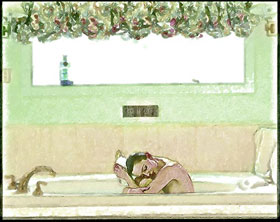
-
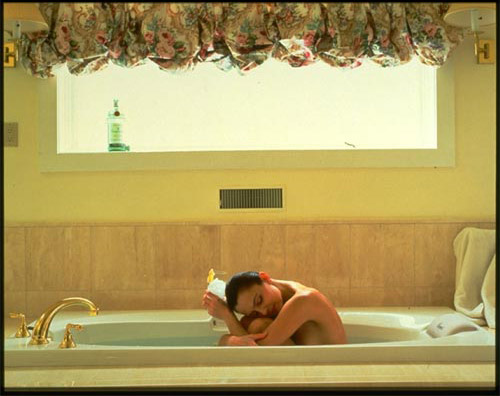
Paso 1. Abra la imagen original de la mujer en Adobe Photoshop.
-
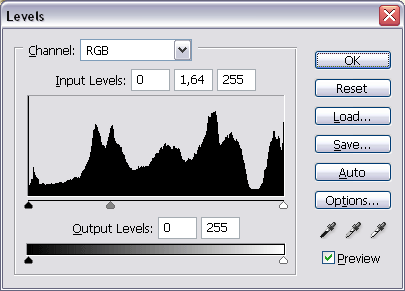
Paso 2. Añada una nueva capa de ajuste desde el comando: Capa -> Nueva capa de ajuste -> Niveles. Aclare la imagen desplazando el deslizador gris desde 1 a 1,64.
-
Paso 3. Mientras se encuentra en la capa de ajuste de Niveles, en el Panel de herramientas, establezca el negro como color frontal; elija la herramienta Pincel seleccione uno que posea punta suavizada y establezca la transparencia en aproximadamente 70%. Con el pincel, pinte la botella, que se encuentra en el marco de la ventana.
Llevamos a cabo el enmascaramiento para que la capa de ajuste se aplique a toda la imagen, excepto a la botella (la cual se aclarará demasiado si se le aplica el ajuste de Niveles).
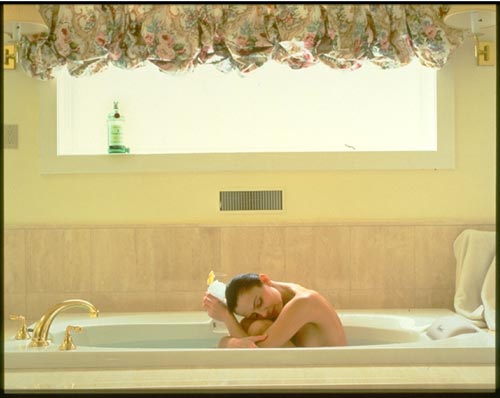
- Paso 4. Aún en la capa de ajuste de Niveles, elija Selección -> Todo y luego Edición -> Copiar combinado.
- Paso 5. Inserte la imagen copiada seleccionando Edición -> Pegar. Nombre a la nueva capa Capa A desde el comando Capa -> Propiedades de capa.
- Paso 6. Duplique la Capa A arrastrándola hacia el botón Crear una capa nueva, que se encuentra en la parte inferior de la paleta Capas, y nómbrela Capa B.
-
Paso 7. Seleccione la Capa B, abra el plugin AKVIS Sketch desde el comando Filtro -> AKVIS -> Sketch y aplique la configuración por defecto.
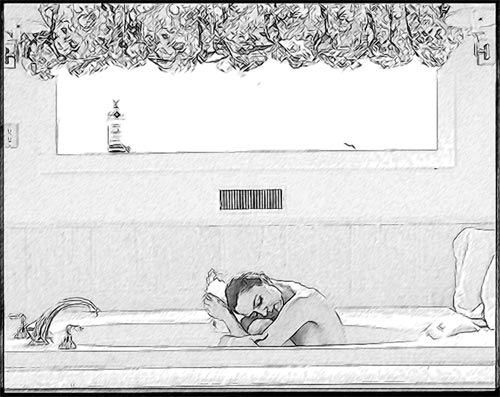
En esta etapa, la paleta Capas contendrá 4 capas.
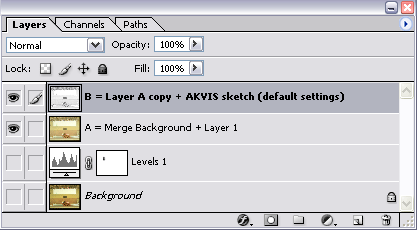
-
Paso 8. Duplique la Capa B desde Capa -> Duplicar capa y nómbrela Capa C.
Seleccione la Capa C y aplique el filtro Máscara de enfoque, desde el comando Filtro -> Enfocar -> Máscara de enfoque. Pero queremos que sólo la mujer se vea nítida. Por dicha razón, tendrá que añadir una máscara en la capa presionando el botón Añadir máscara de capa, que se encuentra en la parte inferior de la paleta Capas. Luego, con la herramienta Pincel, enmascare todo lo que se encuentra junto a la mujer.
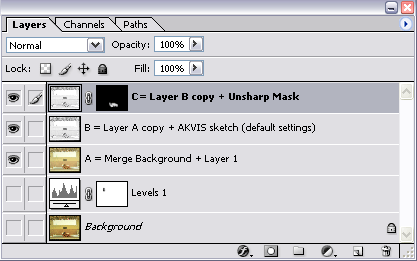
- Paso 9. Copie las capas Capa B y Capa C. Seleccione las copias y combínelas: Capa -> Combinar capas, y nombre a la nueva capa Capa D. Seleccione ésta última y abra el plugin Paint Engine desde el comando Filtro -> Fantastic Machines -> PaintEngine y aplique la opción Watercolour3.
-
Paso 10. Al contrario de lo que hicimos en el Paso 8, aplicaremos el plugin a toda la imagen, excepto a la mujer. Para hacerlo, añada una máscara en la Capa D para enmascarar a la mujer.
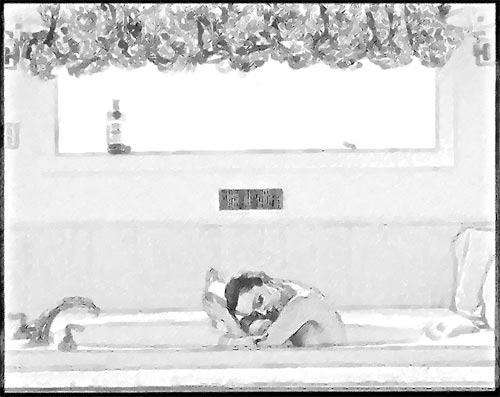
-
Paso 11. Para continuar con el trabajo, necesitaremos una copia de la Capa A. Nómbrela Capa E y colóquela en la parte superior de la paleta Capas. Cambie el modo de fusión de la capa: Normal a Color.
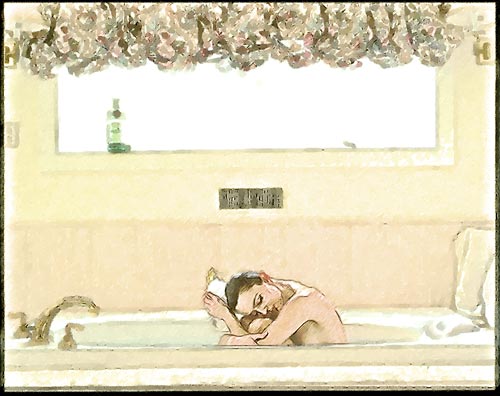
-
Paso 12. Añada una nueva capa de ajuste desde el comando: Capa -> Nueva capa de ajuste -> Tono/Saturación. Establezca los siguientes valores en la paleta Ajustes: Tono = -4, Saturación = 0 y Luminosidad = 0.
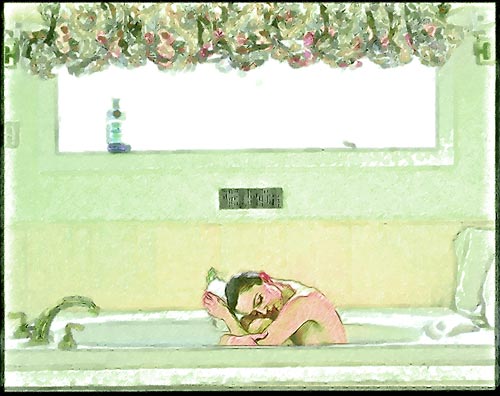
-
Paso 13. Utilicemos el enmascaramiento nuevamente, para evitar que el tono verde cubra toda la imagen.
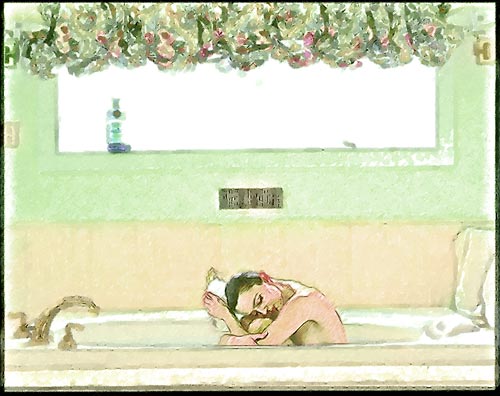
-
Paso 14. Este es el último paso. Añada una nueva capa de ajuste desde el comando: Capa -> Nueva capa de ajuste -> Corrección selectiva y establezca la siguiente configuración:
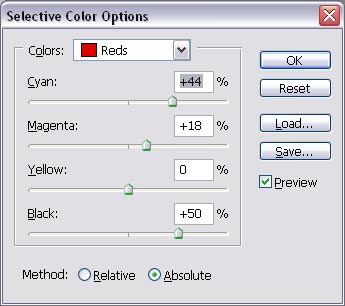
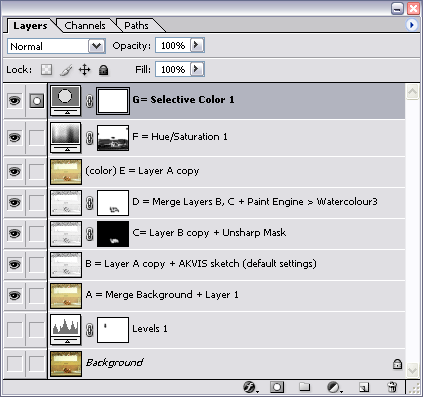
Ahora, la paleta Capas se verá de la siguiente manera:
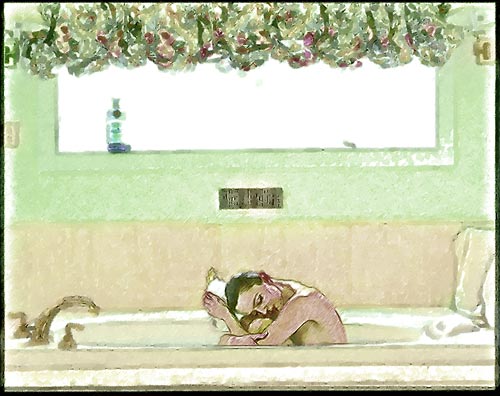
La imagen que ha obtenido como resultado no se parece en absoluto a la fotografía original; se trata de un hermoso dibujo realizado por un artista de verdad.
Sketch v. 28.1 - Prueba gratuita de 10 días
