Dibujo sobre papel envejecido
La autora de este tutorial es Natalia Bandurevskaya. Ella usó AliveColors.
Natalia correge fotos, y ha buscado desde hace mucho tiempo tutoriales de Photoshop que le muestre cómo hacer los dibujos a lápiz. Con AKVIS Sketch ella fue capaz de obtener una imagen dibujada en cuestión de segundos. Después de imprimir retratos sobre tela con una tinta de gel especial con textura, sus clientes fueron sorprendidos por el resultado efectuado por Natalia. Si quieres complacer a los demás con un dibujo inusual, añada el efecto de papel envejecido, de color amarillo. A continuación mostramos una explicación de como se puede hacer esto.
-
Paso 1. Abra la imagen en el editor de gráficos.
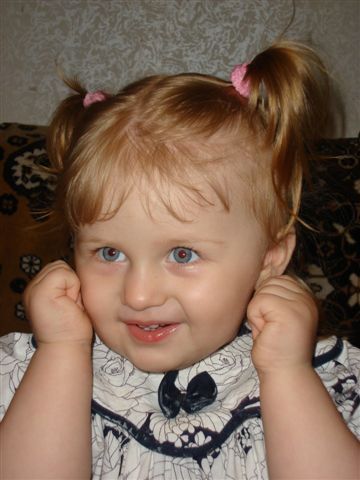
Imagen original -
Paso 2. Llame el plugin AKVIS Sketch seleccionando Effects -> AKVIS -> Sketch en el menú. Tan pronto como el plugin abra el espacio de trabajo, la ventana de vista previa cuando se procesa con la configuración predeterminada (preestablecida por defecto AKVIS - preset AKVIS Default).
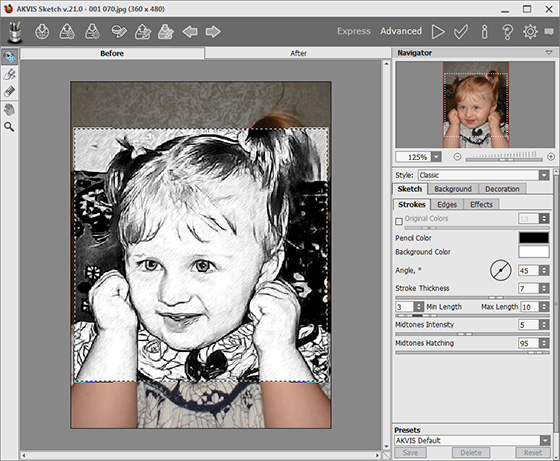
Espacio de trabajo de AKVIS Sketch -
Paso 3. Cambie los ajustes siguientes en el Panel de configuración para convertir la imagen en un dibujo-retrato:
Pestaña Trazos:
Ángulo = 45;
Espesor = 6;
Longitud mínimo/máximo = 3/10;
Intensidad de tonos medios = 5;
Sombreado de tonos medios = 62;Pestaña Efectos:
Acuarela = 0;
Carboncillo = 1;
Coloración = 0;Pulse el botón
 para procesar la imagen con los parámetros dados, y
  para aceptar el resultado.
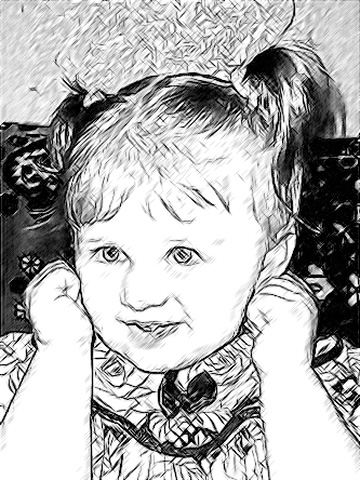
Resultado de la conversión a dibujo -
Paso 4. Ahora tenemos que aclarar el fondo, y arreglar algunas partes de la imagen oscureciéndolas (el pelo y las pupilas). Estos ajustes se pueden hacer con Lighten Tool
 y Darken Tool
  , que se encuentran en las Herramientas del editor de gráficos.
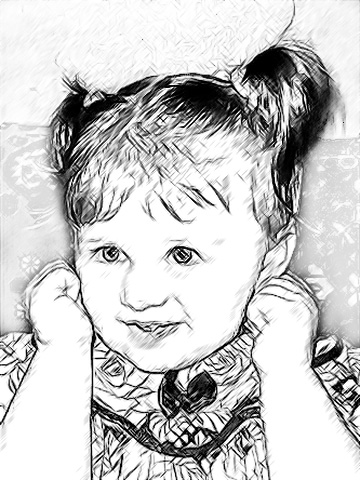
Dibujo corregido -
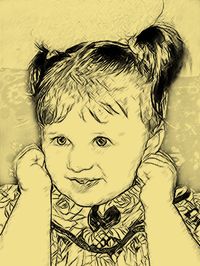
Paso 5. Para simular un dibujo en papel de color, añadir una nueva capa (menú Layers -> New -> Raster Layer o pulse New Layer en la parte inferior de la paleta Layers. Una vez la capa es creada, llene la capa con cualquier color utilizando Paint Bucket
 (la autora utilizar un color beige-naranja f0df8d).
Entonces, mientras en la nueva capa, seleccione el modo de fusión Multiplicar. Y tenemos el resultado: un dibujo a lápiz sobre papel amarillo.
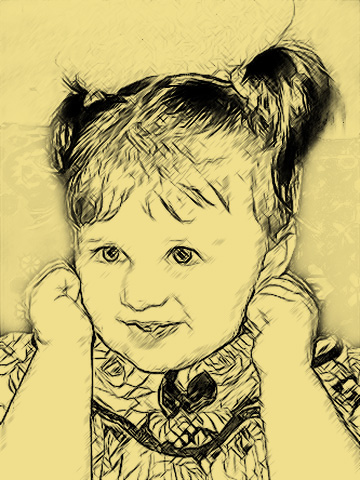
Dibujo sobre papel amarillento -
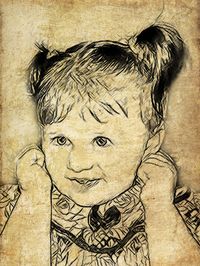
Paso 6. Otra opción es crear el efecto de dibujo sobre papel envejecido – es la utilización de su propio modelo de textura.
Seleccione Edit -> Free Transform del menú y cambie el tamaño de la foto de la niña para cubrir toda la textura.
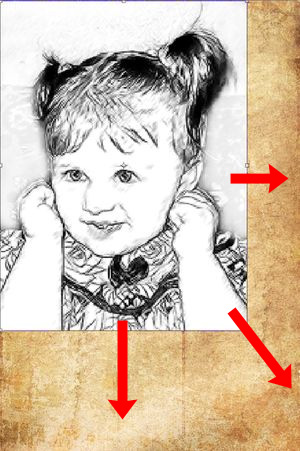
Cambiar el tamaño de la imagen -
Paso 7. Mientras que en la misma capa, elija el modo de fusión Multiplicar. Aquí está el resultado:
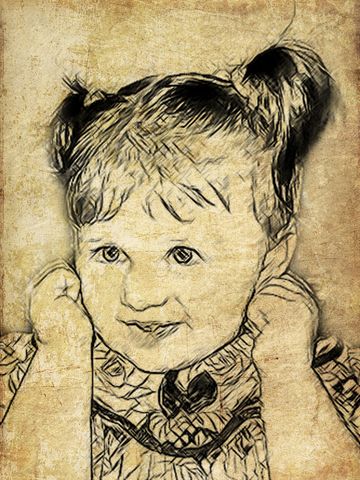
Dibujo en papel envejecido
Sketch v. 28.1 - Prueba gratuita de 10 días
