Tarjeta de Navidad de una foto
El autor de este ejemplo es Gordon Sisson.
¡Miren a esta hermosa iglesia antigua en la nieve! Gordon nos muestra como crear una tarjeta de Navidad bonita utilizando esta foto con AKVIS Sketch y AKVIS ArtSuite. Siga usted los consejos y haga su propia tarjeta. ¡Es muy fácil!
-
Nota: Gordon utiliza los plugins de AKVIS y AliveColors en su tutorial, pero usted puede tomar las ediciones independientes del software de AKVIS y utilizar los mismos parámetros para guardar este resultado.
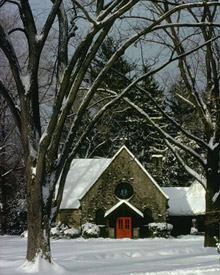 |
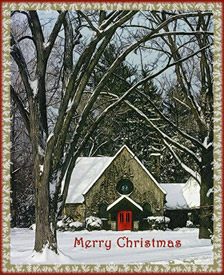 |
| Imagen original | Resultado |
-
Paso 1. Abra la imagen en AliveColors. Llame AKVIS Sketch desde el menú principal de su editor de fotos, Effects -> AKVIS -> Sketch.
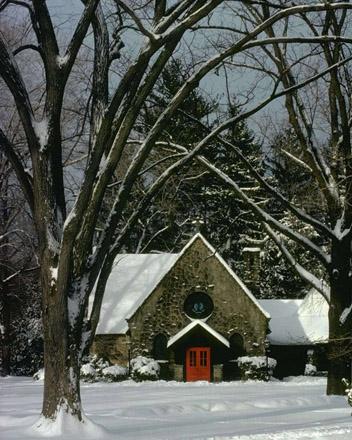
-
Paso 2. Ejecute AKVIS Sketch con la configuración predeterminada. Pulse el botón
 . Pruebe los diferentes ajustes para obtener el resultado que desea. Sketch ofrece una amplia gama de opciones para crear el efecto que busca. Puede comparar su imagen con el resultado cambiando entre Antes y el Después de las pestañas.
-
Paso 3. Nuestra imagen es oscura, ¡vamos a mejorarla! Ajuste estos valores de los parámetros:
Efectos:
Acuarela = 0, Carboncillo = 6, Coloración = 100;
Trazos:
Modo Colores originales está activado, Ángulo = 45, Espesor = 8, Longitud mínimo/máximo = 3/10, Intensidad de tonos medios = 6, Sombreado de tonos medios = 100.
-
Paso 4. Pulse el botón si está satisfecho con el resultado. Pulse este botón
 para aplicarlo.
- Paso 5. En AliveColors tenemos que aumentar el contraste.
- Paso 6. Hay la puerta roja en el centro de la imagen, tenemos que hacerla más oscura. Llame a AliveColors – Image -> Adjustment –> Levels y aumentamos el color rojo.
- Paso 7. Añadir la inscripción «Merry Christmas». ¡Aquí tenemos una bonita tarjeta!
- Paso 8. Llamamos al Effects -> AKVIS -> ArtSuite y añadimos el marco Escarcha.
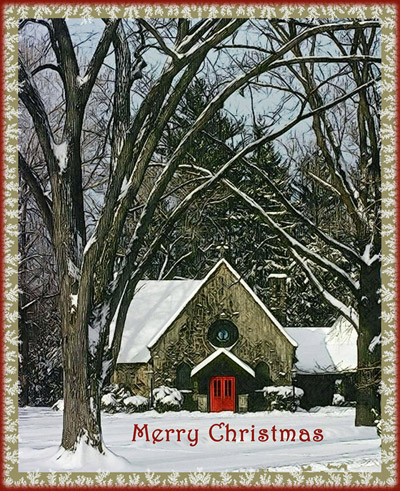
- Paso 9. Para darle el toque final, hacer un simple y fino marco rojo. El resultado es un poco inusual y en el espíritu de la Navidad.
-
Paso 10. Pulse el botón para aplicar el resultado y cerrar la ventana del plugin.
¡Nuestra imagen final es el resultado de nuestro estado de ánimo festivo y que presentamos a nuestros amigos y familiares!
¿Le gusta?
Sketch v. 28.1 - Prueba gratuita de 10 días
