Weihnachtskarte aus einem Foto
Der Autor dieses Beispiels ist Gordon Sisson.
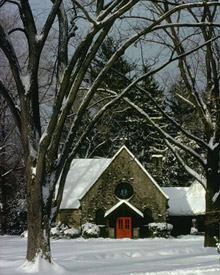
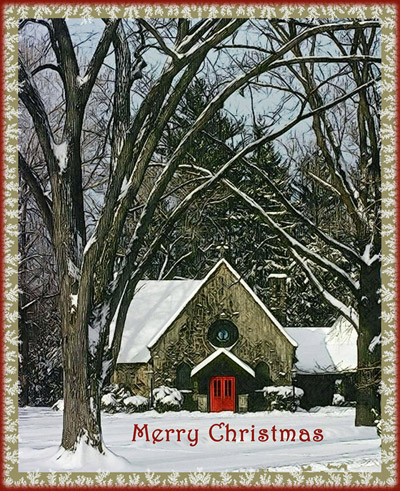
Schauen Sie sich diese schöne alte Kirche im Schnee an! Gordon zeigt uns, wie man mithilfe von AKVIS Sketch und AKVIS ArtSuite eine schöne Weihnachtskarte aus diesem Foto erstellt. Sie können seinen Hinweisen folgen und Ihre eigene Glückwunschkarte erstellen! Es ist sehr einfach!
-
Hinweis: In diesem Tutorial wurden AKVIS Plugins und AliveColors verwendet. Man kann auch die Standalone-Programmversionen benutzen, um dasselbe Ergebnis zu erreichen.
 |
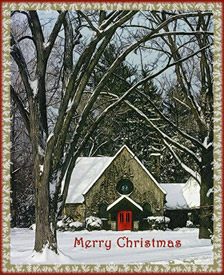 |
| Ausgangsbild | Ergebnis |
-
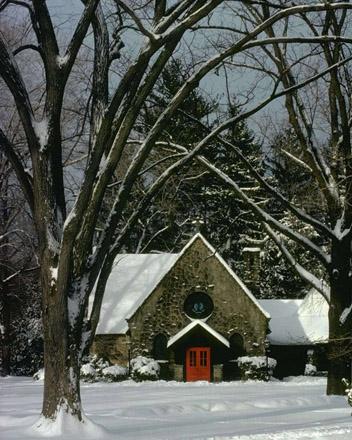
Schritt 1. Öffnen Sie Ihr Bild in AliveColors. Rufen Sie AKVIS Sketch in dem Hauptmenü Ihres Bildbearbeitungsprogramms auf (Effekte -> AKVIS -> Sketch).
-
Schritt 2. Starten Sie die Bearbeitung mit Standardeinstellungen, indem Sie auf die Schaltfläche
 drücken. Passen Sie die Einstellungen an, bis Sie das erwünschte Ergebnis erzielt haben. Sketch gibt eine breite Palette von Möglichkeiten, um einen beliebigen Effekt zu erstellen. Sie können das Originalbild mit dem Bearbeitungsergebnis zu vergleichen, indem Sie zwischen den Registern Original und Ergebnis wechseln.
-
Schritt 3. Unser Bild ist dunkel, wollen wir es verbessern! Passen Sie die Parameter wie folgt an:
Effekte:
Wasserfarbe = 0, Kohle = 6, Kolorieren = 100;
Linien:
Ausgangsfarben-Kästchen aktiviert, Winkel = 45, Strichbreite = 8, Min/Max Länge = 3/10, Intensität der Mitteltöne = 6, Schraffierung der Mitteltöne = 100.
-
Schritt 4. Klicken Sie auf . Wenn Sie mit dem Ergebnis zufrieden sind, klicken Sie auf die Schaltfläche
 , um die Änderungen anzunehmen.
- Schritt 5. Erhöhen Sie den Kontrast in AliveColors.
- Schritt 6. Die rote Tür ist ein Zentrum des Bildes. Machen Sie sie dunkler und satter. In AliveColors wählen Sie den Befehl Bild –> Korrektur –> Tonwertkorrektur.
- Schritt 7. Fügen Sie die Aufschrift "Merry Christmas" hinzu.
- Schritt 8. Rufen Sie Effekte -> AKVIS -> ArtSuite auf und fügen Sie einen Reif-Rahmen hinzu.
- Schritt 9. Um den letzten Schliff hinzuzufügen, erstellen Sie einen einfachen roten Rahmen.
-
Schritt 10. Klicken Sie auf , um das Ergebnis anzuwenden und das Plugin-Fenster zu schließen.
Schenken Sie Ihren Familienmitgliedern und Freunden selbst erstellte Weihnachtskarten und versetzen Sie Ihre Angehörigen in wahre Weihnachtsstimmung!
Sketch v. 28.0 - 10-Tage-Testversion
