Cartolina di Natale da una foto
L'autore di questo esempio è Gordon Sisson.
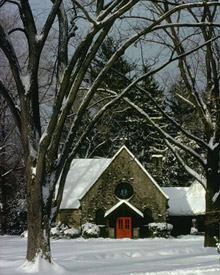
Guarda questa bella chiesa antica nella neve! Gordon ci mostra come creare una bella cartolina di Natale usando questa foto, AKVIS Sketch e AKVIS ArtSuite. Puoi seguire i suoi consigli e creare la tua carta! È molto facile!
 |
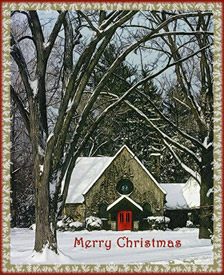 |
| Immagine originale | Risultato |
Gordon ha utilizzato i plugin AKVIS con AliveColors, ma è possibile prendere le edizioni standalone dei prodotti AKVIS e utilizzare gli stessi parametri per ottenere tale risultato.
-
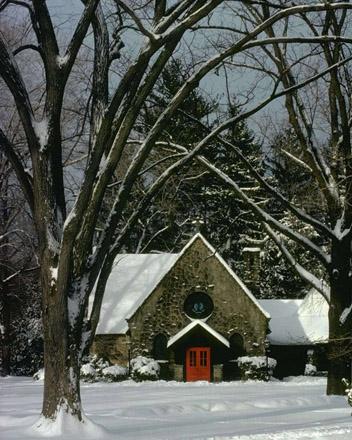
Passaggio 1. Aprire la tua immagine in AliveColors.
Lanciare AKVIS Sketch dal menu principale dell'editor di foto: Effetti -> AKVIS -> Sketch.
-
Passaggio 2. Avviare AKVIS Sketch con le impostazioni predefinite dello stile Classico. Premere il pulsante
 . Provare diverse impostazioni per ottenere il risultato desiderato. Sketch offre una vasta gamma di opzioni per creare vari effetti. È possibile confrontare la tua immagine con il risultato passando tra le schede Prima e Dopo.
-
Passaggio 3. La nostra immagine è scura, miglioriamola! Impostare questi valori dei parametri:
Effetti:
Acquerello = 0, Carboncino = 6, Colora = 100;
Tratti:
Modalità Colori originali, Angolo = 45, Spessore traccia = 8, Lunghezza min/max = 3/10, Intensità dei mezzitoni = 6, Ombreggiatura dei mezzitoni = 100.
-
Passaggio 4. Fare clic su . Se si è soddisfatti con l'effetto, premere il pulsante
 per applicare il risultato
- Passaggio 5. Aumentare il contrasto dell'immagine in AliveColors.
- Passaggio 6. La porta rossa è il centro dell'immagine. Dobbiamo renderla più scura aumentando la tinta rossa usando il commando in AliveColors: Immagine -> Regolazione -> Istogramma.
- Passaggio 7. Aggiungere l'iscrizione: "Merry Christmas" ("Buon Natale!"). E qui abbiamo una bella cartolina!
- Passaggio 8. Lanciare Effetti -> AKVIS -> ArtSuite e aggiungere la Cornice ghiacciata.
- Passaggio 9. Aggiungere il tocco finale con una semplice cornice rossa. Il risultato è un po' insolito e totalmente nello spirito natalizio.
-
Passaggio 10. Fare clic su per applicare il risultato e chiudere la finestra del plugin.
L'immagine finale è il risultato del nostro umore festivo che possiamo presentare alla nostra famiglia e agli amici!
Ti piace?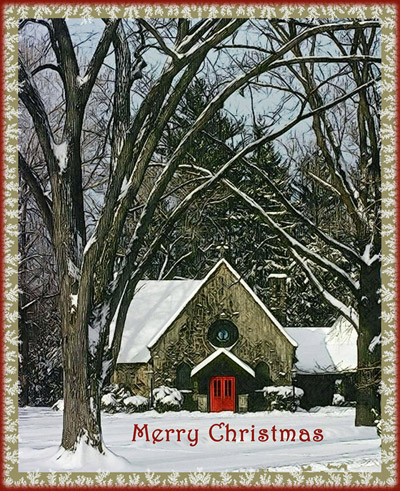
Sketch v. 28.1 - 10-giorni di prova gratuita
