Christmas Card from a Photo
あいにく, このページは英語にだけ使用可能です。
The author of this example is Gordon Sisson.
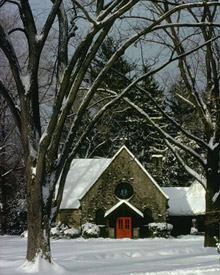
Look at this lovely old church in the snow! Gordon shows us how to create a nice Christmas card using this photo, AKVIS Sketch and AKVIS ArtSuite. You can follow his tips and create your own card! It is very easy!
-
Note: Gordon used AKVIS plugins and AliveColors in his tutorial, but you can take the standalone editions of AKVIS software and use the same parameters to achive this result.
 |
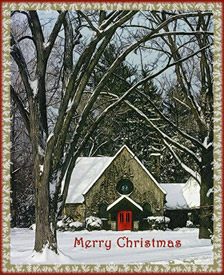 |
| Source image | Result |
-
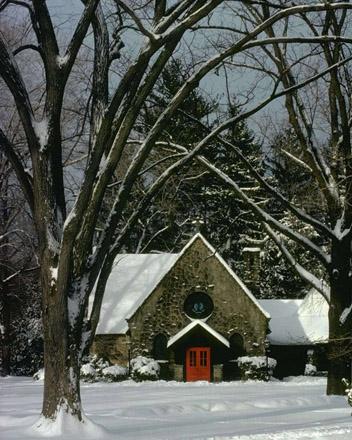
Step 1. Open your image in AliveColors. Call AKVIS Sketch from the main menu of your photo editor Effects -> AKVIS -> Sketch.
-
Step 2. Run AKVIS Sketch with default settings. Press the button
 . Try different settings to get the result you want. Sketch gives a wide range of choices to create the effect you are looking for. You can compare your image with the result by switching between the Before and After tabs.
-
Step 3. Our image is dark, let's improve it! Set these values of the parameters:
Effects:
Watercolor = 0, Charcoal = 6, Coloration = 100;
Strokes:
Color Pencil mode, Angle = 45, Stroke Thickness = 8, Min/Max Length = 3/10, Midtones Intensity = 6, Midtines Hatching = 100.
-
Step 4. Press the button . If you are satisfied with the result press the button
 to apply the result.
- Step 5. In AliveColors we have to increase contrast.
- Step 6. The red door is the centre of the image. We need to make it darker and we increased the red tint. Call AliveColors – Image –> Adjustment –> Levels.
- Step 7. Add the inscription "Merry Christmas". Here we get a nice card!
- Step 8. Call Effects -> AKVIS -> ArtSuite and add the Frost frame.
- Step 9. To add the final touch, make a red simple frame. The result is a bit unusual and in the Christmas spirit.
-
Step 10. Press the button to apply the result and close the plugin window.
Our final image is the result of our festive mood that we present to our friends and family!
Do you like it?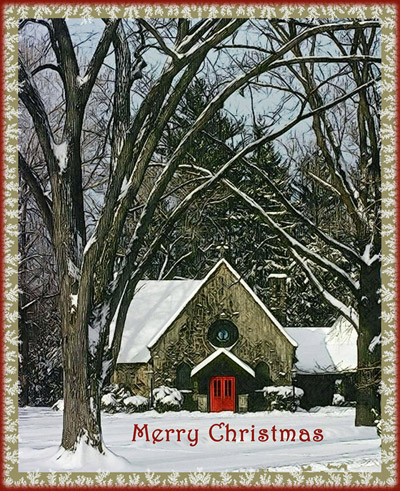
Sketch v. 28.1 - 10日間の評価期間
