Graphic software for Windows Mac graphic software
Inserisci la tua e-mail per essere informato delle novità:
 
  
  Prodotti     Download     Online Store     Tutorial     Supporto     Chi siamo
en  fr  de  es  pt  it  jp  ru    
 

Tutorial: AKVIS Sketch

Winter Dream: FairyTale Forest


Siamo spiacenti, questa pagina al momento è disponibile solo in lingua inglese.
La versione italiana sarà presto disponibile.
Se desiderate ottenere la licenza per la traduzione per favore scriveteci.

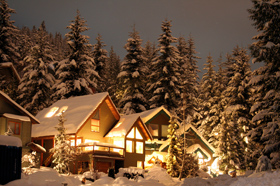
Would you like to celebrate New Year's Eve or Christmas in this fairy-tale wooden house? Just imagine - nothing but snow-covered fir-trees all around, transparent winter air.. it's cold outside, but you sit in a cosy wicker chair near the fireplace.. wooden logs crackle in the fire and the scent of the fir tree adds to the aroma of tangerines and pastry.

Winter Forest

This photo can be easily converted into a pencil sketch with the AKVIS Sketch plug-in. Follow the instruction:

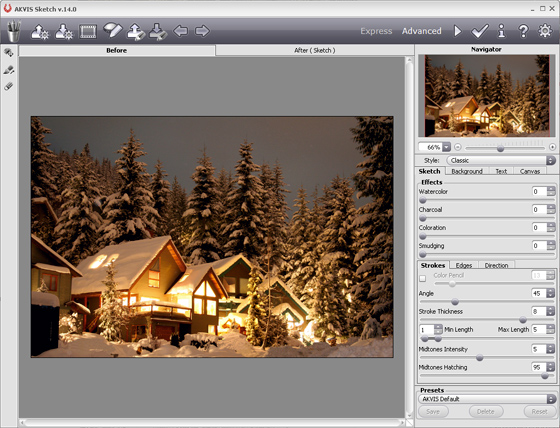
  • Step 1. Open the photo with your photo editor and call the plug-in AKVIS Sketch.
    AKVIS Sketch
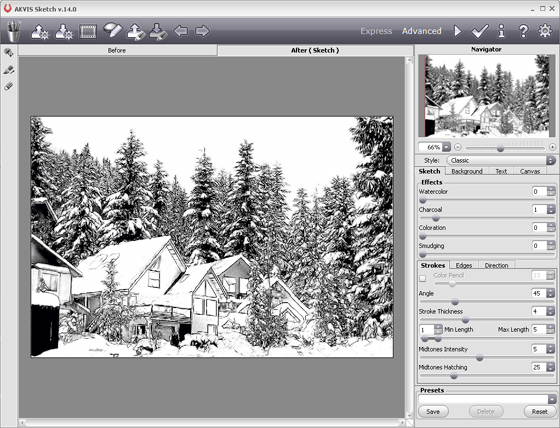
  • Step 2. When the plug-in window opens, press the button Convert photo to pencil sketch. The photo will be converted into a pencil drawing with the default settings.
    pencil drawing
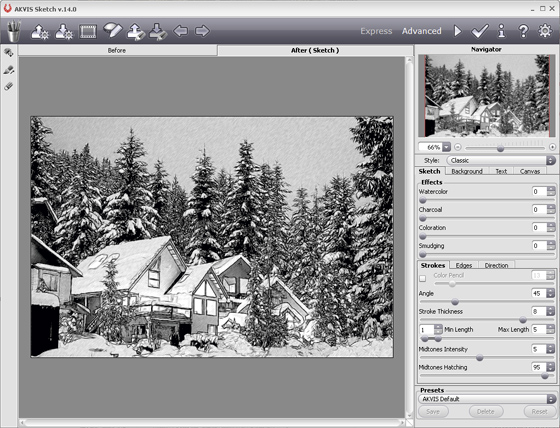
  • Step 3. Adjust the settings:

    - reduce the value of the parameter Size so that the sketch was drawn in finer traits;

    - reduce the value of the parameter Midtones Hatching to reduce the number of traits in the sky and in the snow.

  • Step 4. Press the button Convert photo to pencil sketch and see the photo converted into a pencil sketch with the new settings.
    pencil drawing
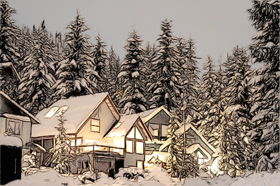
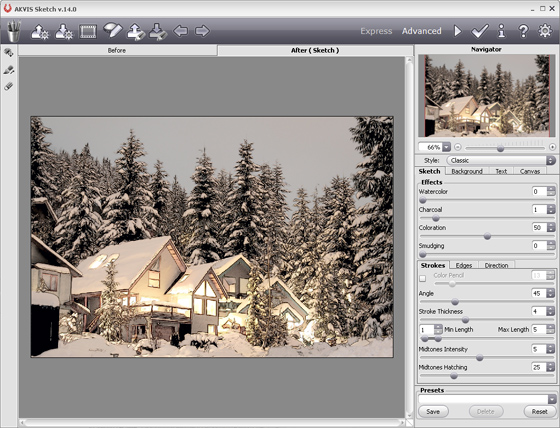
  • Step 5. Now add color to the sketch by increasing the value of the parameter Coloration.
    Color pencil sketch
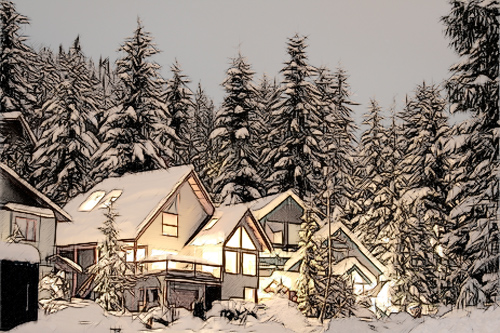
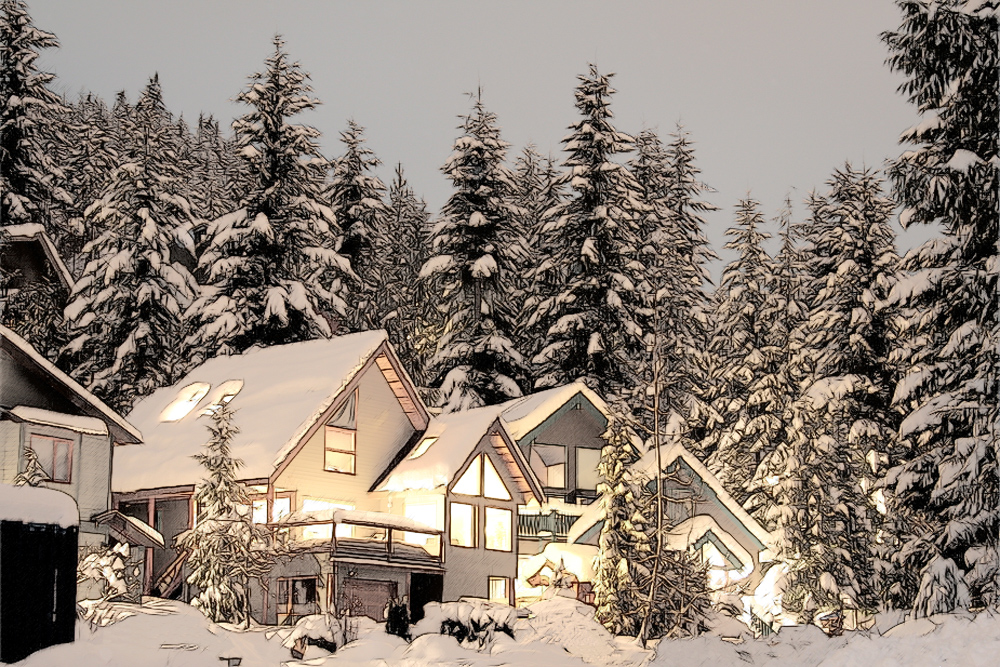
  • Step 6. Apply the result by pressing the button . Here is our winter dream in artistic realization.
Winter dream: color pencil sketch
Click on the picture to open the photo in a new window.
 
Come Funziona Come Funziona
   — Area di lavoro — Area di lavoro
   — Come usare il programma — Come usare il programma
   — Trasformare una foto in un disegno — Trasformare una foto in un disegno
   — Effetti di Sfondo — Effetti di Sfondo
   — Aggiungere un testo al disegno — Aggiungere un testo al disegno
   — Imitare un disegno a matita su tela — Imitare un disegno a matita su tela
   — Lavorare con i Preset — Lavorare con i Preset
   — Preferenze — Preferenze
Esempi Esempi
   — Disegno a matita — Disegno a matita
   — Disegno a colori — Disegno a colori
   — Un filmato in un cartone animato — Un filmato in un cartone animato
   — Tecnica di disegno a pastello — Tecnica di disegno a pastello
   — Ritratto a matita — Ritratto a matita
   — Ritratto ad acquerello — Ritratto ad acquerello
   — Cartolina incorniciata su disegno — Cartolina incorniciata su disegno
   — Convertire un disegno vettoriale — Convertire un disegno vettoriale
   — Porto tranquillo:  acquerello — Porto tranquillo: acquerello
   — Dolce coppia: creare una cartolina — Dolce coppia: creare una cartolina
   — Schizzo in bianco e nero con la cornice — Schizzo in bianco e nero con la cornice
   — Tra sogno e realtà — Tra sogno e realtà
   — Ferma l'attimo! (Disegno e Sfocatura) — Ferma l'attimo! (Disegno e Sfocatura)
   — Versailles: viaggio nel passato — Versailles: viaggio nel passato
   — Espressione personale: ragazze anime — Espressione personale: ragazze anime
   — Due amati cani — Due amati cani
   — Orchidee:  effetto acquerello — Orchidee: effetto acquerello
   — Una splendida mela: tocco d’artista — Una splendida mela: tocco d’artista


   Privacy Policy | Mappa del Sito | Cerca nel sito | English  |Français  |Deutsch  |Español  |Português  | Italiano  |日本語  |Pусский  | © 2004-2009, AKVIS Software Inc. Tutti i diritti riservati.