Graphic software for Windows Mac graphic software  
Entrez votre e-mail pour souscrire à notre liste de diffusion.
 
  
  Produits     Télécharger     Magasin en ligne     Tutoriel     Support      Compagnie
en  fr  de  es  pt  it  jp  ru    
 

Tutoriel: AKVIS Sketch

Quiet harbor


Désolé, à présent cette information n'est disponible qu'en anglais. La version française sera bientôt affichée.

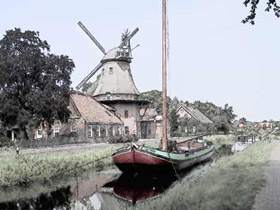
The author of this tutorial is Manfred Altenkirch. He created a watercolor painting from an ordinary photo using AKVIS Sketch. Let's follow his steps to achieve the same result.

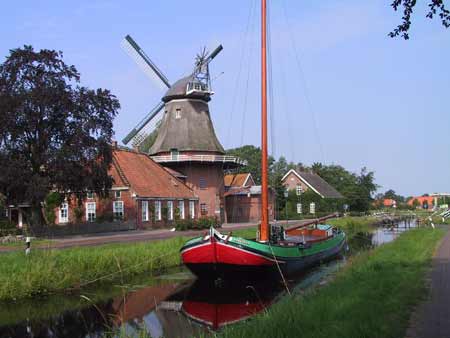
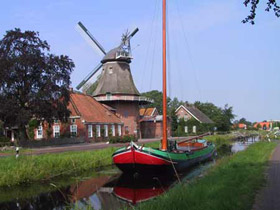
  • Step 1. Open the image in Irfanview, or you can use any other photo editor compatible with AKVIS plugins.
    original photo
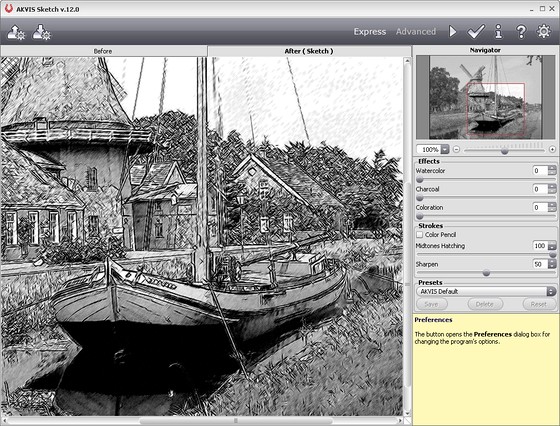
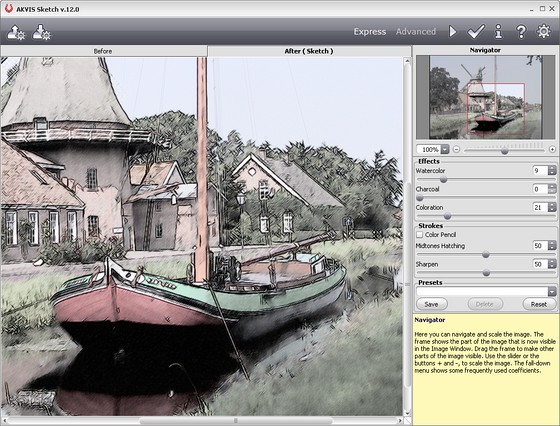
  • Step 2. Call AKVIS Sketch from the menu of the photo editor Filter->Akvis->Sketch.

    When the plug-in window opens, press the button Run.

    The photo will be converted into a pencil drawing with the default settings. The resulting pencil sketch will be shown in the After tab.

    Plugin window
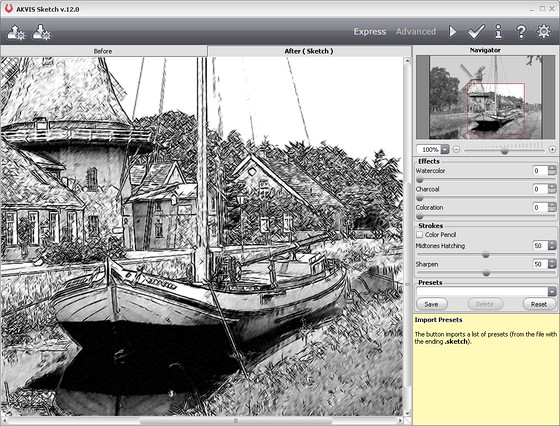
  • Step 3. Reduce the value of the parameter Midtones hatching=50 to reduce the intensity in the midtone areas and press the button Run, to see the changes.
    Midtones hatching parameter
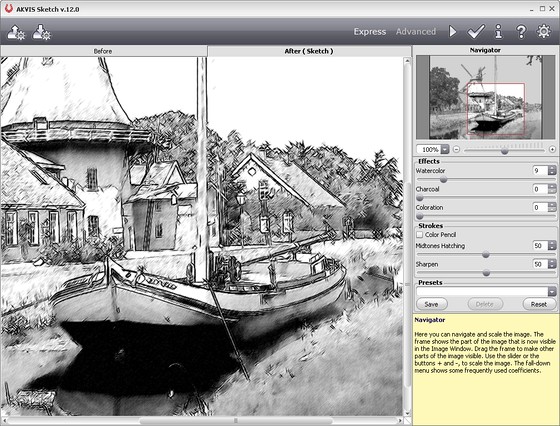
  • Step 4. Move the slider of the Watercolor=9 to blur the image a bit. Press the button Run. Here is the result:
    Watercolor parameter
  • Step 5. Let's add color to the image. Increase the value of Coloration=21. Press the button Run again.
    Colorization
  • Step 6. To apply the result to the image and close the plugin window press the button Apply.

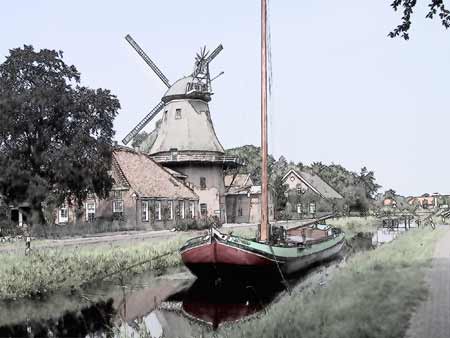
    Here is the final result:

    Quiet harbor

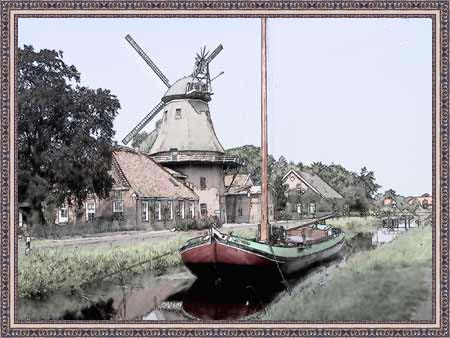
    You can add a photo frame if you like. Use the tools of Photoshop or, which is faster, the plugin AKVIS Frame Suite.

    Watercolor painting: Quiet harbor
 
Comment fonctionne t-il? Comment fonctionne t-il?
   — AKVIS Sketch plug-in — AKVIS Sketch plug-in
   — AKVIS Sketch stand-alone — AKVIS Sketch stand-alone
   — La conversion des photos en dessins — La conversion des photos en dessins
   — Le signet Fond — Le signet Fond
   — Dessin sur la toile (signet Toile) — Dessin sur la toile (signet Toile)
Exemples Exemples
   — Dessin d'une tulipe — Dessin d'une tulipe
   — Dessin en couleurs — Dessin en couleurs
   — Dessins à la mine de plomb — Dessins à la mine de plomb
   — Aquarelle — Aquarelle
   — Le traitement artistique — Le traitement artistique
   — La femme dans la salle de bain — La femme dans la salle de bain
   — Photo encadrée sur un dessin — Photo encadrée sur un dessin
   — Dessin au pastel — Dessin au pastel
   — Aquarelle: loup comme sujet — Aquarelle: loup comme sujet
   — Transformer une vidéo en dessin animé — Transformer une vidéo en dessin animé
   — Un couple charmant — Un couple charmant


   Politique de Confidentialité | Plan du Site | Recherche | English  | Français  | Deutsch  | Español  | Português  | Italiano  | 日本語  | Pусский  | © 2004-2008, AKVIS Software Inc. Tous droits réservés.