Graphic plugins for Windows Mac graphic plugins  
Entrar seu e-mail para subscrição em novidades.
 
  
  Produtos     Download     Online Store     Tutorial     Suporte     Quem Somos
en  fr  de  es  pt  it  jp  ru    
 

Tutorial: AKVIS Sketch

Graphite Pencil Portrait


Neste momento algumas páginas são disponíveis somente em Inglês ou em Espanhol.

The AKVIS Sketch plugin allows converting any photo into a pencil sketch. The most popular subject for a sketch is a person. You can often see street artists offering to draw a portrait for those who want and showing hand-drawn portraits of celebrities.
A pencil portrait can be a good present for your relatives and friends.

Open a portrait photo with your photo editor. We have chosen a black and white portrait of John Travolta («Pulp Fiction» 1994, «Get Shorty» 1995, «Broken Arrow» 1996, «Face/Off» 1997, «Swordfish» 2001).
John Travolta. Portrait.
John Travolta.
Photographer: Andrew Eccles.


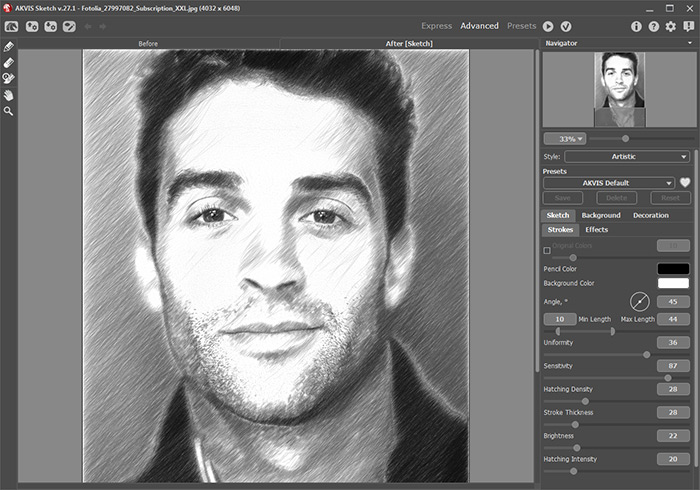
Call the AKVIS Sketch plugin and run it with the default parameters by pressing the button . The After window will show the resulting pencil sketch.

Pencil sketch: automatic processing

Adjust the plugin's settings.

  • Step 1. Increase the value of Size in the Strokes field on 1 unit. The strokes on the drawing will get wider and blurred on edges.
    Stroke Size  = 8 Stroke Size  = 9
    Stroke Size = 8 Stroke Size = 9
  • Step 2. Set the parameter Watercolor to 30. As a result the hard strokes on the face, hand and the background turn into light shadows.
    Watercolor = 0 Watercolor = 30
    Watercolor = 0 Watercolor = 30
  • Step 3. Reduce the value of the parameter Midtones Hatching from 100 to 85 to make the hatching of the light areas of the portrait (the face, the hand and the background) less pronounced.
    Midtones Hatching = 100 Midtones Hatching = 85
    Midtones Hatching = 100 Midtones Hatching = 85
  • Step 4. Increase the value of the parameter Sharpen to sharpen the contours as the portrait is a bit too blurred.
AKVIS Sketch

Apply the result by pressing the button Apply in the plugin's window.

Graphite Pencil Portrait
 
Como Funciona  Como Funciona
   — AKVIS Sketch plug-in — AKVIS Sketch plug-in
   — AKVIS Sketch stand-alone — AKVIS Sketch stand-alone
   — Desenho — Desenho
   — Fundo — Fundo
   — Tela — Tela
Exemplos Exemplos
   — Efeito: foto no desenho a lápis — Efeito: foto no desenho a lápis
   — Desenho com pasteis — Desenho com pasteis
   — Desehno a lápis — Desehno a lápis
   — Procesamento em lote — Procesamento em lote
   — Um casal encantador — Um casal encantador


   Política de privacidade | Mapa do Site | Pesquisar na site | English  | Français  | Deutsch  | Español  | Português  | Italiano  | 日本語  | Pусский  | © 2004-2008, AKVIS LLC. Todos os direitos reservados.