Vamos desenhar uma tulipa
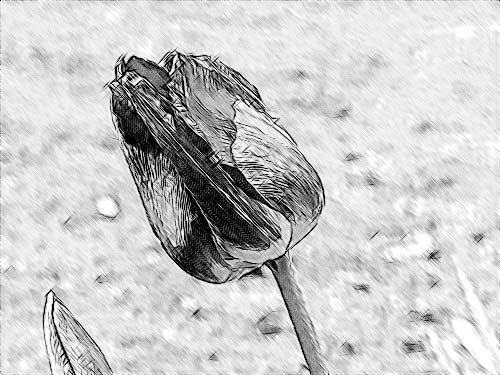
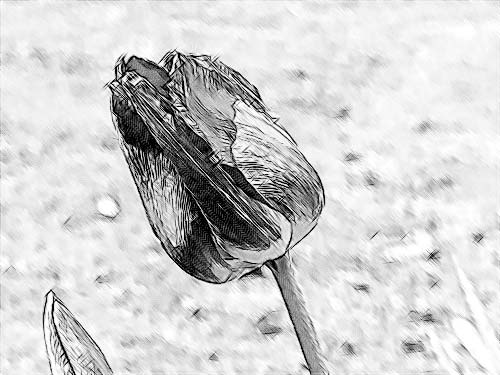
Para a primeira ilustração de como o AKVIS Sketch trabalha escolhemos um quadro simples: uma flor em primeiro plano e um fundo desfocado sem qualquer detalhe nítido.
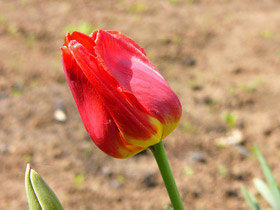
Imagem original
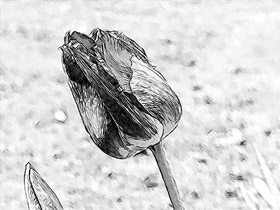
Resultado
Usamos o plugin AKVIS Sketch neste tutorial, mas você pode utilizar a edição autônoma usando os mesmos parâmetros para obter este resultado.
- Passo 1. Abra a imagem com o seu foto editor e inicie o plugin AKVIS Sketch. Aperte o botão
 para processar a foto com os parâmetros padrão. A imagem vai se converter em um desenho a lápis.
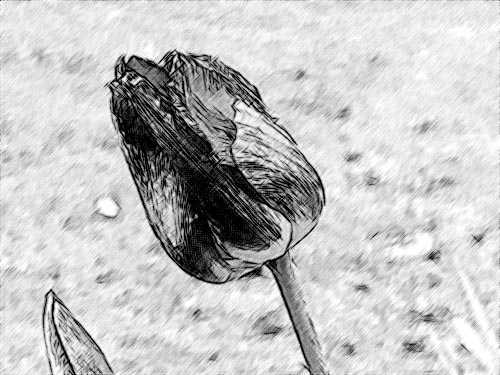
- Passo 2. Reduza o valor do parâmetro Espessura para deixar os traços mais finos e mais duros.
Ao mudar o valor de um parâmetro, pressione o botão
para processar a foto com as novas configurações e ver qual a influência que o parâmetro ajustado teve no desenho.
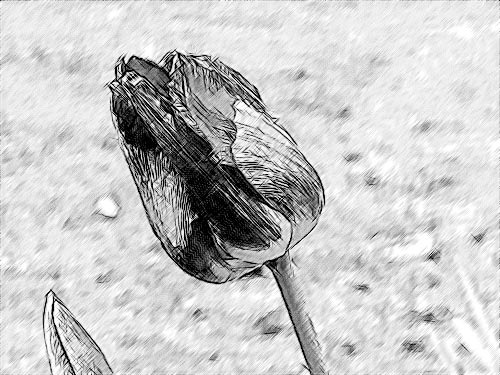
- Passo 3. O parâmetro Ângulo define o ângulo de inclinação dos traços no preenchimento de uma área uniforme. Nesta imagem o fundo é uniforme, e podemos notar que os traços são desenhados 45 graus para a direita. Vamos mudar o ângulo de tal modo que os traços do fundo tenham o mesmo ângulo que a tulipa. Vamos definir o parâmetro Ângulo em 135.
- Passo 4. Agora reduza o valor do parâmetro Intensidade dos cinzas para 1, deixando o fundo com menos brilho.
- Passo 5. Clique no botão
 para aplicar a conversão na imagem e fechar o programa.
Sketch v. 28.1 - Teste gratuito 10 dias
