Desenho Colorido
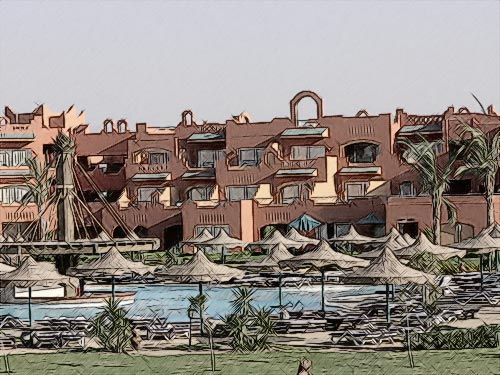
Por padrão AKVIS Sketch converte qualquer imagem para um desenho a lápis preto e branco. Mas se a foto original for colorida, é possível adicionar a sua cor ao desenho a lápis.

Foto original
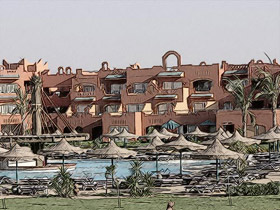
Resultado
Usamos o AKVIS plugin neste tutorial, mas você pode utilizar a versão autônoma, com os mesmos parâmetros, para obter este resultado.
- Passo 1. Abra uma foto colorida em seu foto editor.

- Passo 2. Inicie o plugin AKVIS Sketch:
No AliveColors: Efeitos -> AKVIS -> Sketch;
no Adobe Photoshop: Filtro -> AKVIS -> Sketch;
no Corel Paint Shop Pro: Efeitos -> Plugins -> AKVIS -> Sketch;
no Corel Photo-Paint: Efeitos -> AKVIS -> Sketch. - Passo 3. Pressione o botão
 para converter a foto em um desenho a lápis com as configurações padrão.
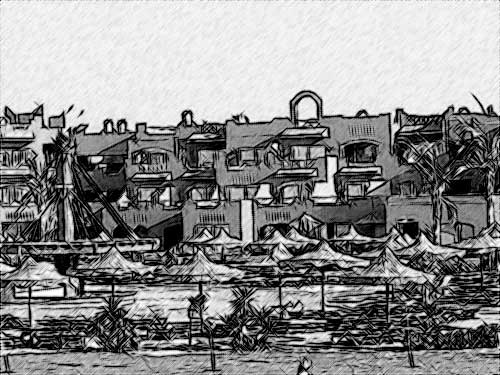
- Passo 4. Reduza o valor do parâmetro Espessura para tornar as linhas mais finas e duras.
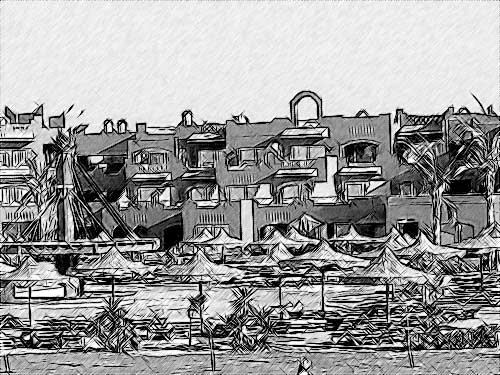
Reduza o valor do parâmetro Intensidade dos cinzas para reduzir a intensidade do preenchimento das áreas uniformemente iluminadas da imagem (i.e o céu).
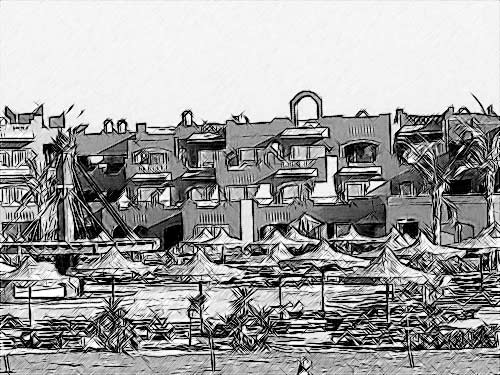
- Passo 5. Vamos acrescentar cor ao nosso desenho a lápis, aumentando o valor do parâmetro Coloração para 70.
- Passo 6. Pressione o botão
 para aplicar o resultado à imagem e fechar o programa.
Sketch v. 28.1 - Teste gratuito 10 dias
