Converter desenho vetorial em esboço
O autor do tutorial é Michael W. Foutty.
O plugin AKVIS Sketch trabalha que é uma beleza dentro do programa Xara Xtreme vetor/bitmap.
Este tutorial demonstra o poderoso uso de Sketch em conjunto com Xara Xtreme, rápidas e fáceis ferramentas “efeitos vivos” e “transparência”, para criar imagens fantásticas em minutos! Uma particularidade neste exemplo é estarmos trabalhando o plugin Sketch em uma imagem vetorial!
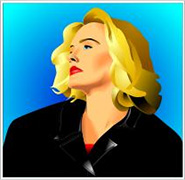 |
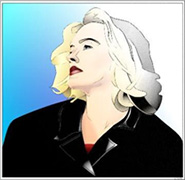 |
Para começar, de dentro do Xara Xtreme, carregue ou componha seu desenho vetorial. (Nota: neste tutorial a imagem vetorial foi selecionada da galeria de ‘clip art’ e pode ser localizada na pasta Pessoas/Garota Loura). Dependendo do nível de sua habilidade no Xara Xtreme você pode querer usar a galeria 'Camadas', mas isto não é essencial para este exemplo.
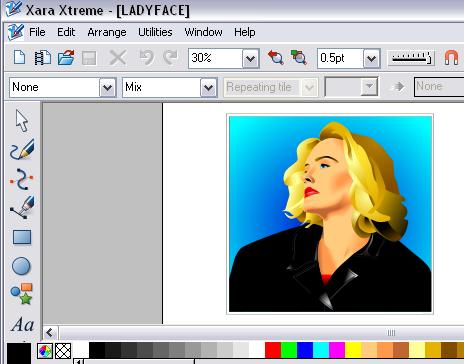
Redimensione a imagem se necessário, e execute a seguinte sequência 'atalho':
- Copiar [Ctrl+C]
- Cole no lugar [Ctrl+Shift+V].
Uma cópia vetorial idêntica agora está colocada perfeitamente acima da imagem vetorial original. Se desejar, a edição vetorial pode e deve ser feita neste estágio para qualquer uma das duas imagens.
Com a imagem superior selecionada é hora de acessar o plugin Sketch e permitir que ele faça suas maravilhas.
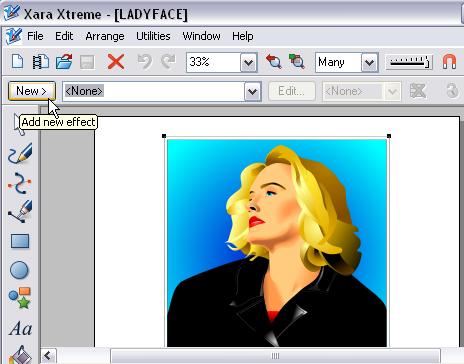
Isto é realizado selecionando a ferramenta Efeitos dinâmicos encontrados no menu do Xara Xtreme.
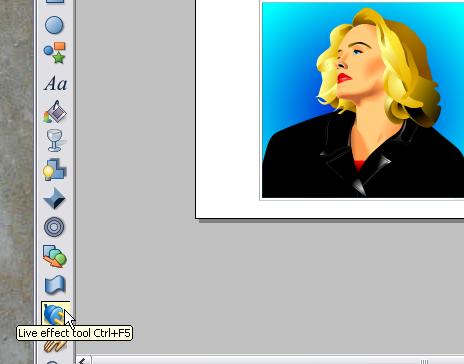
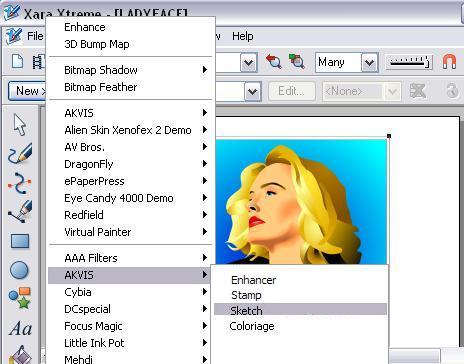
Selecione Novo/Adicionar novo efeito e percorra o menu para localizar o plugin Sketch.
Como uma dica/incentivo adicional você irá notar que os plugins AKVIS Coloriage, Enhancer, MultiBrush (ex Stamp), entre outros, também funcionam com Xara Xtreme!
Uma vez dentro do Sketch, você vai descobrir uma grande variedade de itens de menu que permitem vários resultados.
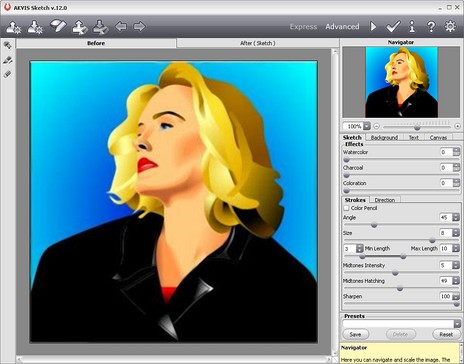
Nosso exemplo usa a seguinte configuração. Espaço de folga para jogar e experimentar!
Depois de processar você vê imediatamente os resultados de Sketch... excelente!
Quando estiver satisfeito com os resultados aperte a  . A imagem processada pelo Sketch agora retorna ao espaço de trabalho do Xara Xtreme.
Observe que você só vê o resultado do Sketch. Isso é devido a ter processado apenas a camada superior [clone]. Esta camada agora foi transformado em uma imagem bitmap. (Nota: a camada subjacente continua a ser uma imagem vetorial... assim, ainda totalmente editável!).
Agora, através da ferramenta Xara Transparência, efeitos dramáticos adicionais podem facilmente ser adicionados à composição de imagem.
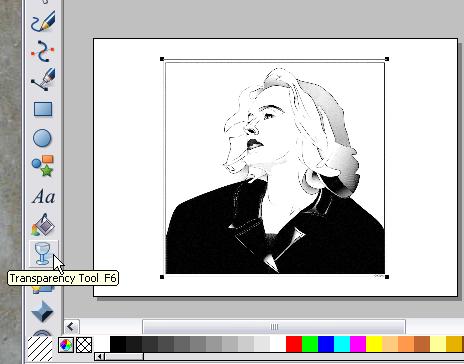
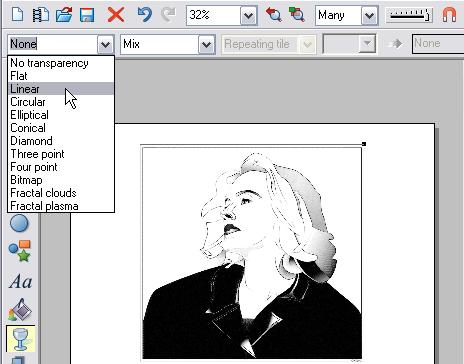
Ajuste o efeito transparência a sua vontade e experimente diferentes definições. Aqui, usamos Mistura simples linear, o que deu um efeito de transição suave de preto e branco para colorido.
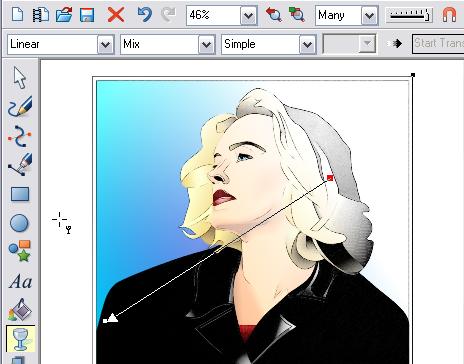
Aqui está uma vista mais próxima de nossos resultados. Salve o projeto como arquivo Xara para futuras edições/modificações. Então exporte a imagem no formato bitmap de sua escolha.
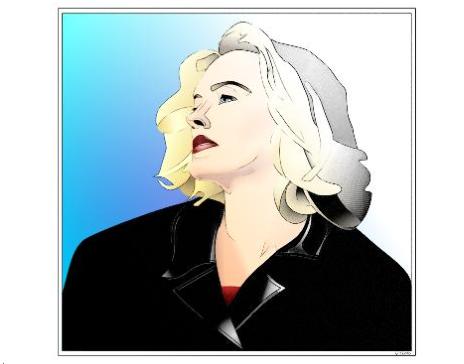
Este tutorial básico esquece por completo a vasta gama de modificações/melhorias de imagem adicionais possíveis através do uso de camadas múltiplas/sobreposições e vários efeitos de edição vetorial. Esperamos que você aproveite o potencial!
As forças combinadas do plugin AKVIS Sketch e Xara Xtreme oferecem uma margem criativa para todas as suas explorações de imagem .......especialmente quando vetores estão envolvidos!
Sketch v. 28.1 - Teste gratuito 10 dias
