Motorshow: um desenho de lápis de fotografia
O autor é Alexey Pasko. O exemplo é feito por meio de Adobe Photoshop CS com os plugins AKVIS Enhancer e AKVIS Sketch.
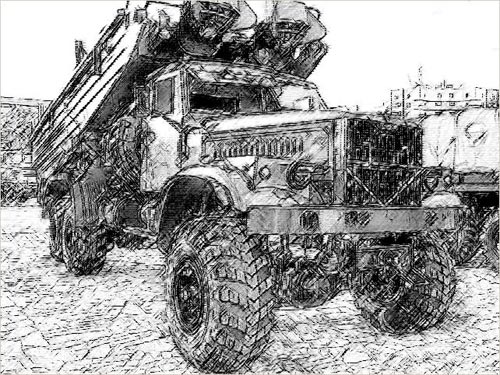
Alexey decidiu mudar uma de suas fotos feitas em um motorshow em um desenho a lápis.
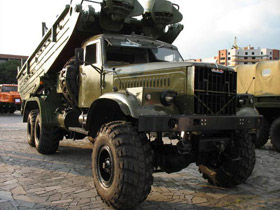
Imagem de origem
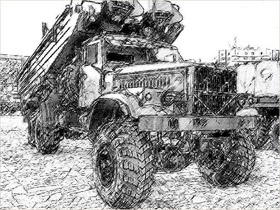
Resultado
-
Passo 1. Primeiro de tudo, devemos revelar o máximo possível de detalhes, porque quanto mais detalhes na foto, mais detalhado será o desenho a lápis.
Vamos criar uma camada cópia do fundo e chamar o plug-in AKVIS Enhancer sobre esta camada. O plug-in vai nos ajudar a aumentar os detalhes nas sombras da foto.
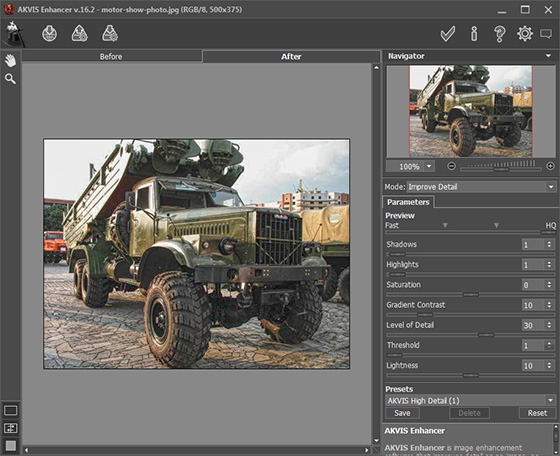
Agora, usando filtro Máscara de Nitidez, aumentar a nitidez da foto para melhorar ainda mais os detalhes. Aplicar o filtro Máscara de Nitidez com a seguinte configurações: Intensidade = 70%, Raio = 0.5 pixels, Limiar = 0 níveis.
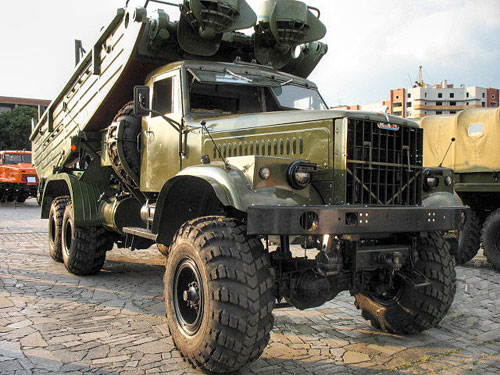
Depois da correção AKVIS Enhancer e aplicação do filtro Máscara de Nitidez a foto se apresenta assim:
-
Passo 2. Vamos fazer uma cópia da camada da foto editada, só por um caso de erro. Permanecer na nova chamada, nomeando AKVIS Sketch.
Alterar configurações: diminuir Intensidade dos cinzas até 4. Todas as outras configurações permanecem padrão.
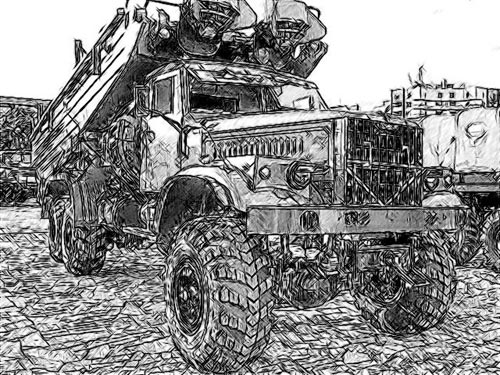
O piso da praça na foto é de azulejo, e AKVIS Sketch irá desenhá-lo completamente, mas muitos traços desviam a atenção do assunto principal, Podemos, claro, borrar os azulejos antes de aplicar AKVIS Sketch, mas escolhemos outro caminho:
Aplicar modificações - clicar em
 no canto superior direito da janela do plug-in.
-
Passo 3. Adicione uma nova camada de ajuste - Níveis com uma máscara e Clarear os azulejos e o resto do fundo.
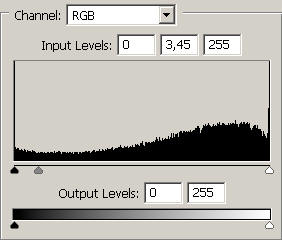
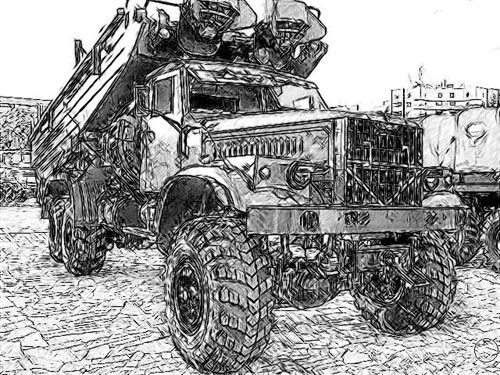
Não se diminuiu o número dos passos, mas a nitidez dos azulejos em grande parte é deixada intacta.
-
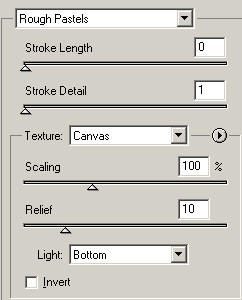
Passo 4. Vamos mesclar a camada de ajuste Níveis e a camada que contém nosso desenho em uma única camada superior e aplicar o filtro Photoshop Pastels Ásperos. Isto é feito para o desenho não ser demasiado "escorregadio" e para adicionar a textura do papel.
-
Passo 5. O último toque: um pouco mais Níveis para um melhor contraste.
A paleta Camadas, nesta fase, tem esta aparência:
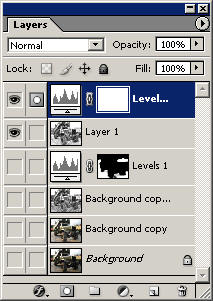
E aqui está o desenho a lápis resultante:
Sketch v. 28.1 - Teste gratuito 10 dias
