Cardinal : A Scene From Nature


Entrar seu e-mail para subscrição em novidades.
 
 
  Produtos     Download     Online Store     Tutorial     Suporte     Quem Somos      Conta de usuário
en  fr  de  es  pt  it  jp  ru    
 

Tutorial: AKVIS Sketch

Cardinal: A Scene From Nature


Neste momento algumas páginas estão disponíveis somente em Inglês e em Espanhol.
Você pode obter uma licença para qualquer programa AKVIS, se traduzir os arquivos do nosso acervo
para o Português (do espanhol ou do inglês) para saber mais escreva para o team@akvis.com

The author of this tutorial is Nancy Knadler.


She writes:

"This tutorial was inspired by a Christmas card my boss at work received. It was a sketch of a cardinal in a winter scene. Our school’s mascot is a cardinal bird so I looked for a photo of a cardinal to use as my initial image".

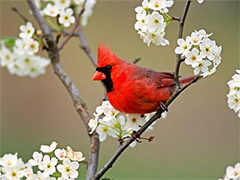
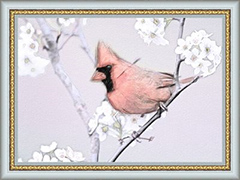
    Original image Result

Follow these steps:

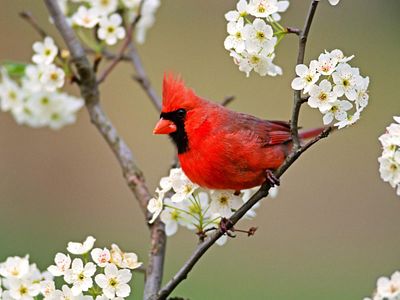
  • Step 1. I opened the image in Adobe Photoshop (but you can use the image editor of your choice).
    Source image
    Source image
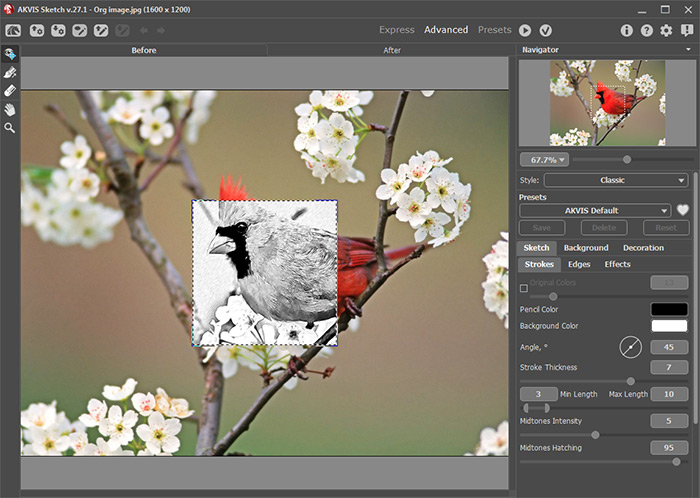
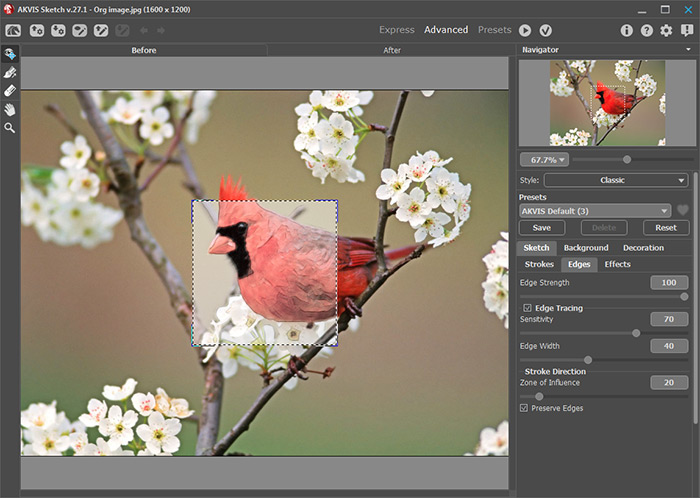
  • Step 2. I took the photo into AKVIS Sketch by clicking Filter from the menu and selecting AKVIS –> Sketch. The image opens in the Sketch window.
    The AKVIS Sketch window
    The AKVIS Sketch window

    I ran the watercolor option in Sketch using the following parameters:

    On the Strokes tab:

    Watercolor = 50;
    Coloration = 61;
    Min./Max. Length = 10/20;
    Midtones Intensity = 3;
    Midtones Hatching = 77.

    On the Edges tab:

    Edge Strength = 100;
    Sensitivity = 70;
    Edge Width = 40.

    I pressed the run button , liked what I saw and pressed the button to return to my photo editor, Photoshop.

    Convert a photo into watercolor
    Convert a photo into watercolor
  • Step 3. I reran the AKVIS Sketch plug-in on my watercolor layer, this time choosing the Charcoal option using the following parameters:

    On the Strokes tab:

    Watercolor = 0;
    Charcoal = 10;
    Coloration = 100;
    Angle = 60;
    Min./Max. Length = 13/20;
    Midtones Intensity = 1;
    Midtones Hatching = 1.

    On the Edges tab:

    Edge Strength = 80;
    Sensitivity = 23;
    Edge Width = 95.

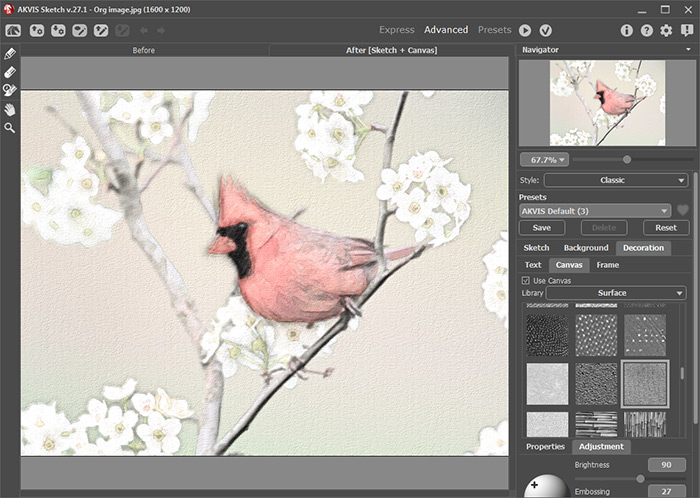
  • Step 4. Before returning to Photoshop, I decided to add a texture to my photo to spice it up a bit. I clicked the Canvas tab while still in AKVIS Sketch and chose a texture with the following parameters:
    Convert a watercolor into charcoal sketch with canvas
    Convert a watercolor into charcoal sketch with canvas

    Click on to process the image using the new painting parameter settings.

    Press the button to return to Photoshop.

  • Step 5. To complete my image, I colored my background a light cool blue in Photoshop.

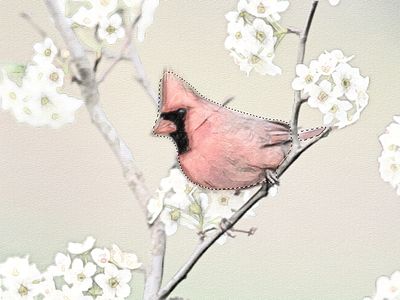
    First you should select the most simple object - the bird (with for example the Polygonal Lasso , or another of Adobe Photoshop's selection tools).

    Selecting the bird's body and tail

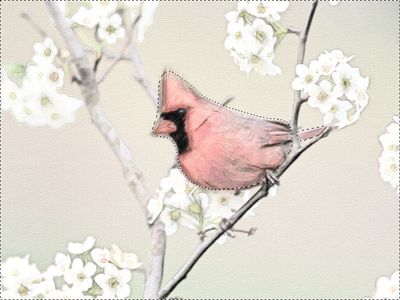
    Then invert the selection by choosing Select -> Inverse from the Select menu, so that the background but not the bird is selected:

    Selecting the background

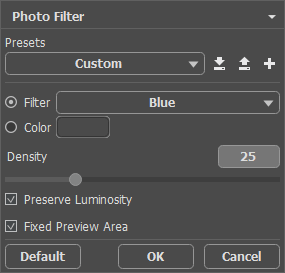
    Apply Photo Filter (a standard Photoshop filter) to the selection by choosing Image -> Adjustments -> Photo Filter.

    Applying Photo Filter

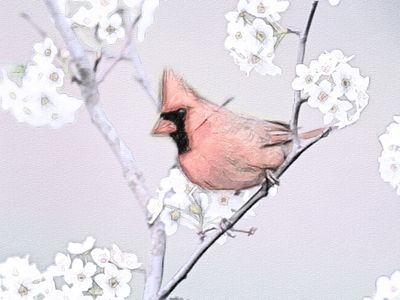
    The result is shown in the following drawing:

    Recolored background
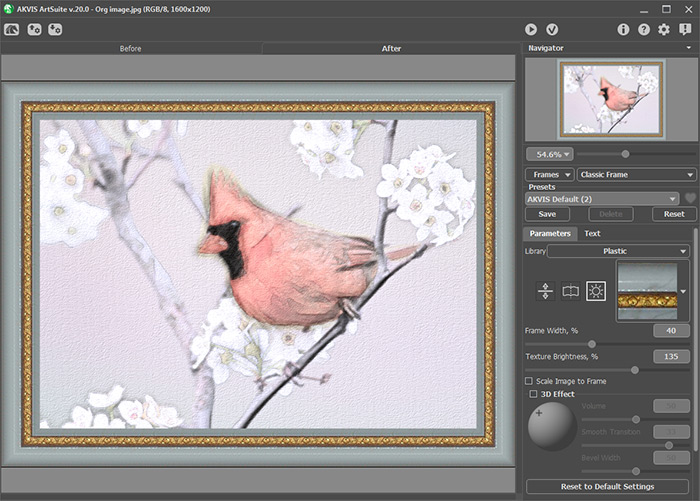
  • Step 6. At this point, I wanted to set the entire photo off, so I opened my image in AKVIS ArtSuite to frame the picture. After experimenting with different frame styles in ArtSuite I chose a Classic Frame, checking Average Brightness box and moving the Texture Brightness slider to 135%. I think it added the perfect touch to frame my image.
    The AKVIS ArtSuite window
    The AKVIS ArtSuite window

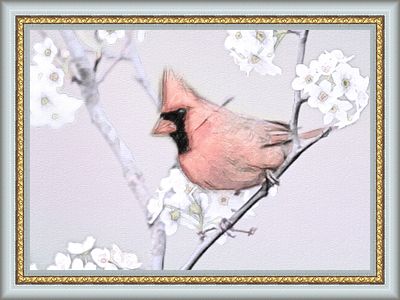
    Here is my framed painting:

    Result
    Figure of a bird (click to enlarge)


Como funciona Como funciona
   — Área de trabalho — Área de trabalho
   — Utilizando o programa — Utilizando o programa
   — Estilo Clássico — Estilo Clássico
   — Estilo Artístico — Estilo Artístico
   — Efeitos de fundo — Efeitos de fundo
   — Adicionar texto — Adicionar texto
   — Desenho em tela — Desenho em tela
   — Ajustes predefinidos — Ajustes predefinidos
   — Opções — Opções
   — Processamento em lote — Processamento em lote
Exemplos Exemplos
   — Vamos desenhar uma tulipa — Vamos desenhar uma tulipa
   — Desenho colorido — Desenho colorido
   — Um vídeo em um desenho animado — Um vídeo em um desenho animado
   — Desenho com pasteis — Desenho com pasteis
   — AKVIS Sketch na arquitetura — AKVIS Sketch na arquitetura
   — Retrato a lápis grafite — Retrato a lápis grafite
   — Converter foto em pintura em aquarela — Converter foto em pintura em aquarela
   — Um inverno dos sonhos — Um inverno dos sonhos
   — Efeito: foto no desenho a lápis — Efeito: foto no desenho a lápis
   — Faça um desenho a partir de uma foto — Faça um desenho a partir de uma foto
   — Criando uma aquarela de um lobo — Criando uma aquarela de um lobo
   — Desehno a lápis — Desehno a lápis
   — Porto tranqüilo: uma aquarela — Porto tranqüilo: uma aquarela
   — Um casal encantador — Um casal encantador
   — Enquadradas em preto e branco Sketch — Enquadradas em preto e branco Sketch
   — Parada do momento!(Desenho e desfoque) — Parada do momento!(Desenho e desfoque)
   — Versailles: Viagem ao passado — Versailles: Viagem ao passado
   — Desenho no papel envelhecido — Desenho no papel envelhecido
   — Auto-expressão: desenho em um minuto — Auto-expressão: desenho em um minuto
   — Orquídea: Desenho em lápis de aquarela — Orquídea: Desenho em lápis de aquarela
   — Maçã Brilhante: o toque de um artista — Maçã Brilhante: o toque de um artista
   — Variaçôes em uma rosa — Variaçôes em uma rosa
   — Menina engraçadinha: o pastel — Menina engraçadinha: o pastel
   — Monte Saint Michel: desenho em aquarela — Monte Saint Michel: desenho em aquarela
   — Noite de gala — Noite de gala


No começo da página


   Política de privacidade | Mapa do Site | Pesquisar na site    
   Contacte-nos | Twitter | Facebook | YouTube Channel    
| English  |Français  |Deutsch  |Español  | Português  |Italiano  |日本語  |Pусский  | © 2004-2012 AKVIS. Todos os direitos reservados.