Graphic software for Windows Mac graphic software
Please enter your email to be kept posted on updates and discounts:
 
  
  Products     Download     Online Store     Tutorial     Support     Company
en  fr  de  es  pt  it  jp  ru    
 

Tutorial: AKVIS ArtSuite

Frames (Edge Effects)


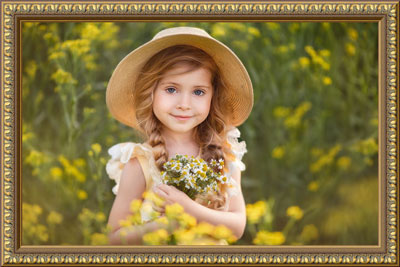
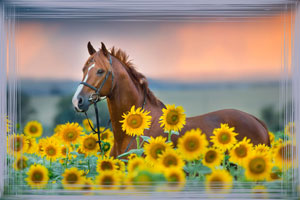
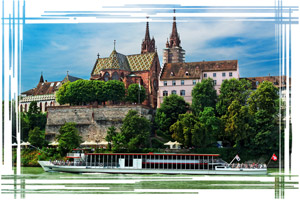
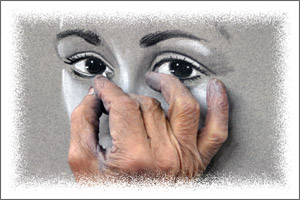
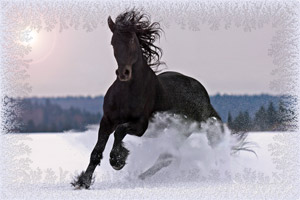
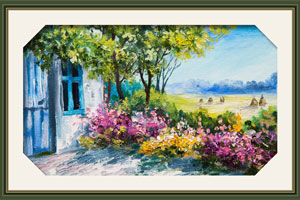
The edge effects that come with AKVIS ArtSuite can be easily tailored to your particular photo and generate an endless number of different photo frames.

Select a color for the frame; choose its form, its style, brightness, and the intensity of the applied edge effect. You can create a frame with ragged edges, scratched surface, a page curl, etc. It can be a wooden frame with figured carving or a frame with an ornament.

 
How It Works How It Works
   — Workspace — Workspace
   — How To Use The Program — How To Use The Program
Effects Effects
   — Black and White — Black and White
   — Shift Colors — Shift Colors
   — Channel Mixer — Channel Mixer
   — Texture — Texture
   — Glamour — Glamour
   — Two Keys — Two Keys
Frames Frames
   — Classic — Classic
   — Pattern — Pattern
   — Strokes — Strokes
   — Scratches — Scratches
   — Page Curl — Page Curl
   — Squares  — Squares
   — Ragged — Ragged
   — Spray — Spray
   — Artistic — Artistic
   — Artistic Crop — Artistic Crop
   — Frost — Frost
   — Hand Painted Frame — Hand Painted Frame
Examples Examples
   — Berlin Cathedral: Retro Style Card — Berlin Cathedral: Retro Style Card
   — Change Seasons — Change Seasons
   — Create Your Own Art Gallery — Create Your Own Art Gallery
   — Gold Autumn: Make a Calendar  — Gold Autumn: Make a Calendar
   — Prowling Tiger — Prowling Tiger
   — Frog Prince House — Frog Prince House
   — Summer Dreams (Advanced Tutorial) — Summer Dreams (Advanced Tutorial)
   — Relaxing at the River — Relaxing at the River


   Privacy Policy | Site Map | Search | English  |Français  |Deutsch  |Español  |Português  |Italiano  |日本語  |Pусский  | © 2004-2009, AKVIS Software Inc. All rights reserved.