Berlin Cathedral: Retro Postcard
The author of this tutorial is Valentina Aynagos.
Berlin is one of the most exciting Europe metropolises. I'm never bored of walking on the streets of this city, where modern and high-tech architectural buildings are neighbors with impressive XIX century cathedrals and palaces representing the glory of the imperial Prussia.
I took this photo of the Berlin Cathedral on a gloomy November day. I found the composition good enough to make a postcard out of it to share with my friends back at home. This cathedral was built in 1894, so I wondered how it could look on postcards at the end of the XIX century. So I also created a "retro" version of my postcard.
I used AliveColors and the plugin versions of AKVIS Sketch and AKVIS ArtSuite.
-
Step 1. Open the photo in your photo editor.
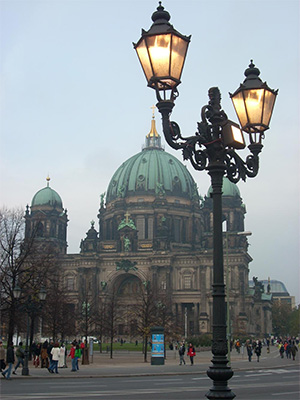
Photo of the Berlin Cathedral - Step 2. My digital camera is rather simple and the photos do not always come out well. So I adjusted it with the command Image -> Adjustment -> Curves. If you have a good photo you do not need to do this step.
- Step 3. Then I called the AKVIS Sketch plugin: Effects -> AKVIS -> Sketch.
-
Step 4. I adjusted the parameters as follows:
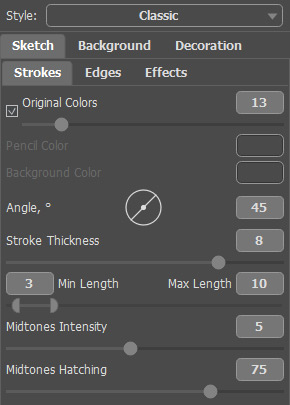
Photo-to-Sketch Settingsand clicked on the button
 to process the whole image, then clicked on the button
  to apply the result and close the plugin.
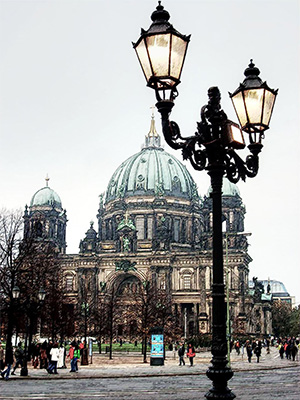
Pencil Sketch from the Photo -
Step 5. I increased the size of the canvas on 0,6 cm with the command Image -> Canvas Size to add a simple frame to the image, so that it looks like a postcard.
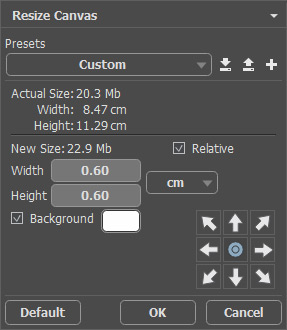
Canvas Size dialog boxHere is the result:
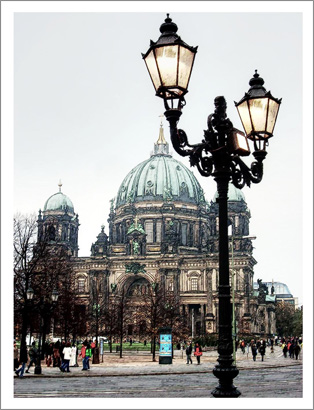
Put the Sketch Image into a Frame -
Step 6. I wanted to create a retro version of my postcard, say, Berlin in 1908, for example. For this purpose I used AKVIS ArtSuite: Effects -> AKVIS -> ArtSuite.
I selected Effects in the drop-down menu and the effect Black and White. Then I moved the point on the circle to the right to add a red cast to the photo to imitate the sepia technique. I also slightly moved the red control on Color to Gray Mixer to lighten the tones.
Hint: Use the Autorun-mode in the program Preferences
 (this mode is active by default) to observe the changes at once. It will save you time when picking out the tone. Otherwise you will have to press each time.
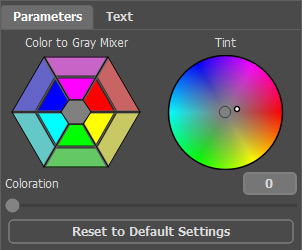
Sepia Effect -
Step 7. Press the button to apply the result and close the plugin.
I also added an inscription "Berlin 1908". Well, the photo was taken some 100 years later, but I hope, the Berliners will forgive me this little liberty.
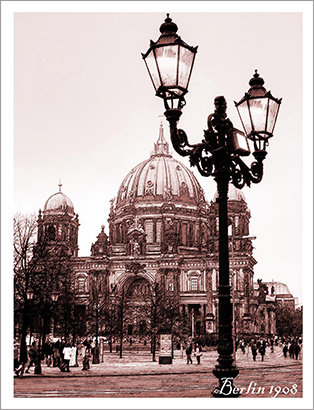
Old Postcard
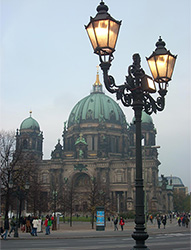
Original Image
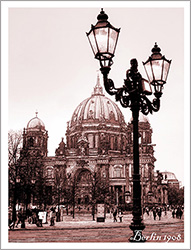
Result
ArtSuite v. 21.1 - Free 10-day Trial
