Graphic software for Windows Mac graphic software
Please enter your email to be kept posted on updates and discounts:
 
  
  Products     Download     Online Store     Tutorial     Support     Company
en  fr  de  es  pt  it  jp  ru    
 

Tutorial: AKVIS ArtSuite

Frog prince house


The author of this tutorial is Holger Gerlach.

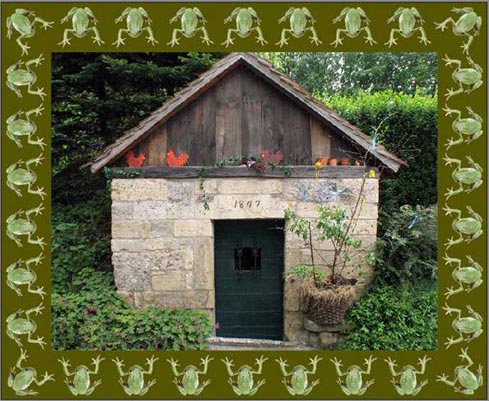
Everything in the world has a birthday: people, buildings, cultural events... The photo was made at the 160th anniversary of the well that is shown at the image below. Let's frame this image using AKVIS ArtSuite.
Original image Result

This tutorial was made in Adobe Photoshop, but you can work with any photo editor compatible with AKVIS plugins, or use the standalone version of AKVIS ArtSuite.

  • Step 1. Open your image in the photo editor.
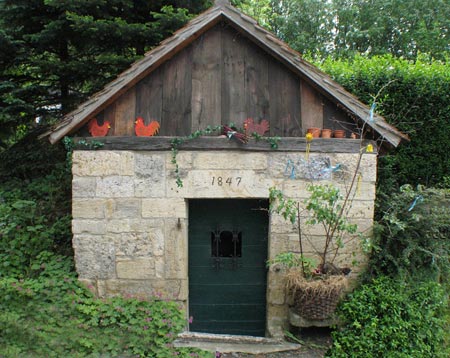
    Old well
  • Step 2. Call AKVIS ArtSuite from the main menu of the photo editor Filter->AKVIS->ArtSuite.
    Call ArtSuite
  • Step 3. Choose Frame from the drop menu and choose the frame type Pattern.
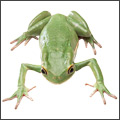
    Choose a frame
  • Step 4. Select a pattern from the Library.
    Choose a texture
  • Step 5. Select a texture from the Texture Library. To open the Texture Library double-click with the left mouse button on the sample box. Let's choose a frog.
  • Step 6. In the Settings panel put Frame Width to 52% and activate the check box Scale Image to Frame. Other parameters stay the same.
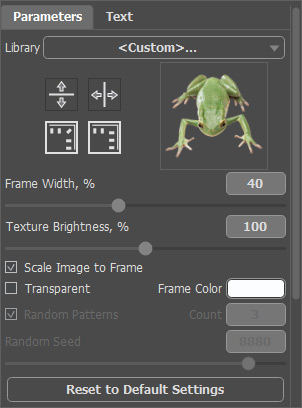
    Set the parameters
  • Step 7. Press the button Run. The result will be shown in the After tab.
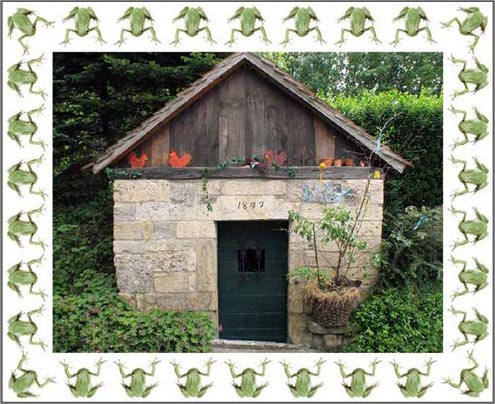
    Frame
  • Step 8. Change the color of the frame. Left-mouse ckllick on the Frame Color and set a color from the Standard Color Selection Dialog. The hemp color is more suitable for us.

    Change a color
  • Step 9. Press the button Run. Wait for a second and our frame is ready!
    Framed image
    Press the button Apply to apply the result and close the plugin window.
 
How It Works How It Works
   — Workspace — Workspace
   — How To Use The Program — How To Use The Program
Effects Effects
   — Black and White — Black and White
   — Shift Colors — Shift Colors
   — Channel Mixer — Channel Mixer
   — Texture — Texture
   — Glamour — Glamour
   — Two Keys — Two Keys
Frames Frames
   — Classic — Classic
   — Pattern — Pattern
   — Strokes — Strokes
   — Scratches — Scratches
   — Page Curl — Page Curl
   — Squares  — Squares
   — Ragged — Ragged
   — Spray — Spray
   — Artistic — Artistic
   — Artistic Crop — Artistic Crop
   — Frost — Frost
   — Hand Painted Frame — Hand Painted Frame
Examples Examples
   — Berlin Cathedral: Retro Style Card — Berlin Cathedral: Retro Style Card
   — Change Seasons — Change Seasons
   — Create Your Own Art Gallery — Create Your Own Art Gallery
   — Gold Autumn: Make a Calendar  — Gold Autumn: Make a Calendar
   — Prowling Tiger — Prowling Tiger
   — Frog Prince House — Frog Prince House
   — Summer Dreams (Advanced Tutorial) — Summer Dreams (Advanced Tutorial)
   — Relaxing at the River — Relaxing at the River


   Privacy Policy | Site Map | Search | English  |Français  |Deutsch  |Español  |Português  |Italiano  |日本語  |Pусский  | © 2004-2009, AKVIS Software Inc. All rights reserved.