La Catedral de Berlín: Postal retro
La autora de este ejemplo es Valentina Aynagos.
Berlín es una de las metrópolis europeas más excitantes. Nunca me aburro de caminar por las calles de esta ciudad, donde los edificios de arquitectura moderna y de alta tecnología son vecinos de impresionantes catedrales y palacios del siglo XIX, los cuales representan la gloria de la Prusia imperial.
Tomé esta fotografía de la Catedral de Berlín un sombrío día de Noviembre. Me pareció que la composición era bastante buena para crear una postal de ella y para mostrarla a mis amigos cuando volverìa a casa. Esta catedral fue construida en 1894, por lo cual me preguntaba que aspecto podìa tener en postales a fines del siglo XIX. De esta manera también cree una versión "retro" de mi postal.
Utilicé AliveColors y las versiones plugin de AKVIS Sketch y AKVIS ArtSuite.
-
Paso 1. Abra una fotografía en su editor de gráficos.
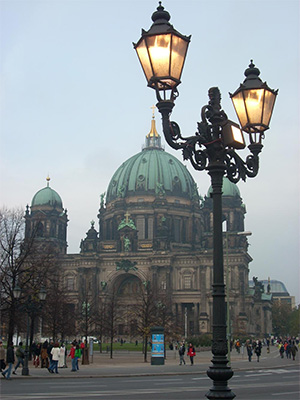
Fotografía de la Catedral de Berlín - Paso 2. Mi cámara digital no es especial y las fotografías no siempre resultan de muy buena calidad. De esta manera, la ajusté con el comando Imagen -> Ajuste -> Curvas. Si usted tiene una fotografía de buena calidad, no es necesario que siga este paso.
- Paso 3. Luego abra el plugin AKVIS Sketch: Efectos -> AKVIS -> Sketch.
-
Paso 4. Ajuste los parámetros como se ve a continuación:
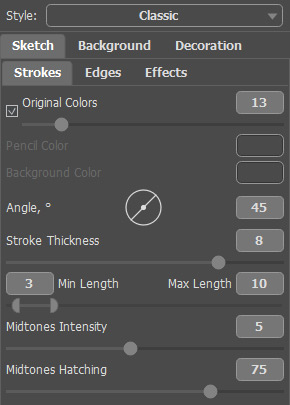
Configuracióny clickee en el botón
 para procesar toda la imagen, luego clickee en
  para aplicar los cambios y cerrar el plugin.
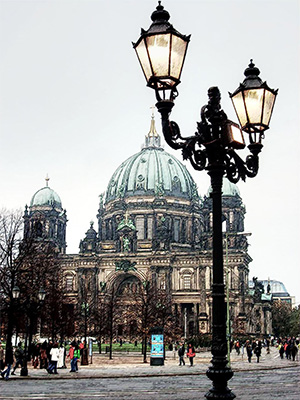
Boceto a lápiz resultante de la fotografía -
Paso 5. Aumente el tamaño del lienzo a 0,6 cm con el comando Imagen -> Tamaño de lienzo para añadir un marco simple a la fotografía con la intención de que parezca una postal.
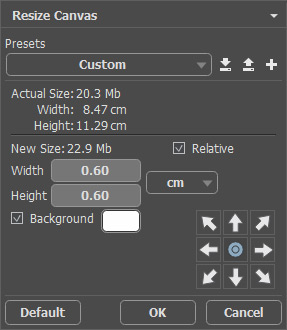
Cuadro de diálogo del tamaño del lienzoAquí está el resultado:
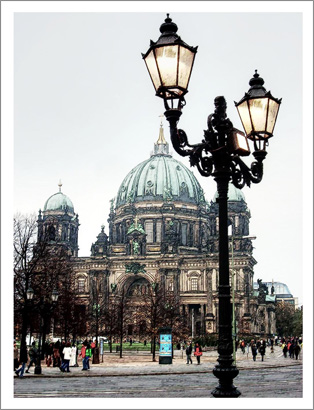
Imagen puesta en un marco -
Paso 6. Quería crear una versión retro de mi postal, por ejemplo, Berlín en 1908.
Para este propósito, utilicé AKVIS ArtSuite: Efectos -> AKVIS -> ArtSuite.
Seleccioné Efectos del menú desplegable, escogiendo el efecto Blanco y negro. Luego desplacé el punto dentro del círculo Matiz para darle un matiz rojo a la fotografía, imitando, así, la técnica de sepia. También, moví ligeramente el control rojo en el hexágono Mezclar colores para aclarar los tonos.
Consejo: Utilice el modo Tratamiento automático después de cada cambio en Opciones
 (este modo está activado por defecto) para observar todos los cambios a la vez. Esto le ahorrará tiempo a la hora de elegir el tono. De lo contrario, deberá presionar el botón cada vez que realice un cambio.
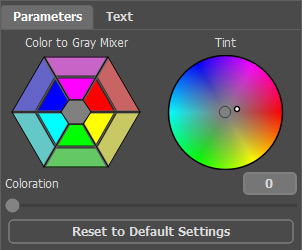
Imitación de la técnica de sepia -
Paso 7. Presione el botón para aplicar los cambios y cerrar el plugin.
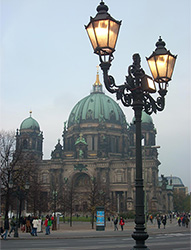
Imagen original
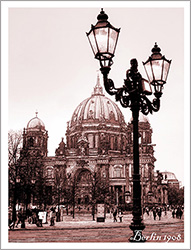
Resultado
También añadí la inscripción "Berlín 1908". Bien, la fotografía fue tomada aproximadamente 100 años más tarde, pero espero que los berlineses me perdonen por esta atribución que me tomé.
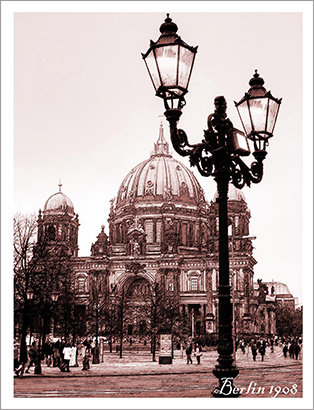
Postal antigua
ArtSuite v. 21.0 - Prueba gratuita de 10 días
