Changing a baseball photo into a color drawing


Inserisci la tua e-mail per essere informato delle novità:
 
 
  Prodotti     Download     Online Store     Tutorial     Supporto     Chi siamo      Account dell'utente
en  fr  de  es  pt  it  jp  ru    
 

Tutorial: AKVIS Sketch

Changing a baseball photo into a color drawing


Siamo spiacenti, questa pagina al momento è disponibile solo in lingua inglese.
La versione italiana sarà presto disponibile.
Se desiderate ottenere la licenza per la traduzione per favore scriveteci.

The author of the article Danny Raphael is a moderator of Photo-based Art forum at www.RetouchPRO.com.
 

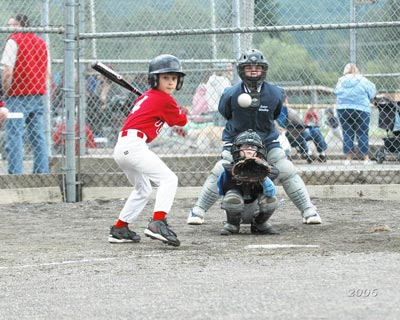
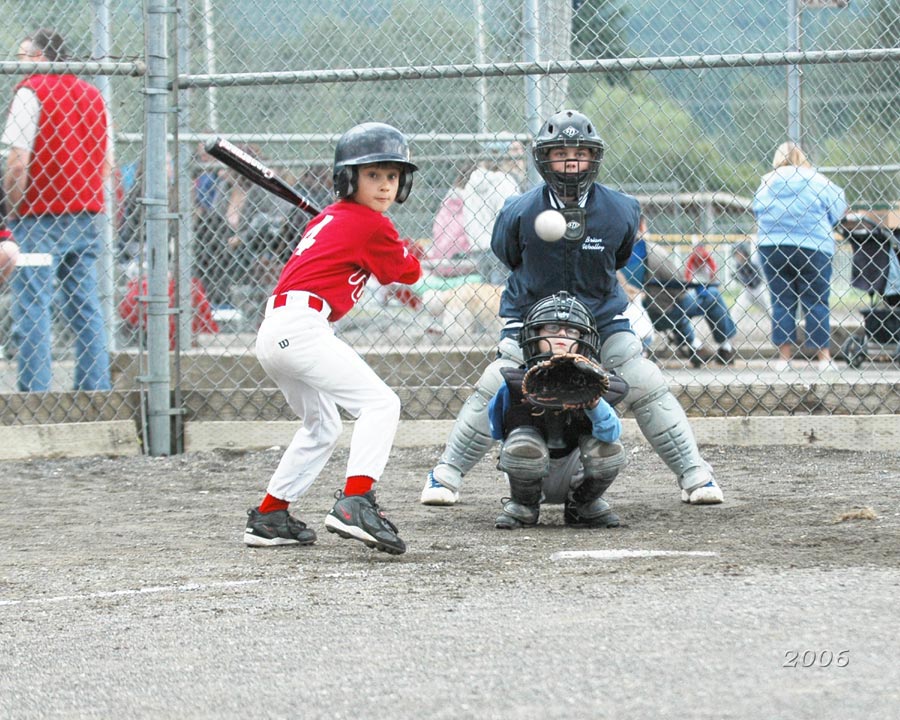
  • Step 1. Lets open the photo of the junior baseball players in Adobe Photoshop editor.
    Junior baseball players
    Click the image to open a larger size image in a new window
  • Step 2. Create a copy of background layer. To do it just drag the background layer to the Create a New Layer button at the bottom of the Layers palette.
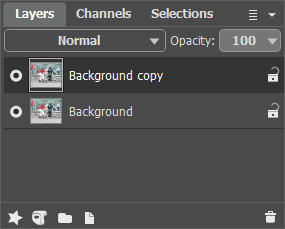
    Layers palette - creating a new background layer
  • Step 3. In the Layers palette go to Background copy layer and open AKVIS Sketch plugin. In the plugin window press Convert to drawing button. The original photo will be transformed into a pencil drawing with default parameters.
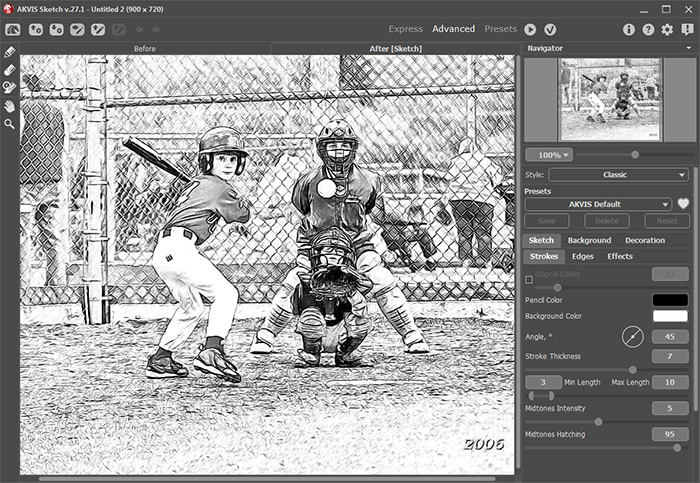
    Đĺçóëüňŕň ďđčěĺíĺíč˙ ďëŕăčíŕ ń íŕńňđîéęŕěč ďî óěîë÷ŕíčţ

    Apply the result by pressing Apply button in the plugin window. Now we have two layers in the Layers palette: the lower layer - original photo, the upper layer - resulted black and white pencil drawing.

  • Step 4. Create another background copy and put it over all other layers.
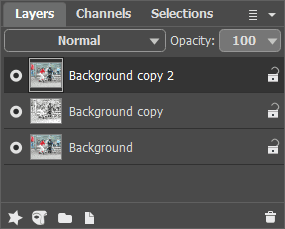
    Layers palette - creating a background layer copy
  • Step 5. After this change the upper layer blending mode from Normal to Color. As a result hue and saturation are taken from the active layer and brightness - from the lower layer (the one with the pencil drawing in this case). As a result colors will retain their saturation and all the lines will stay as distinct and bright as they were in the pencil drawing.
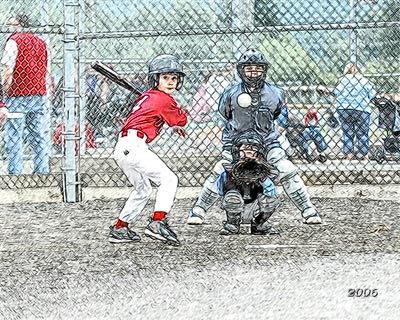
    Pencil drawing after changing the layer blending mode
    Click the image to open the pencil drawing in a new larger window
  • Step 6. Using Hue/Saturation Adjustment layer increase image color saturation by a little bit.
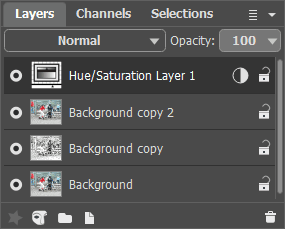
    Layers palette - Hue/Saturation adjustment layer

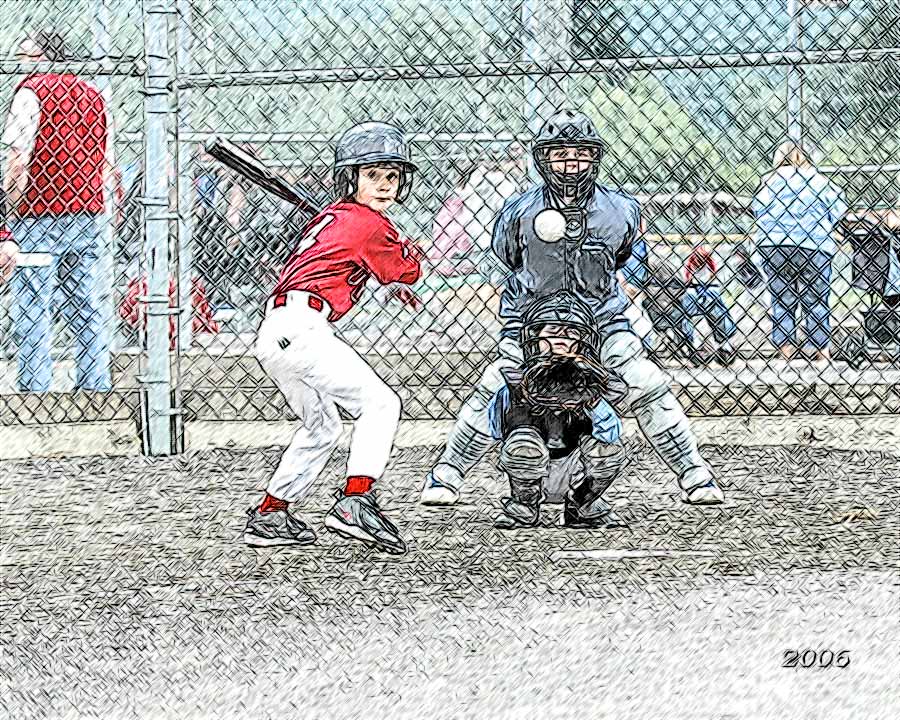
    Few simple steps gave the photo a completely different look. Now it is "handicraft". You can do the same with any photo - wonderful results guaranteed.
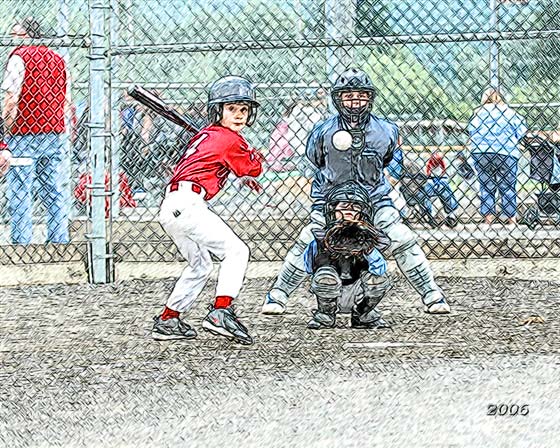
    Junior baseball players - color pencil drawing
 
Come funziona Come funziona
   — Area di lavoro — Area di lavoro
   — Come usare il programma — Come usare il programma
   — Stile Classico — Stile Classico
   — Stile Artistico — Stile Artistico
   — Effetti di sfondo — Effetti di sfondo
   — Aggiungere un testo al disegno — Aggiungere un testo al disegno
   — Imitare un disegno su tela — Imitare un disegno su tela
   — Lavorare con i preset — Lavorare con i preset
   — Preferenze — Preferenze
   — Elaborazione batch — Elaborazione batch
Esempi Esempi
   — Disegno a matita — Disegno a matita
   — Disegno a colori — Disegno a colori
   — Un filmato in un cartone animato — Un filmato in un cartone animato
   — Galerria di AKVIS Sketch — Galerria di AKVIS Sketch
   — Tecnica di disegno a pastello — Tecnica di disegno a pastello
   — Ritratto a matita — Ritratto a matita
   — Ritratto ad acquerello — Ritratto ad acquerello
   — Sogno d’inverno — Sogno d’inverno
   — Schizzo a matita di un cane — Schizzo a matita di un cane
   — Cartolina incorniciata su disegno — Cartolina incorniciata su disegno
   — Un lupo - realizzazione ad acquerello — Un lupo - realizzazione ad acquerello
   — Convertire un disegno vettoriale — Convertire un disegno vettoriale
   — Porto tranquillo:  acquerello — Porto tranquillo: acquerello
   — Dolce coppia: creare una cartolina — Dolce coppia: creare una cartolina
   — Schizzo in bianco e nero con la cornice — Schizzo in bianco e nero con la cornice
   — Tra sogno e realtà — Tra sogno e realtà
   — Artista al lavoro — Artista al lavoro
   — Ferma l'attimo! (Disegno e sfocatura) — Ferma l'attimo! (Disegno e sfocatura)
   — Versailles: viaggio nel passato — Versailles: viaggio nel passato
   — Ritratto su vecchia carta ingiallita — Ritratto su vecchia carta ingiallita
   — Espressione personale: ragazze anime — Espressione personale: ragazze anime
   — Due amati cani — Due amati cani
   — Orchidee:  effetto acquerello — Orchidee: effetto acquerello
   — Una splendida mela: tocco d’artista — Una splendida mela: tocco d’artista
   — Cardinale rosso: immagine della natura — Cardinale rosso: immagine della natura
   — Variazioni su una rosa — Variazioni su una rosa
   — Dolce bimba: pastello su carta — Dolce bimba: pastello su carta
   — Sulla strada luminosa: foto e disegno — Sulla strada luminosa: foto e disegno
   — Mont Saint Michel: disegno ad acquerello — Mont Saint Michel: disegno ad acquerello
   — Serata di gala — Serata di gala
   — La rosa di serra — La rosa di serra


ritorna sopra


   Informativa sulla privacy | Mappa del sito | Cerca nel sito    
   Contatti | Twitter | Facebook | YouTube Channel    
| English  |Français  |Deutsch  |Español  |Português  | Italiano  |日本語  |Pусский  | © 2004-2012 AKVIS. Tutti i diritti riservati.