Changing a baseball photo into a color drawing


Entrez votre e-mail pour souscrire à notre liste de diffusion.
 
 
  Produits     Télécharger     Magasin en ligne     Tutoriel     Support     Compagnie      Compte utilisateur
en  fr  de  es  pt  it  jp  ru    
 

Tutoriel: AKVIS Sketch

Changing a baseball photo into a color drawing


Désolé, à présent cette information n'est disponible qu'en anglais. La version française sera bientôt affichée.

The author of the article Danny Raphael is a moderator of Photo-based Art forum at www.RetouchPRO.com.
 

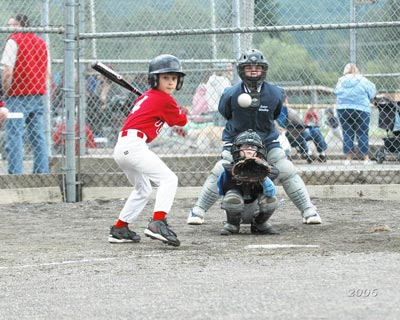
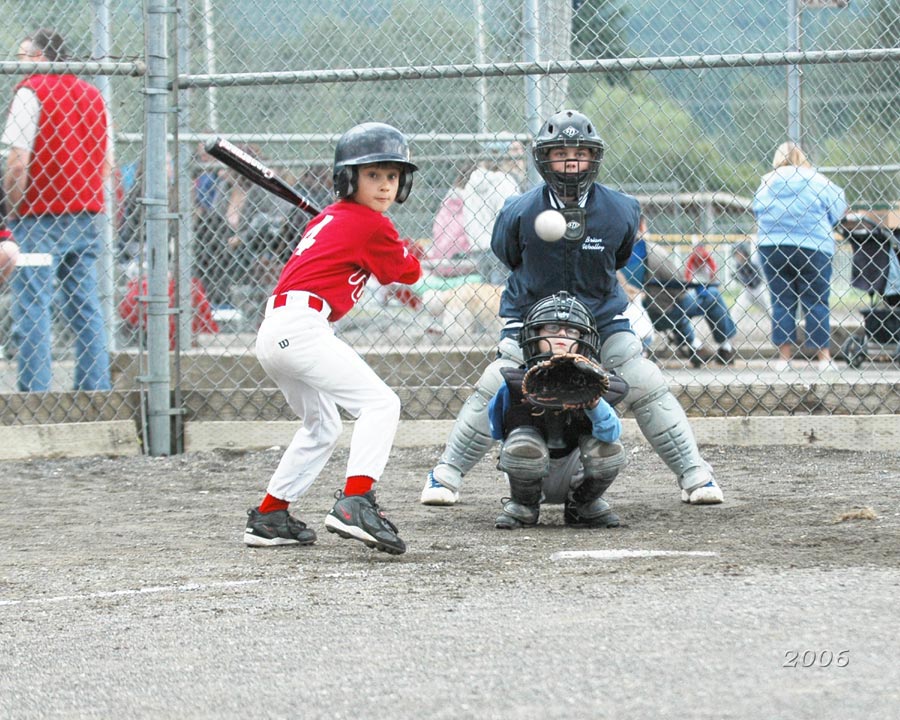
  • Step 1. Lets open the photo of the junior baseball players in Adobe Photoshop editor.
    Junior baseball players
    Click the image to open a larger size image in a new window
  • Step 2. Create a copy of background layer. To do it just drag the background layer to the Create a New Layer button at the bottom of the Layers palette.
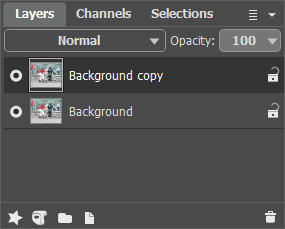
    Layers palette - creating a new background layer
  • Step 3. In the Layers palette go to Background copy layer and open AKVIS Sketch plugin. In the plugin window press Convert to drawing button. The original photo will be transformed into a pencil drawing with default parameters.
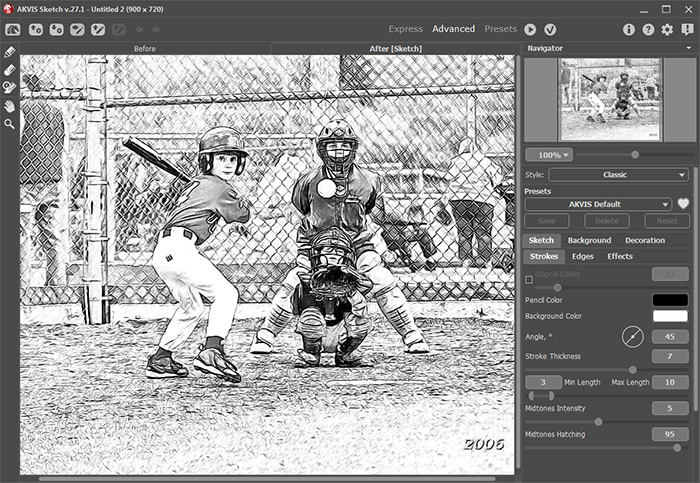
    Đĺçóëüňŕň ďđčěĺíĺíč˙ ďëŕăčíŕ ń íŕńňđîéęŕěč ďî óěîë÷ŕíčţ

    Apply the result by pressing Apply button in the plugin window. Now we have two layers in the Layers palette: the lower layer - original photo, the upper layer - resulted black and white pencil drawing.

  • Step 4. Create another background copy and put it over all other layers.
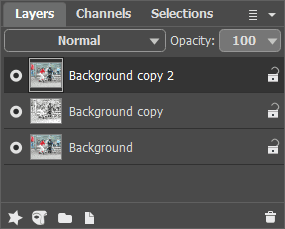
    Layers palette - creating a background layer copy
  • Step 5. After this change the upper layer blending mode from Normal to Color. As a result hue and saturation are taken from the active layer and brightness - from the lower layer (the one with the pencil drawing in this case). As a result colors will retain their saturation and all the lines will stay as distinct and bright as they were in the pencil drawing.
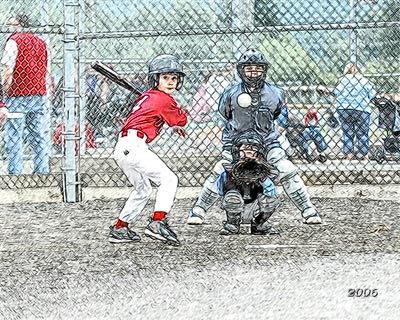
    Pencil drawing after changing the layer blending mode
    Click the image to open the pencil drawing in a new larger window
  • Step 6. Using Hue/Saturation Adjustment layer increase image color saturation by a little bit.
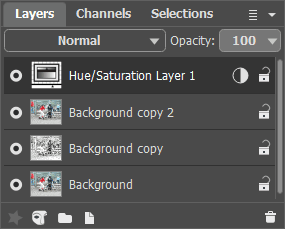
    Layers palette - Hue/Saturation adjustment layer

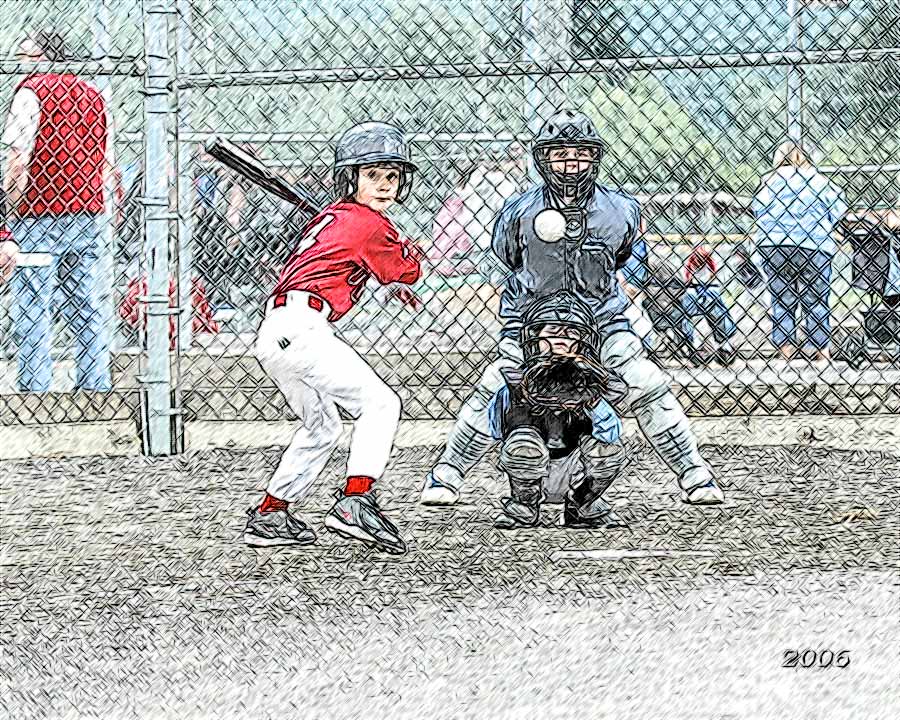
    Few simple steps gave the photo a completely different look. Now it is "handicraft". You can do the same with any photo - wonderful results guaranteed.
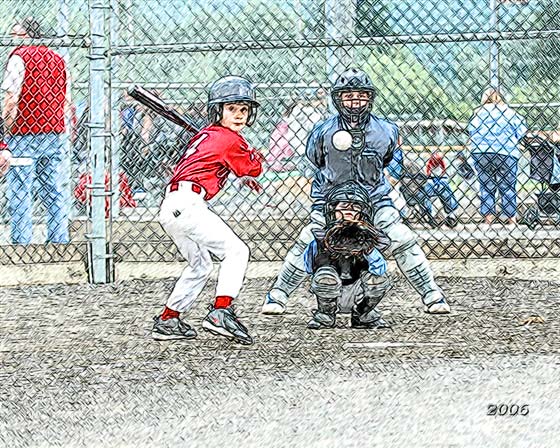
    Junior baseball players - color pencil drawing
 
Comment fonctionne t-il? Comment fonctionne t-il?
   — Espace de travail — Espace de travail
   — Utiliser le logiciel — Utiliser le logiciel
   — Style Classique — Style Classique
   — Style Artistique — Style Artistique
   — Effets sur le fond — Effets sur le fond
   — Ajouter texte — Ajouter texte
   — Dessin sur la toile — Dessin sur la toile
   — Travailler avec presets — Travailler avec presets
   — Préférences — Préférences
   — Traitement par lots — Traitement par lots
Exemples Exemples
   — Dessin d'une tulipe — Dessin d'une tulipe
   — Dessin en couleurs — Dessin en couleurs
   — Une vidéo en dessin animé — Une vidéo en dessin animé
   — Galerie de Sketch — Galerie de Sketch
   — Dessin au pastel — Dessin au pastel
   — Dessins à la mine de plomb — Dessins à la mine de plomb
   — Aquarelle — Aquarelle
   — Le traitement artistique — Le traitement artistique
   — Rêves d'hiver — Rêves d'hiver
   — Photo encadrée sur un dessin — Photo encadrée sur un dessin
   — Aquarelle: loup comme sujet — Aquarelle: loup comme sujet
   — Paysage hollandais — Paysage hollandais
   — Un couple charmant — Un couple charmant
   — Instant! Arrête-toi (Dessin et flou) — Instant! Arrête-toi (Dessin et flou)
   — Dans le style manga — Dans le style manga
   — Orchidée: un dessin au crayon aquarelle — Orchidée: un dessin au crayon aquarelle
   — Cardinal: une scène de la nature — Cardinal: une scène de la nature
   — Variations sur la rose — Variations sur la rose
   — Soirée de Gala — Soirée de Gala
   — Le chic parisien — Le chic parisien
   — Utilisation de la technique du  — Utilisation de la technique du "doigt"
   — Créez des patrons pour la broderie — Créez des patrons pour la broderie


en haut


   Politique de Confidentialité | Plan du Site | Recherche    
   Contacter | Twitter | Facebook | YouTube Channel    
| English  | Français  |Deutsch  |Español  |Português  |Italiano  |日本語  |Pусский  | © 2004-2012 AKVIS. Tous droits réservés.