Archeological Reconstruction
It is possible not only to transfer objects from one image to another, but to manipulate with objects within one the same image as well.
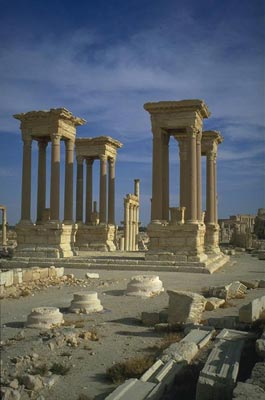
The following photo shows ancient ruins. In the lower part of the image there are two foundations of destroyed columns and we will place there a third foundation, presuming that it once existed.
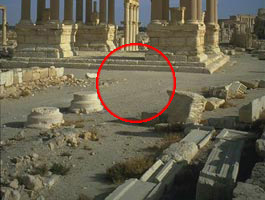
Source image
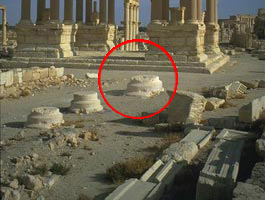
Result
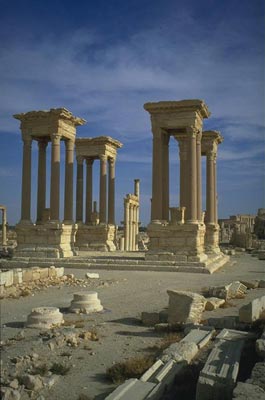
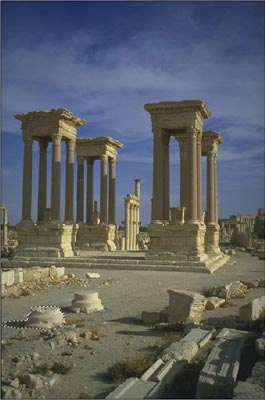
To form a new column foundation we will use the existing one. We selected the foundation in the foreground and copied it to the clipboard by calling AKVIS - > Chameleon - Grab Fragment from the Effects menu in AliveColors.
Next we called Effects -> AKVIS -> Chameleon - Make Collage.
The AKVIS Chameleon window opened, displaying the background image (the same image) and the fragment that was copied to the clipboard earlier.
We chose Chameleon mode from the Settings Panel and used the Transform tool  to place the fragment in a new position.
If you work in the standalone version of AKVIS Chameleon just use the pencil tools in the program to draw red and blue outlines. They are available in the plugin version too. With these tools you can draw the contours and edit them.
Then we pressed  to begin the collage creation progress. The result appeared in the After tab. To apply the change to the image and return to the image editor we clicked on
  .
.
Chameleon v. 12.1 - Free 10-day Trial

