Lemonade label
The producers of soft drinks do their best to design a product label that will draw attention, whet the appetite and therefore generate sales. The label should show all the benefits of the drink - its flavor, refreshing coolness and delicate aroma.
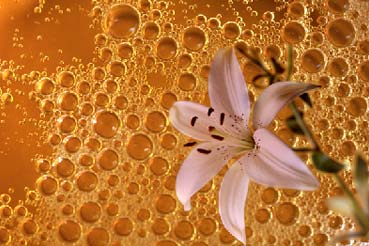
We will try to create a label for a lemonade with a lily flavor. You could say that there is no such a thing, but we assure you that in our days you can find everything... and implement any idea, especially if you have AKVIS Chameleon.
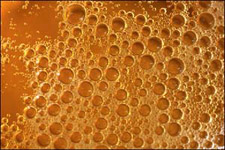
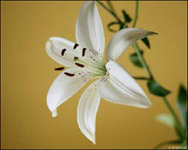
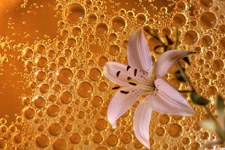
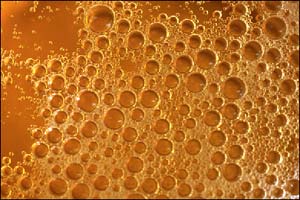
In the first instance we find an image with bursting lemonade bubbles and a photo of a white lily.
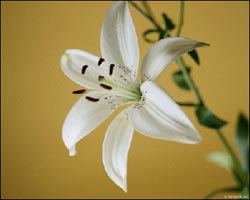
We will select the lily with its stem and petals. As the selection is quite complicated we will use Quick Mask mode (in Adobe Photoshop). We will switch to Quick Mask and paint the lily with a hard-edged Brush tool.
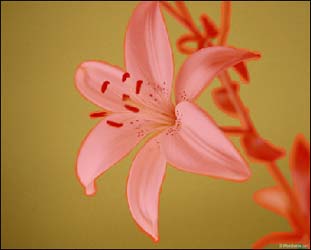
Having painted the lily, we switch back to the Standard mode and inverse the selection. As a result, the areas shown in Quick Mask in semi-transparent red will be selected.
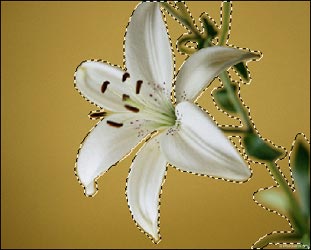
Now we call AKVIS -> Chameleon – Grab Fragment from the Filter menu. If everything is done correctly we will see a message that the selected object is saved into the clipboard.
Next we open the photo of the bursting lemonade bubbles and call AKVIS -> Chameleon - Make Collage from the Filter menu. The AKVIS Chameleon window will open. This window will contain the bursting lemonade bubbles background and the fragment you selected earlier (lily).
Note: If you work in the standalone version of AKVIS Chameleon just use the pencil tools in the program to draw red and blue outlines. They are available in the plugin version too. With these tools you can draw the contours and edit them. But for the plugin it’s possible to transfer the selection from the graphics editor. Here we described how to make it in Photoshop.
Select Chameleon mode from the drop-down menu in the Settings Panel.
Use the Transform tool  from the Toolbar to change the size of the lily and position it on the lemonade bubbles background.
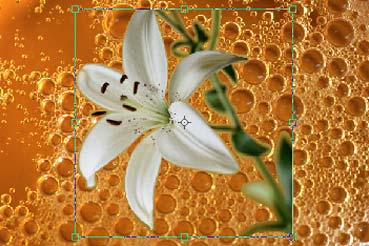
Press  to start the collage creation process. We will see a preview of the label for a lemonade with a lily flavor in the After tab. If you are satisfied with the result, press
  to apply the collage to the photo.
Chameleon v. 12.2 - Free 10-day Trial
