Graphic software for Windows Mac graphic software  
Please enter your email to be kept posted on updates and discounts:
 
  
  Products     Download     Online Store     Tutorial     Support     About Company
en  fr  de  es  pt  it  jp  ru    
 

Tutorial: AKVIS Chameleon

Help the dove


The example was made in the old version of the Chameleon plug-in.
Now the technique of using AKVIS Chameleon is different, but the result will be the same.

Consult the article "Chameleon mode" to get the same result with the new version. In the older versions (before v.5.0) this mode was called Standard and applied automatically right after you launch the plugin from the menu Filter.


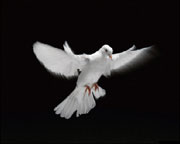
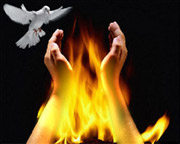
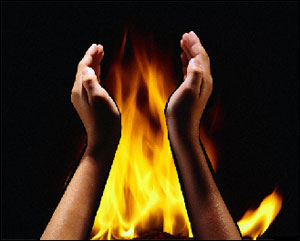
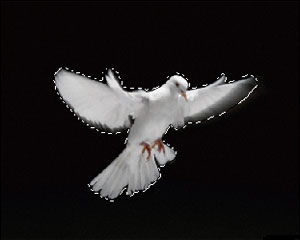
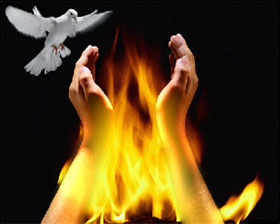
We will use these three images to create a photo collage: a fire, a dove and hands. The photo of the fire will serve as a background image where we will add the dove and the hands.
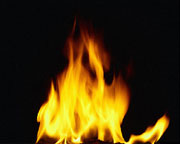
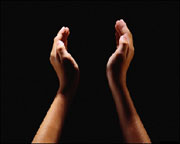
photo of the firephoto of handsimage of a dove

First, we will transfer the hands into the image of the fire.

  • First of all, we select the hands with any selection tool. In Adobe Photoshop the easiest way is to use the Quick Mask mode;
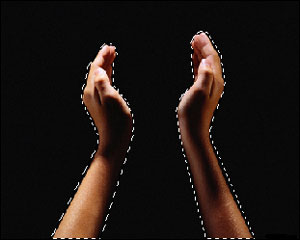
    select the hands
  • copy the selection (the command Edit - Copy or the key combination Ctrl+C);
  • paste the selected hands into the main image (the command Edit - Paste or the key combination Ctrl+V);
  • change the size and position of the hands on the background (the command Edit - Free Transform or the key combination Ctrl+T);
    change the size and position of the hands
  • apply AKVIS Chameleon plugin (the command Filter - AKVIS - Chameleon).
    apply AKVIS Chameleon plugin

Now, we select the dove in the same way,

select the dove

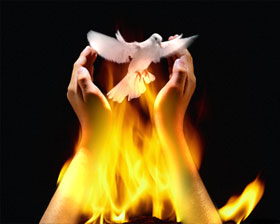
copy the selection and insert it into the photo with the fire. We change the size of the dove using the transformation tools. Here you can read more about transformation and moving of objects.

paste the dove

Having changed the size of the dove, we should find the right position for the dove on the picture. The position of the dove depends on the idea you want to convey.
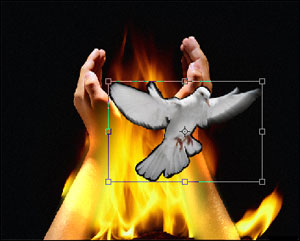
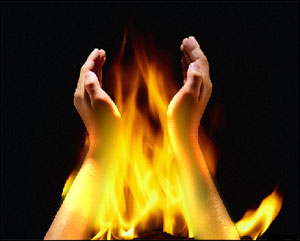
Apply AKVIS Chameleon plugin by selecting the menu item Filter - AKVIS - Chameleon.

Result 1Result 2
 
How It Works How It Works
Montage Mode Montage Mode
   — Photo Hunting — Photo Hunting
Chameleon Mode Chameleon Mode
   — To Sail Beyond the Sunset — To Sail Beyond the Sunset
   — Changing Appearance — Changing Appearance
   — Try on a Tattoo — Try on a Tattoo
   — Chameleon in the Fire — Chameleon in the Fire
   — The Flying Dutch — The Flying Dutch
   — Flowers and a Cat — Flowers and a Cat
   — Elephant in the Savanna — Elephant in the Savanna
   — Lemonade Label — Lemonade Label
   — Archeological Reconstruction — Archeological Reconstruction
   — The Swan Lake — The Swan Lake
   — Monkey and a Mask — Monkey and a Mask
   — An Earth View — An Earth View
   — Collage with a Girl — Collage with a Girl
   — Coffee postage stamp — Coffee postage stamp
   — Fantasy Collage — Fantasy Collage
   — Help the Dove — Help the Dove
   — A Girl in the Sunset — A Girl in the Sunset
   — A Greeting Card — A Greeting Card
   — Moonlight Sonata — Moonlight Sonata
   — Enliven the Scenery — Enliven the Scenery
   — Photo Collage in Corel Photo-Paint — Photo Collage in Corel Photo-Paint
Blend Mode Blend Mode
   — Wood Painting — Wood Painting
   — Creating a Greeting Postcard — Creating a Greeting Postcard
   — Valentine Card — Valentine Card
   — Dove in the Fire — Dove in the Fire
   — Fantastic Collage — Fantastic Collage
   — Blazing Photo of a Girl — Blazing Photo of a Girl
   — A Wedding Photo Collage — A Wedding Photo Collage
   — Fairy Tale Illustration — Fairy Tale Illustration
   — Ripe Cherries — Ripe Cherries
   — Butterfly on the Wall — Butterfly on the Wall
   — Bird in the Sky: B&W + color — Bird in the Sky: B&W + color
   — Sky Swapping — Sky Swapping
   — Autumn Collage — Autumn Collage
   — Creative Design in Paint Shop Pro — Creative Design in Paint Shop Pro
   — Time Goes by Like Water — Time Goes by Like Water
   — Wallpaper with a Leopard — Wallpaper with a Leopard


   Privacy Policy | Site Map | Search | English  | Français  | Deutsch  | Español  | Português  | Italiano  | 日本語  | Pусский  | © 2004-2008, AKVIS Software Inc. All rights reserved.