The Swan Lake
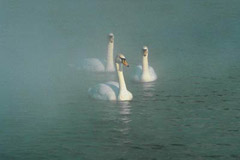
We have two photos: with swans and with a lake. The swans seem unhappy in their foggy lake. We will transfer them to the beautiful lake from the other photo.


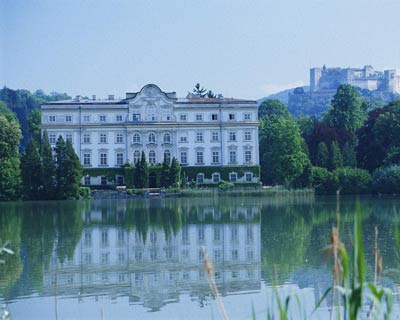
Below is a wonderful photo of a lake. It would be yet more wonderful if we put some swans there.
Here are three swans which will be added to the lake from first photo.
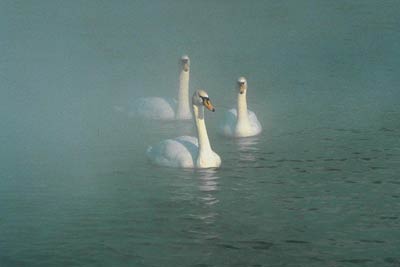
First of all, we should select the swans. In AliveColors you can use the Lasso tool. You do not have to make a precise selection of the swans; never mind if the water falls into the selection as well.
Note: If you work in the standalone version of AKVIS Chameleon just use the pencil tools in the program to draw red and blue outlines. They are available in the plugin version too. With these tools you can draw the contours and edit them. But for the plugin it's possible to transfer the selection from the graphics editor. So we did.
We call AKVIS -> Chameleon - Grab Fragment from the Effects menu. If all goes we will see a message saying that the fragment has been copied to the clipboard.
Then we open the image of the lake and call AKVIS -> Chameleon - Make Collage from the Effects menu. The AKVIS Chameleon plug-in window will open and in the Before tab we will see the background and the fragment of the swans.
For this project we select Chameleon from the drop-down menu in Settings Panel. We use the Transform tool  in the Toolbar to change the position and size of the swans over the photo of the lake.
We press the button  to start the collage creation process and the result will appear in the After tab.
Then we press the button  to apply the collage to the photo.
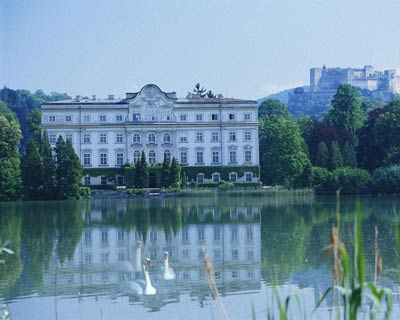
As a result, the swans look native to the lake.
Chameleon v. 12.2 - Free 10-day Trial
