Il lago dei cigni
Abbiamo due foto: il lago e i cigni. I cigni sembrano piuttosto infelici nel loro laghetto nebbioso perciò li trasferiremo in un luogo più bello.
In questo esempio utilizzeremo AKVIS Chameleon in AliveColors, ma si potrà usare qualsiasi altro editor d’immagini compatibile o avvalersi della versione standalone di Chameleon che non richiede il supporto di alcun programma.

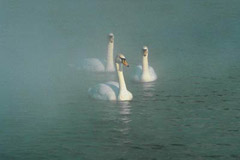

Volendo rendere ancora più affascinante la foto di questo lago aggiungeremo sulle sue acque alcuni cigni.

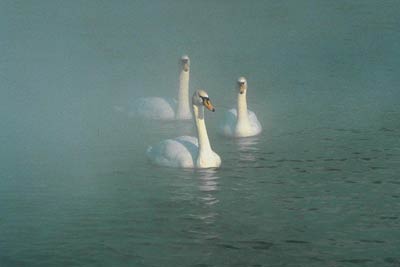
Ecco i tre cigni da aggiungere alla foto qui sopra.
-
Passaggio 1. Aprire le immagini. Selezionare i cigni utilizzando lo strumento Lazo. Non è necessario effettuare una selezione precisa e non ci si deve preoccupare se rimane dell’acqua.
Se si lavora con la versione standalone di AKVIS Chameleon usare le matite del programma per disegnare i contorni blu e rossi. Questi strumenti sono disponibili anche nel plugin e permettono di disegnare o correggere i contorni della selezione, inoltre nel plugin è possibile trasferire la selezione eseguita nell’editor di foto.
- Passaggio 2. Copiare la selezione lanciando AKVIS -> Chameleon - Grab Fragment dal menu Effetti. Se tutto è stato fatto correttamente verrà visualizzato un messaggio che indica l’avvenuto salvataggio del frammento.
- Passaggio 3. Attivare la foto del lago e lanciare AKVIS -> Chameleon - Make Collage dal menu Effetti. Nella finestra del plugin verrà visualizzato lo sfondo (il lago) con il frammento (i cigni).
-
Passaggio 4. Selezionare la modalità Camaleonte dal menu a discesa nel Pannello impostazioni.
Usare lo strumento Trasforma
 per modificare la dimensione e la posizione del frammento incollato (i cigni).
Attenzione! Per cambiare la misura mantenendo le proporzioni attivare l’icona
 posizionata nel Pannello impostazioni.
-
Passaggio 5. Cliccare su
 per avviare la creazione del collage. Il risultato sarà visualizzato nella scheda Dopo.
Se il risultato è soddisfacente premere su per applicare il collage, chiudere la finestra del plugin e ritornare all’editor di grafica.
Come risultato ecco lo sguardo dei cigni al lago natio.

Chameleon v. 12.2 - 10-giorni di prova gratuita
