An Earth View
At night, if the weather is fine and the sky is clear, we can admire the Moon, the natural satellite of the Earth. Sometimes the Moon is visible even in the daytime.
What if there were life in the Moon? How would their inhabitants see the Earth?
We will try to fancy it with the help AKVIS Chameleon.

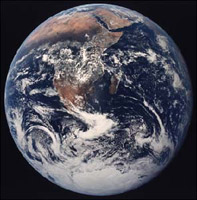
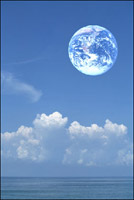
First of all, we have to find a photo of the Earth taken from the outer space and a moon landscape, or rather an imaginary landscape of the Moon.
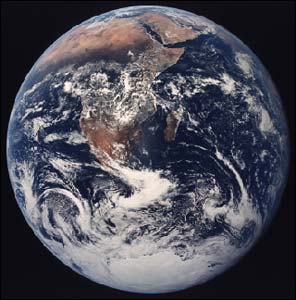

If you work in the standalone version of AKVIS Chameleon just use the pencil tools in the program to draw red and blue outlines. They are available in the plugin version too. With these tools you can draw the contours and edit them. But for the plugin it’s possible to transfer the selection from the graphics editor.
We open the photo of the Earth in AliveColors and select it with any selection tool. For example, you can use Elliptical Selection or Lasso. Never mind if the selection is not precise.
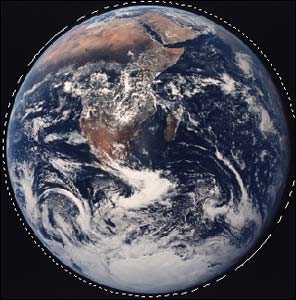
Copy the selection by calling Effects -> AKVIS -> Chameleon - Grab Fragment. If all goes well we will see a message stating that the fragment has been successfully copied to the clipboard.
We next open the photo of the imaginary moon landscape and call Effects -> AKVIS -> Chameleon - Make Collage. The AKVIS Chameleon plug-in window will open and we will see the imaginary moon landscape and the fragment (Earth) that we copied earlier, in the Before tab.
We select Chameleon mode from the drop-down menu in the Settings Panel.
We adjust the size and position of the Earth with the Transform tool  .
.
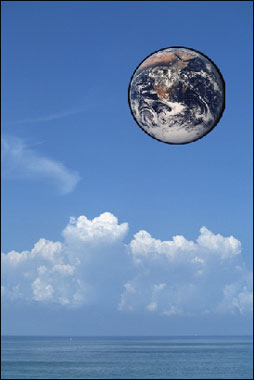
We then press the Run button  to start the collage creation process and the result will appear in the After tab.
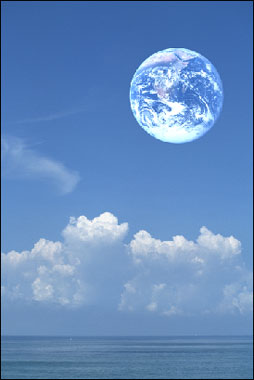
If we like the result we press the Apply button  to apply the collage to the photo and return to Photoshop.
If there were life in the Moon, the aliens would see the Earth as a wonderful blue globe.
Chameleon v. 12.2 - Free 10-day Trial
