A Hand Draws a Hand - creating an image with AKVIS Sketch plugin


Inserisci la tua e-mail per essere informato delle novità:
 
 
  Prodotti     Download     Online Store     Tutorial     Supporto     Chi siamo      Account dell'utente
en  fr  de  es  pt  it  jp  ru    
 

Tutorial: AKVIS Sketch

A Hand Draws a Hand


Siamo spiacenti, questa pagina al momento è disponibile solo in lingua inglese.
La versione italiana sarà presto disponibile.
Se desiderate ottenere la licenza per la traduzione per favore scriveteci.

The author of this example is Adriano A. Mayer.

He comes from Brasil - Canoinhas - Santa Catarina. The tutorial was translated from Portuguese; however the screenshots stayed in the original language. Read the instruction attentively to understand what tools Adriano used to achieve the effect.

Adriano writes:


First you should create a new document (600*600 px) in your photo editor and paste an image of a hand.
I used an image of my own hand.
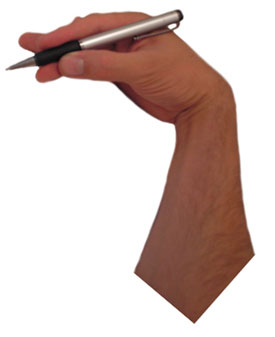
image of a hand

Call the plugin AKVIS Sketch from the menu of the photo editor. In Adobe Photoshop we call Filter - AKVIS - Sketch.

Sketch plug-in

Then adjust the values of the parameters and press Run. If you are satisfied with the result press Apply and close the plugin.

This is the result.
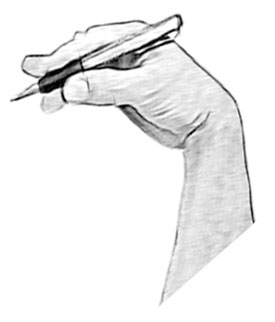
pencil sketch

Now duplicate the layer and transform it as you need.
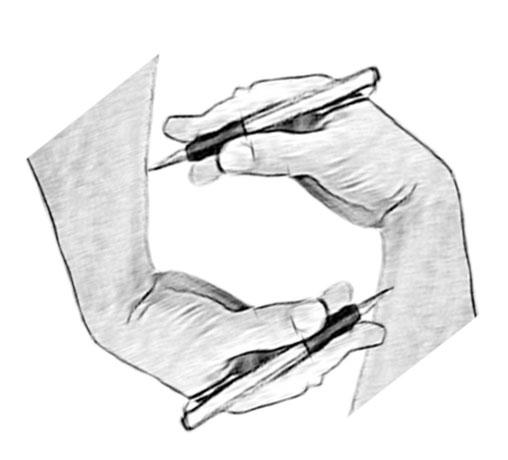
Duplicate the layer

Select in menu of Photoshop Layer - Layer Style - Drop Shadow and set up the shadow at the cut area.
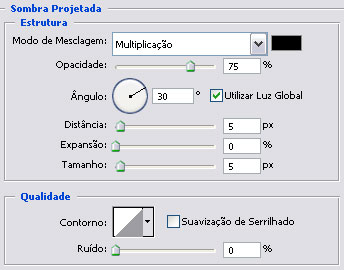
Drop shadow

Then select Stroke in the list of the styles:
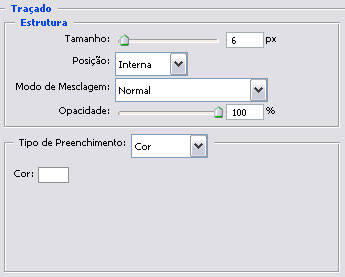
Stroke effect

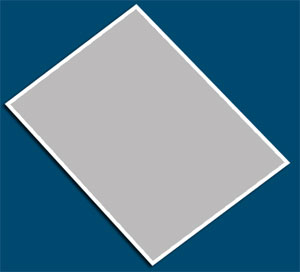
Now we have:

Rectangle

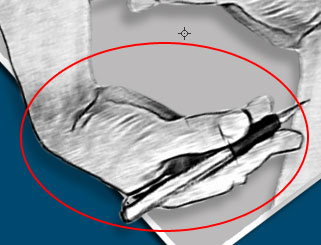
Choose the Burn tool The Burn tool for giving prominence on the layer.

mão

Again we duplicate 2 layers and set the direction of light.
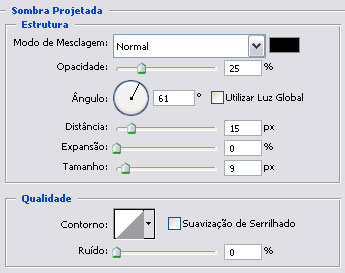
Set the direction of light

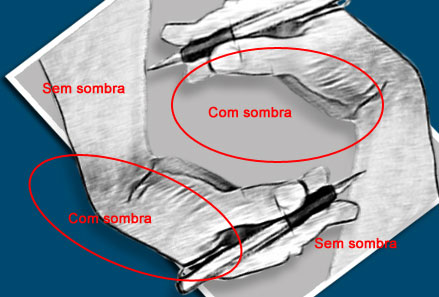
Add one mask on the layer duplicate and erase the part of the image with the black brush inside leaving the shadow only in the half.
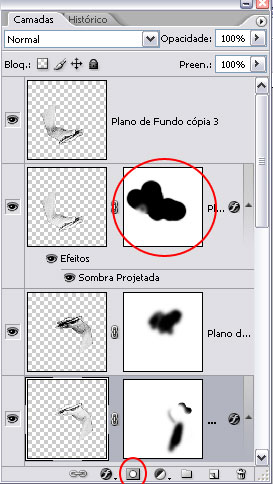
Layers
Shadow

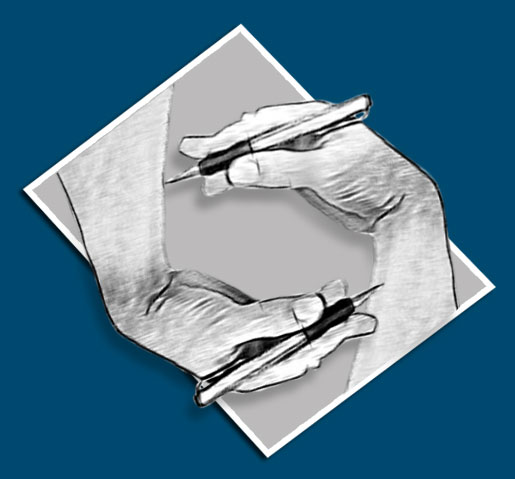
This is the final result.

Image - A Hand Draws a Hand

As you can see, AKVIS Sketch allows you to get this effect in minutes instead of working manually long hours.

 
Come funziona Come funziona
   — Area di lavoro — Area di lavoro
   — Come usare il programma — Come usare il programma
   — Stile Classico — Stile Classico
   — Stile Artistico — Stile Artistico
   — Effetti di sfondo — Effetti di sfondo
   — Aggiungere un testo al disegno — Aggiungere un testo al disegno
   — Imitare un disegno su tela — Imitare un disegno su tela
   — Lavorare con i preset — Lavorare con i preset
   — Preferenze — Preferenze
   — Elaborazione batch — Elaborazione batch
Esempi Esempi
   — Disegno a matita — Disegno a matita
   — Disegno a colori — Disegno a colori
   — Un filmato in un cartone animato — Un filmato in un cartone animato
   — Galerria di AKVIS Sketch — Galerria di AKVIS Sketch
   — Tecnica di disegno a pastello — Tecnica di disegno a pastello
   — Ritratto a matita — Ritratto a matita
   — Ritratto ad acquerello — Ritratto ad acquerello
   — Sogno d’inverno — Sogno d’inverno
   — Schizzo a matita di un cane — Schizzo a matita di un cane
   — Cartolina incorniciata su disegno — Cartolina incorniciata su disegno
   — Un lupo - realizzazione ad acquerello — Un lupo - realizzazione ad acquerello
   — Convertire un disegno vettoriale — Convertire un disegno vettoriale
   — Porto tranquillo:  acquerello — Porto tranquillo: acquerello
   — Dolce coppia: creare una cartolina — Dolce coppia: creare una cartolina
   — Schizzo in bianco e nero con la cornice — Schizzo in bianco e nero con la cornice
   — Tra sogno e realtà — Tra sogno e realtà
   — Artista al lavoro — Artista al lavoro
   — Ferma l'attimo! (Disegno e sfocatura) — Ferma l'attimo! (Disegno e sfocatura)
   — Versailles: viaggio nel passato — Versailles: viaggio nel passato
   — Ritratto su vecchia carta ingiallita — Ritratto su vecchia carta ingiallita
   — Espressione personale: ragazze anime — Espressione personale: ragazze anime
   — Due amati cani — Due amati cani
   — Orchidee:  effetto acquerello — Orchidee: effetto acquerello
   — Una splendida mela: tocco d’artista — Una splendida mela: tocco d’artista
   — Cardinale rosso: immagine della natura — Cardinale rosso: immagine della natura
   — Variazioni su una rosa — Variazioni su una rosa
   — Dolce bimba: pastello su carta — Dolce bimba: pastello su carta
   — Sulla strada luminosa: foto e disegno — Sulla strada luminosa: foto e disegno
   — Mont Saint Michel: disegno ad acquerello — Mont Saint Michel: disegno ad acquerello
   — Serata di gala — Serata di gala
   — La rosa di serra — La rosa di serra


ritorna sopra


   Informativa sulla privacy | Mappa del sito | Cerca nel sito    
   Contatti | Twitter | Facebook | YouTube Channel    
| English  |Français  |Deutsch  |Español  |Português  | Italiano  |日本語  |Pусский  | © 2004-2012 AKVIS. Tutti i diritti riservati.