Graphic software for Windows Mac graphic software  
Entrez votre e-mail pour souscrire à notre liste de diffusion.
 
  
  Produits     Télécharger     Magasin en ligne     Tutoriel     Support      Compagnie
en  fr  de  es  pt  it  jp  ru    
 

Tutoriel: AKVIS Sketch

A Hand Draws a Hand


Désolé, à présent cette information n'est disponible qu'en anglais. La version française sera bientôt affichée.

The author of this example is Adriano A. Mayer.

He comes from Brasil - Canoinhas - Santa Catarina. The tutorial was translated from Portuguese; however the screenshots stayed in the original language. Read the instruction attentively to understand what tools Adriano used to achieve the effect.

Adriano writes:


First you should create a new document (600*600 px) in your photo editor and paste an image of a hand.
I used an image of my own hand.
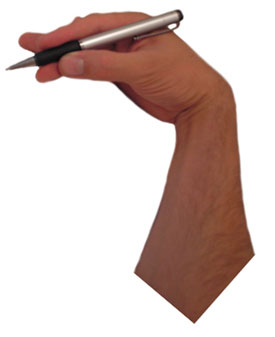
image of a hand

Call the plugin AKVIS Sketch from the menu of the photo editor. In Adobe Photoshop we call Filter - AKVIS - Sketch.

Sketch plug-in

Then adjust the values of the parameters and press Run. If you are satisfied with the result press Apply and close the plugin.

This is the result.
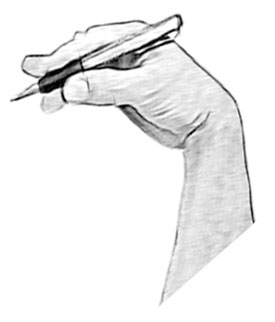
pencil sketch

Now duplicate the layer and transform it as you need.
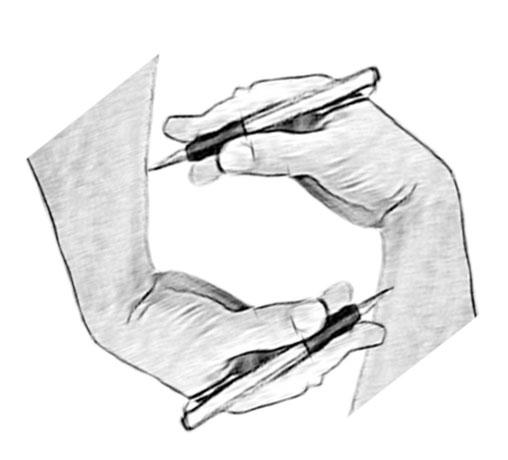
Duplicate the layer

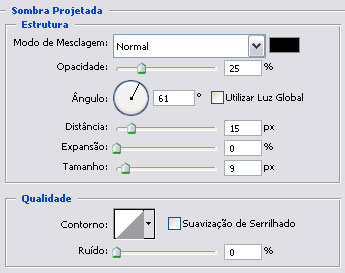
Select in menu of Photoshop Layer - Layer Style - Drop Shadow and set up the shadow at the cut area.
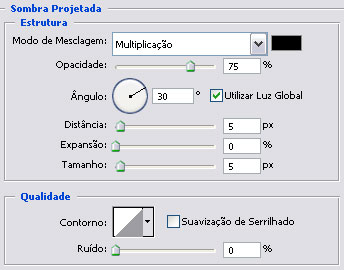
Drop shadow

Then select Stroke in the list of the styles:
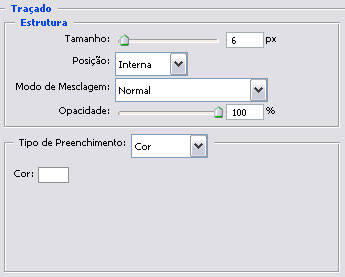
Stroke effect

Now we have:

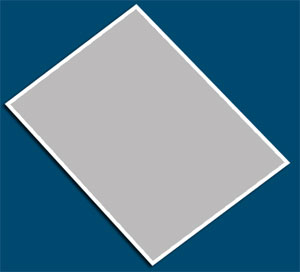
Rectangle

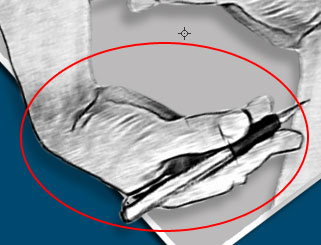
Choose the Burn tool The Burn tool for giving prominence on the layer.

mão

Again we duplicate 2 layers and set the direction of light.
Set the direction of light

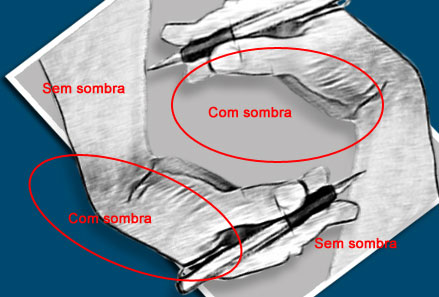
Add one mask on the layer duplicate and erase the part of the image with the black brush inside leaving the shadow only in the half.
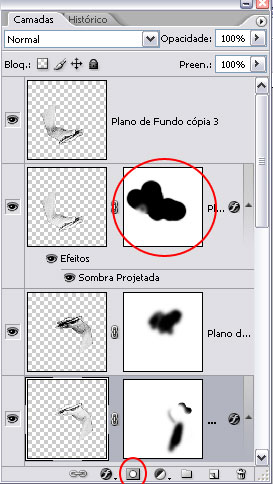
Layers
Shadow

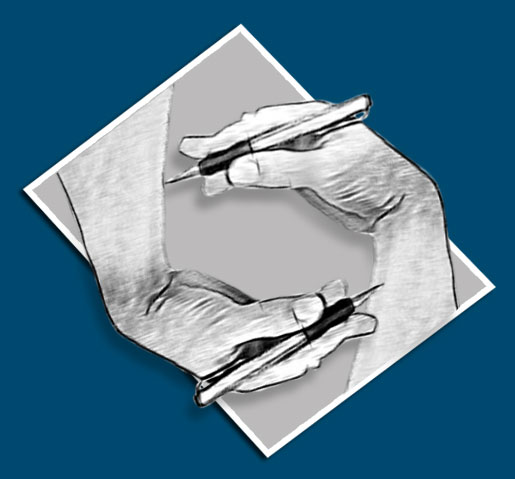
This is the final result.

Image - A Hand Draws a Hand

As you can see, AKVIS Sketch allows you to get this effect in minutes instead of working manually long hours.

 
Comment fonctionne t-il? Comment fonctionne t-il?
   — AKVIS Sketch plug-in — AKVIS Sketch plug-in
   — AKVIS Sketch stand-alone — AKVIS Sketch stand-alone
   — La conversion des photos en dessins — La conversion des photos en dessins
   — Le signet Fond — Le signet Fond
   — Dessin sur la toile (signet Toile) — Dessin sur la toile (signet Toile)
Exemples Exemples
   — Dessin d'une tulipe — Dessin d'une tulipe
   — Dessin en couleurs — Dessin en couleurs
   — Dessins à la mine de plomb — Dessins à la mine de plomb
   — Aquarelle — Aquarelle
   — Le traitement artistique — Le traitement artistique
   — La femme dans la salle de bain — La femme dans la salle de bain
   — Photo encadrée sur un dessin — Photo encadrée sur un dessin
   — Dessin au pastel — Dessin au pastel
   — Aquarelle: loup comme sujet — Aquarelle: loup comme sujet
   — Transformer une vidéo en dessin animé — Transformer une vidéo en dessin animé
   — Un couple charmant — Un couple charmant


   Politique de Confidentialité | Plan du Site | Recherche | English  | Français  | Deutsch  | Español  | Português  | Italiano  | 日本語  | Pусский  | © 2004-2008, AKVIS Software Inc. Tous droits réservés.