Graphic software for Windows Mac graphic software  
Tragen Sie Ihre E-Mail ein, um auf AKVIS-Newsletter zu abonnieren.
 
  
  Produkte     Download     Online Store     Tutorial     Support     Impressum
en  fr  de  es  pt  it  jp  ru    
 

Tutorial: AKVIS Chameleon

Wallpaper with a Leopard


Entschuldigung. Jetzt ist die Information nur auf Englisch vorhanden. Die deutsche Version wird bald veröffentlicht werden.

In this tutorial we will show you how to create desktop wallpaper with a leopard. We will use the Snapshot mode of the AKVIS Chameleon plug-in to turn a snow leopard into a star leopard.

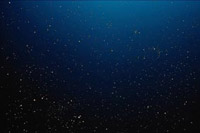
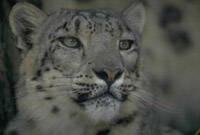
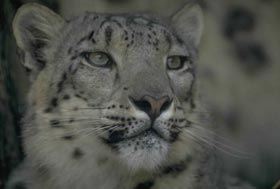
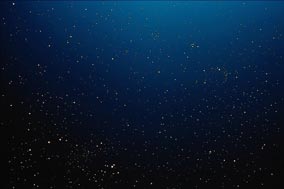
For the photo collage we will use a photo of a snow leopard and a photo of a starry sky. Open the photos in Adobe Photoshop.

Attention! You can repeat this tutorial with other compatible image editing software, too. But there is a slight difference in the technique. Read the How it works page to find instructions and flash tutorials for some programs.

photo of a snow leopard photo of a starry sky

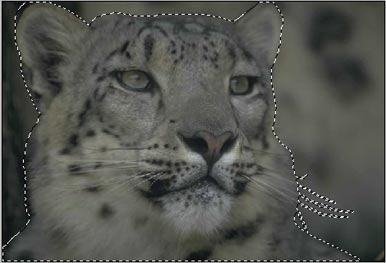
Select the leopard's head not forgetting about the whiskers.

Select the leopard

Copy the selection into the buffer with the command Edit - Copy or with the key combination Ctrl+C.

As we are going to create the photo collage with the Snapshot mode of the Chameleon Plug-in we should take a snapshot before we paste the leopard from the buffer. Activate the image with the starry sky and call the command Filter - AKVIS - Chameleon (Take Snapshot).

In contrast to Standard mode Snapshot mode does not only adjust the colors of the pasted object to the new background but makes the background visible through the new object.

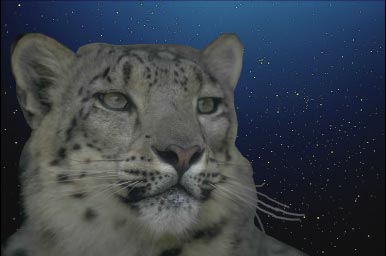
Paste the leopard from the buffer with the command Edit - Paste or with the key combination Ctrl+V.

Paste the leopard

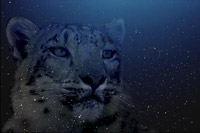
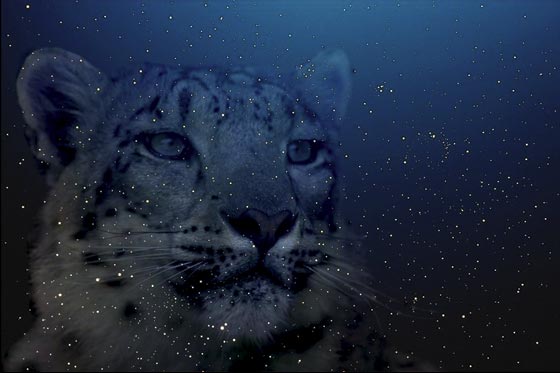
Apply the AKVIS Chameleon plug-in by selecting the command Filter -> AKVIS - Chameleon (Use Snapshot). Here we are - the snow leopard turned into a starry one and our wallpaper is ready.

photo collage

You can create postcards, advertising materials, desktop wallpaper using this technique. It is easy and produces astonishing results.


Arbeitsweise Arbeitsweise
Montage Modus Montage Modus
   — Fotojagd — Fotojagd
Chamäleon Modus Chamäleon Modus
   — Sonnenuntergangsbild mit Yachten — Sonnenuntergangsbild mit Yachten
   — Das Äussere zu ändern — Das Äussere zu ändern
   — Sich tätowieren lassen — Sich tätowieren lassen
   — Chamäleon im Feuer — Chamäleon im Feuer
   — Der Fliegende Holländer — Der Fliegende Holländer
   — Die Katze und die Blumen — Die Katze und die Blumen
   — Elefant in der Savanne — Elefant in der Savanne
   — Etikett für Limonade — Etikett für Limonade
   — Alte Ruinen — Alte Ruinen
   — Schwanensee — Schwanensee
   — Der Affe und eine Maske — Der Affe und eine Maske
   — Ansicht der Erde — Ansicht der Erde
   — Collage mit einem Mädchen — Collage mit einem Mädchen
   — Briefmarke — Briefmarke
   — Fotocollage im Fantasy-Stil — Fotocollage im Fantasy-Stil
   — Friedenstaube — Friedenstaube
   — Fotocollage mit einem Mädchen — Fotocollage mit einem Mädchen
   — Eine Glückwunschkarte — Eine Glückwunschkarte
   — Ein Bild gewinnt an Dramatik — Ein Bild gewinnt an Dramatik
   — Ein Alltagsbild wird zum Schnappschuss — Ein Alltagsbild wird zum Schnappschuss
Mischen Modus Mischen Modus
   — Holzmalerei — Holzmalerei
   — Erstellung einer Glückwunschkarte — Erstellung einer Glückwunschkarte
   — Glückwunschkarte für den Valentinstag — Glückwunschkarte für den Valentinstag
   — Die Taube im Feuer — Die Taube im Feuer
   — Phantastische Fotocollage — Phantastische Fotocollage
   — Brennendes Foto eines Mädchens — Brennendes Foto eines Mädchens
   — Die Eule im Wald — Die Eule im Wald
   — Reife Kirschen — Reife Kirschen
   — Der Schmetterling an der Mauer — Der Schmetterling an der Mauer
   — Vogel im Himmel  — Vogel im Himmel
   — Himmel verbessern — Himmel verbessern
   — Herbstbild — Herbstbild
   — Philosophische Fotocollage — Philosophische Fotocollage


   Datenschutzhinweis | Sitemap | Suchwort eingeben | English  | Français  | Deutsch  | Español  | Português  | Italiano  | 日本語  | Pусский  | © 2004-2008, AKVIS Software Inc. Alle Rechte vorbehalten.