Papel de parede Leopardo
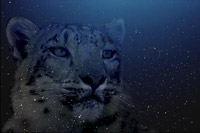
Neste tutorial nós mostraremos para você como criar papel de parede de desktop com um leopardo. Nós usaremos o modo Fusão do AKVIS Chameleon para se transformar um leopardo de neve em um leopardo de estrela.
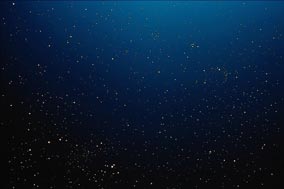
Para a colagem da fotografia nós usaremos uma fotografia de um leopardo de neve e uma fotografia de um céu estrelado.
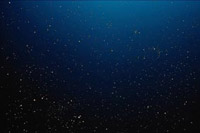
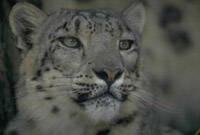
Abra as fotografias de origem no AliveColors.
Você pode usar AKVIS Chameleon em sua edição autônoma se você desejar. Neste caso, só use as ferramentas lápis no programa desenhar vermelho e fora das linhas azuis. Eles também estão disponíveis na versão plugin. Com estas ferramentas você pode puxar os contornos e edita-los.
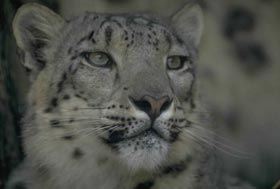
Selecione a cabeça do leopardo não se esquecendo dos bigodes.
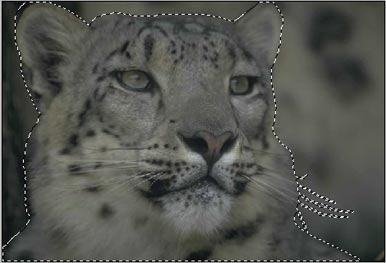
Copie a seleção chamando o comando AKVIS -> Chameleon – Grab Fragment (pegar fragmento) do menu Effects do editor de fotografia. Se tudo for corretamente terminado, você verá uma mensagem que o objeto selecionado foi salvado no clipboard.
Troque à fotografia com o céu estrelado e lance o plugin selecionando no menu Effects -> AKVIS –> Сhameleon – Make Collage.
A janela do plugin abrirá com o céu como fundo e o leopardo colado.
Mude a posição e o tamanho do leopardo que usando a ferramenta Transformar  .
.
Selecione o modo Fusão no menu suspenso no Painel de ajustes com um clique esquerdo do mouse. No modo Fusão o plugin não só ajusta as cores do objeto colado ao fundo novo mas também faz o fundo visível pelo objeto novo.
Execute a imagem processando com o  botão. Se você gostar do resultado, aplique isto e feche a janela do AKVIS Chameleon pressionando em
  .
.
Aqui nós estamos. O leopardo de neve se transformou em um estrelado e nosso papel de parede está pronto!
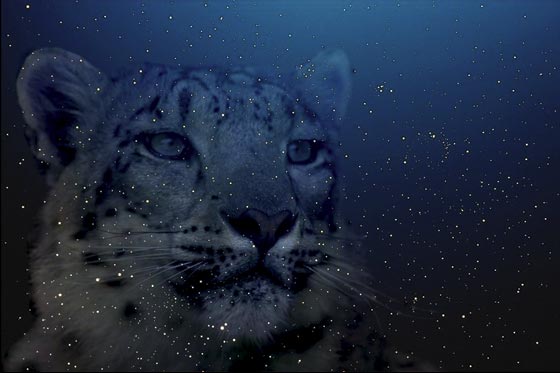
Você pode criar cartões postais, enquanto anunciando materiais e papel de parede de desktop que usa esta técnica. É fácil e produz resultados surpreendentes.
Chameleon v. 12.2 - Teste gratuito 10 dias
