Feliz páscoa!
Domingo de Páscoa ou Páscoa é um importante feriado na primavera. Os Cristãos o celebram há mais de 2000 anos. Ao longo dos anos, muitos costumes têm sido adotados na prática deste feriado: pintura de ovos, preparação de pratos especiais, troca de presentes, como lindos buquês de flores da primavera, ou bombons, etc. Vamos tentar produzir um cartão especial com um tema de Páscoa.
Para este tutorial foram usados os plugins AKVIS Chameleon e AKVIS LightShop. Foi usado o editor gráfico AliveColors, mas é possível usar qualquer outro editor gráfico que seja compatível com os plugins do AKVIS.

-
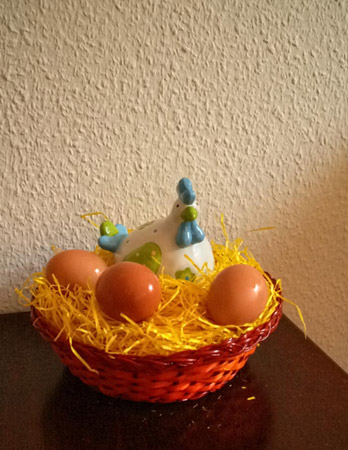
Passo 1. Ovos de galinha pintados são um símbolo popular de Páscoa, portanto encontre uma imagem apropriada com ovos.
-
Passo 2. Faça a seleção da cesta com a galinha e os ovos.
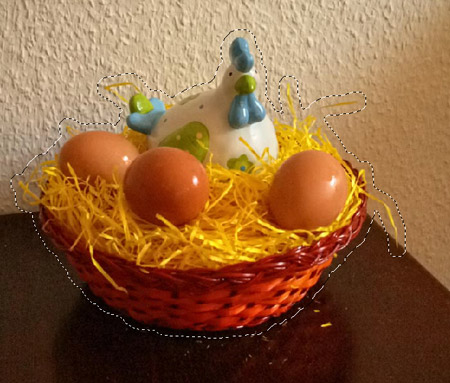
Em seguida copie o objeto para o buffer (memória): no menu principal abra Effects -> AKVIS -> Chameleon - Grab Fragment (pegar o objeto).
-
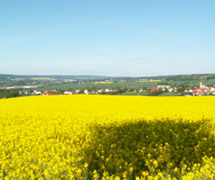
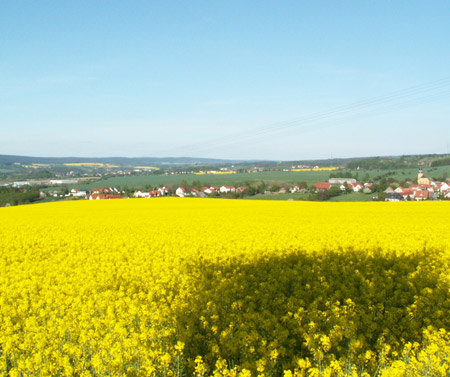
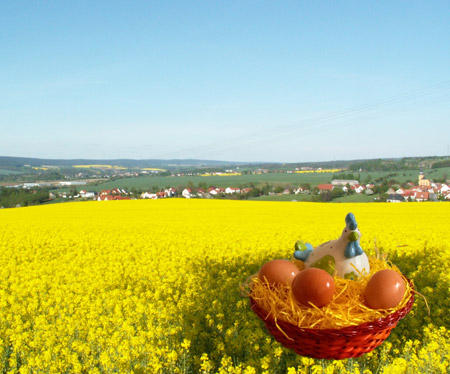
Passo 3. Escolha uma imagem para o fundo; alguma coisa clara e colorida. Esta, por exemplo:
-
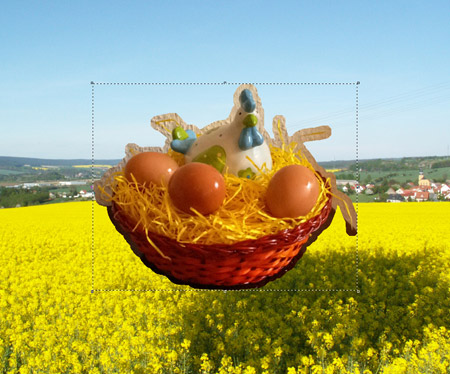
Passo 4. No menu principal abra Effects -> AKVIS -> Chameleon - Make Collage (fazer uma colagem). A janela de plugin do AKVIS Chameleon se abre. O plano de fundo escolhido, aparece na Janela de imagem, juntamente com o objeto selecionado anteriormente.
O modo Montagem é escolhido como padrão. Este é o modo que será usado para este tutorial.
-
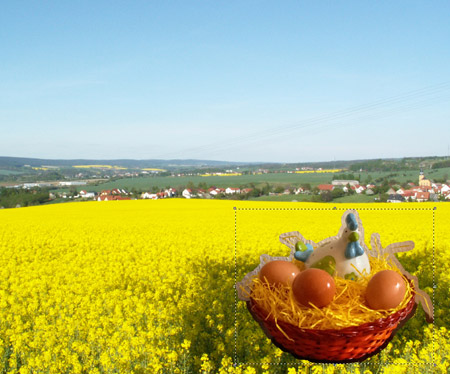
Passo 5. O objeto é grande demais para o plano de fundo. Use a ferramenta Transformar
 para redimensionar o objeto (a 75%), e arraste-o para baixo, no canto direito.
-
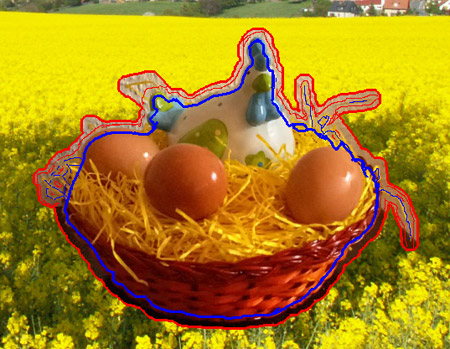
Passo 6. Selecione o lapis azul da Lápis manter área
 , e trace uma linha exatamente por dentro da borda da cesta, ovos, e galinha. Selecione o lapis vermelho em Lápis eliminar área
  e desenhe um contorno em volta da cesta, ovos, e galinha.
-
Passo 7. Pressione
 para iniciar o processo de colagem. O resultado aparecerá na coluna Depois.
Pressione
 para aplicar as mudanças na imagem, a qual retornará para o editor gráfico.
-
Passo 8. Como pode observar, o céu na imagem está iluminado e ensolarado, mas o sol não está visível. Vamos acrescentá-lo com o plugin AKVIS LightShop.
No menu principal abra Effects -> AKVIS -> LightShop. Escolha o Efeito adequado (nós escolhemos o efeito 053) e ajustamos os seus parâmetros para criar um sol de primavera.

-
Passo 9. Adicione algum texto (escolhemos a fonte Hobo Std) e o cartão está pronto.

Chameleon v. 12.2 - Teste gratuito 10 dias
