Graphic software for Windows Mac graphic software  
Entrez votre e-mail pour souscrire à notre liste de diffusion.
 
  
  Produits     Télécharger     Magasin en ligne     Tutoriel     Support     Compagnie
en  fr  de  es  pt  it  jp  ru    
 

Tutoriel: AKVIS Chameleon

Wallpaper with a Leopard


Désolé, à présent cette information n'est disponible qu'en anglais. La version française sera bientôt affichée.

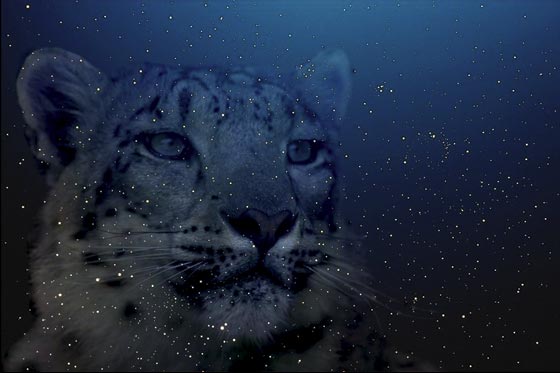
In this tutorial we will show you how to create desktop wallpaper with a leopard. We will use the Snapshot mode of the AKVIS Chameleon plug-in to turn a snow leopard into a star leopard.

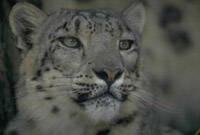
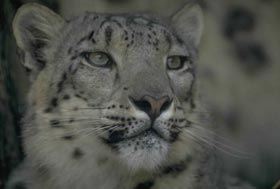
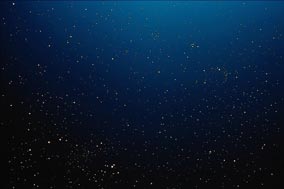
For the photo collage we will use a photo of a snow leopard and a photo of a starry sky. Open the photos in Adobe Photoshop.

Attention! You can repeat this tutorial with other compatible image editing software, too. But there is a slight difference in the technique. Read the How it works page to find instructions and flash tutorials for some programs.

photo of a snow leopard photo of a starry sky

Select the leopard's head not forgetting about the whiskers.
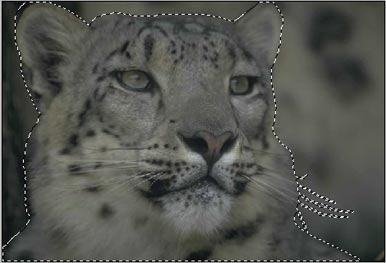
Select the leopard

Copy the selection into the buffer with the command Edit - Copy or with the key combination Ctrl+C.

As we are going to create the photo collage with the Snapshot mode of the Chameleon Plug-in we should take a snapshot before we paste the leopard from the buffer. Activate the image with the starry sky and call the command Filter - AKVIS - Chameleon (Take Snapshot).

In contrast to Standard mode Snapshot mode does not only adjust the colors of the pasted object to the new background but makes the background visible through the new object.

Paste the leopard from the buffer with the command Edit - Paste or with the key combination Ctrl+V.

Paste the leopard

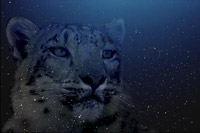
Apply the AKVIS Chameleon plug-in by selecting the command Filter -> AKVIS - Chameleon (Use Snapshot). Here we are - the snow leopard turned into a starry one and our wallpaper is ready.

photo collage

You can create postcards, advertising materials, desktop wallpaper using this technique. It is easy and produces astonishing results.


Comment fonctionne-t-il? Comment fonctionne-t-il?
Montage Mode Montage Mode
   — Chasseur d'images — Chasseur d'images
Caméléon Mode Caméléon Mode
   — Les voiliers au coucher de soleil — Les voiliers au coucher de soleil
   — Changer l'apparence  — Changer l'apparence
   — Se faire un tatouage — Se faire un tatouage
   — Caméléon en feu — Caméléon en feu
   — Le hollandais volant — Le hollandais volant
   — Chat dans les fleurs — Chat dans les fleurs
   — Éléphant dans la savane — Éléphant dans la savane
   — L'Étiquette pour une boisson — L'Étiquette pour une boisson
   — Fouilles archélogiques — Fouilles archélogiques
   — Le lac des cygnes — Le lac des cygnes
   — Le singe et un masque — Le singe et un masque
   — La vue de la Terre — La vue de la Terre
   — Collage avec une fille — Collage avec une fille
   — Timbre postal — Timbre postal
   — Collage à la fantasy — Collage à la fantasy
   — Colombe de la paix — Colombe de la paix
   — Une petite fille — Une petite fille
   — Une carte de voeux — Une carte de voeux
   — Clair de lune — Clair de lune
   — Animer le paysage — Animer le paysage
Fusionner Mode Fusionner Mode
   — Peinture sur bois — Peinture sur bois
   — Carte postale — Carte postale
   — Carte de St Valentin — Carte de St Valentin
   — Pigeon dans le feu — Pigeon dans le feu
   — Collage fantastique — Collage fantastique
   — Photo en feu — Photo en feu
   — Oiseau dans la forêt fantastique — Oiseau dans la forêt fantastique
   — Cerises mûres — Cerises mûres
   — Le papillon sur le mur — Le papillon sur le mur
   — Oiseau dans le ciel — Oiseau dans le ciel
   — Changer le ciel — Changer le ciel
   — Paysage d'automne — Paysage d'automne


   Politique de Confidentialité | Plan du Site | Recherche | English  | Français  | Deutsch  | Español  | Português  | Italiano  | 日本語  | Pусский  | © 2004-2008, AKVIS Software Inc. Tous droits réservés.