Neue Augen für das Mädchen
Die Augen können viel über eine Person erzählen. Sie vermitteln Gefühle, Emotionen und den Charakter. Wenn die Augen sich ändern, ändert sich auch der ganze Eindruck von einer Person.
Mit AKVIS Chameleon können Sie die Augen einer Person durch andere Augen ersetzen. Auf gleiche Weise können Sie auch die Nase, Ohren und jeden anderen Körperteil ersetzen.
In diesem Beispiel ersetzen wir die blauen Augen des Mädchens durch die braunen Augen.
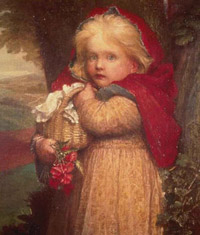
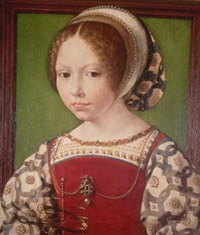
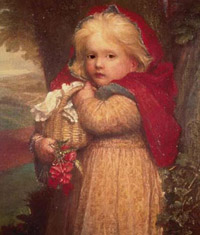
- Schritt 1. Öffnen wir das Bild mit dem Fragment für die Fotomontage. Wählen wir die Augen aus.
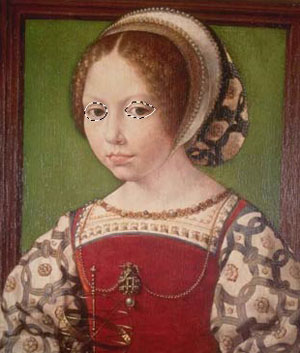
- Schritt 2. Rufen Sie den Befehl Effekte -> AKVIS -> Chameleon - Grab Fragment aus dem Menü Ihres Bildbearbeitungsprogramms auf. Sie werden die Meldung "Bildausschnitt gespeichert" sehen.
- Schritt 3. Öffnen Sie das Bild mit dem zweiten Mädchen.
- Schritt 4. Rufen Sie den Befehl Effekte -> AKVIS -> Chameleon - Make Collage aus dem Menü Ihres Bildbearbeitungsprogramms auf.
- Schritt 5. AKVIS Chameleon öffnet sich. Das Fenster enthält den Hintergrund und den eingesetzten Ausschnitt (die Augen).
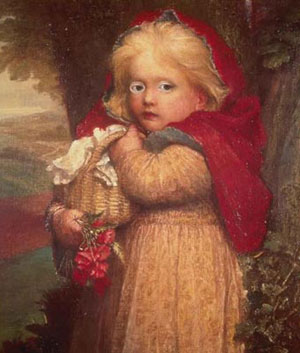
- Schritt 6. Wählen Sie den Chamäleon-Modus aus dem Drop-down-Menü in der Einstellungsleiste aus.
- Schritt 7. Passen Sie die Position des Objektes auf dem Hintergrund an.
Benutzen Sie das Transformieren-Werkzeug
 in der Werkzeugpalette, um die Größe, die Position und den Drehwinkel des eingesetzten Bildschnittes zu ändern.
Um die Größe des Fragments zu ändern, bringen Sie den Cursor auf den Rahmen. Der Cursor transformiert sich in einen zweiseitigen Pfeil
 . Erhöhen bzw. verringern Sie die Größe des Fragments bei gedrückter Maustaste. Es ist auch möglich, die Größe des Fragments zu ändern, indem man einen anderen Wert in Felder B (Breite) und H (Höhe) einträgt.
- Schritt 8. Klicken Sie auf
 , um eine Fotomontage zu erstellen. Die Fotomontage wird im Ergebnis-Register angezeigt.
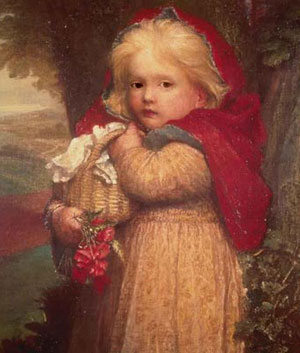
- Schritt 9. Klicken Sie auf
 , um das Ergebnis anzuwenden und das Plugin-Fenster zu schließen.
Chameleon v. 12.2 - 10-Tage-Testversion
