Un nuovo sguardo
"Gli occhi sono lo specchio dell'anima": mostrano emozioni, personalità, stati d’animo. Cambiare gli occhi ad un soggetto vuol dire cambiare totalmente i suoi lineamenti.
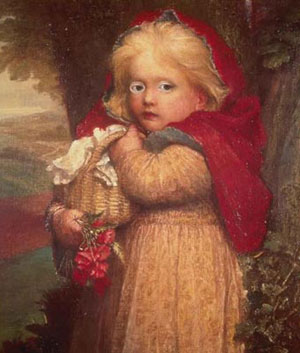
AKVIS Chameleon permette di cambiare gli occhi (oppure il naso, le orecchie, i capelli...) di un soggetto prendendo il nuovo particolare da un’altra fotografia; qui sostituiremo gli occhi azzurri della bambina con quelli nocciola della donna.
In questo esempio utilizzeremo il plugin AKVIS Chameleon in AliveColors, ma si potrà usare qualsiasi altro editor d’immagini compatibile o avvalersi della versione standalone di Chameleon che non richiede il supporto di alcun programma.
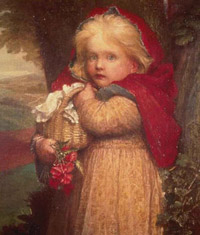
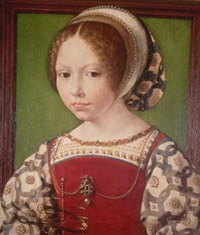
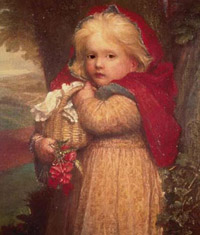
- Passaggio 1. Selezionare gli occhi della donna con uno degli strumenti di selezione disponibili.
Se si lavora con la versione standalone di AKVIS Chameleon usare le matite del programma per disegnare i contorni blu e rossi. Questi strumenti sono disponibili anche nel plugin e permettono di disegnare o correggere i contorni della selezione, inoltre nel plugin è possibile trasferire la selezione eseguita nell’editor di foto.
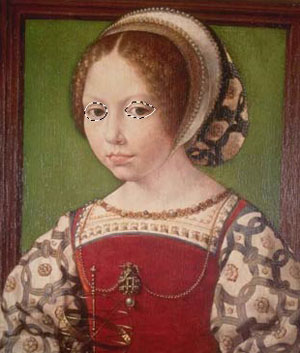
- Passaggio 2. Copiare la selezione lanciando Effetti -> AKVIS -> Chameleon - Grab Fragment dal menu. Se tutto è stato fatto correttamente verrà visualizzato un messaggio che indica l’avvenuto salvataggio del frammento.
- Passaggio 3. Aprire l’immagine della bambina e lanciare Effetti -> AKVIS -> Chameleon - Make Collage dal menu. Nella finestra del plugin verrà visualizzato lo sfondo (la bambina) con il frammento (gli occhi).
- Passaggio 4.Selezionare la modalità Camaleonte dal menu a discesa nel Pannello impostazioni.
- Passaggio 5. Usare lo strumento Trasforma
 per modificare la dimensione e l’orientamento degli occhi affinché si adattino al "nuovo viso".
Attenzione! Per cambiare la misura mantenendo le proporzioni attivare l’icona
 posizionata nel Pannello impostazioni.
Avvalersi dell’opzione Opacità per rendere più facile l’inserimento del frammento; rendendolo "trasparente" consente di posizionarlo sullo sfondo con elevata precisione. Tale operazione non pregiudica il risultato finale.
- Passaggio 6. Cliccare su
 per avviare la creazione del collage. Il risultato sarà visualizzato nella scheda Dopo. La bambina ora ha uno sguardo decisamente differente da quello originale.
- Passaggio 7. Premere su
 per applicare il collage, chiudere la finestra del plugin e ritornare al programma di grafica.
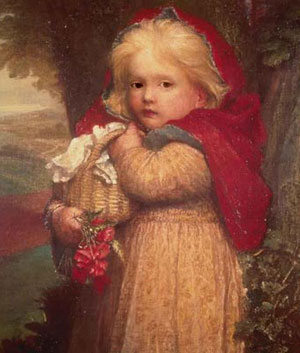
La stessa procedura può essere applicata per sostituire altri parti del viso in maniera facile e con risultati naturali.
Chameleon v. 12.2 - 10-giorni di prova gratuita
