Biglietto d’invito con gustose ciliegie
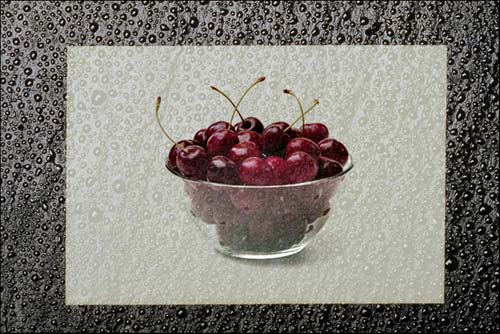
Con l’immagine di gustose ciliegie stiamo per creare un biglietto d’invito ad un piccolo rinfresco, utilizzando la modalità Fusione di AKVIS Chameleon.
In questa modalità il programma non si limita ad attenuare i bordi dell'oggetto inserito e a regolare la gamma dei colori, ma lo rende anche semi-trasparente, permettendo agli elementi sottostanti di apparire in trasparenza. È possibile adoperare questa modalità ogni volta che si desidera fondere un'immagine in un altro sfondo.
Il tutorial è stato realizzato utilizzando il plugin AKVIS Chameleon in Adobe Photoshop, ma si potrà usare qualsiasi altro editor d’immagini compatibile o avvalersi della versione standalone di Chameleon che non richiede il supporto di alcun programma.
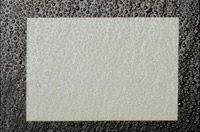
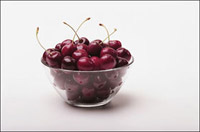
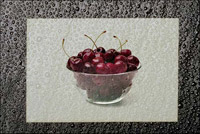
-
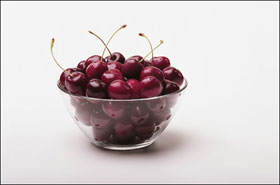
Passaggio 1. Aprire una cornice ricoperta da gocce d’acqua e una foto di ciliegie in Adobe Photoshop.
-
Passaggio 2. Effettuare la selezione delle ciliegie con la loro ombra in modalità Maschera veloce, ma è possibile usare qualsiasi altro strumento di selezione disponibile.
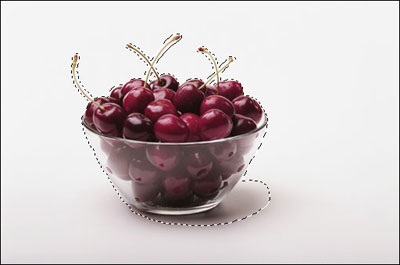
Se si lavora con la versione standalone di AKVIS Chameleon usare le matite del programma per disegnare i contorni blu e rossi. Questi strumenti sono disponibili anche nel plugin e permettono di disegnare o correggere i contorni della selezione, inoltre nel plugin è possibile trasferire la selezione eseguita nell’editor di foto.
- Passaggio 3. Copiare la selezione lanciando AKVIS -> Chameleon - Grab Fragment dal menu Filtro. Se tutto è stato fatto correttamente verrà visualizzato un messaggio che indica l’avvenuto salvataggio del frammento.
- Passaggio 4. Tornare alla foto della cornice e lanciare AKVIS -> Chameleon - Make Collage dal menu Filtro. Nella finestra del plugin verrà visualizzato lo sfondo (la cornice) con il frammento (le ciliegie).
-
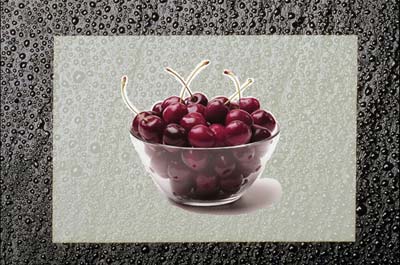
Passaggio 5. Selezionare la modalità Fusione dal menu a discesa nel Pannello impostazioni.
Usare lo strumento Trasforma
 per modificare la dimensione, la posizione e l’angolo di rotazione del frammento incollato (le ciliegie).
-
Passaggio 6. Premere su
 per avviare il processo di creazione del collage, l'anteprima dell’immagine apparirà nella scheda Dopo.
Se il risultato è soddisfacente premere su
 per applicare il collage alla fotografia, chiudere il plugin e ritornare all’editor grafico.
Il nostro biglietto d’invito con le gustose ciliegie è pronto.
Chameleon v. 12.2 - 10-giorni di prova gratuita
