Cartolina personalizzata
Tutti durante l'infanzia si sono divertiti a creare manualmente biglietti per il compleanno, per la Pasqua o per il Natale da inviare alle persone care, ed è stato altrettanto piacevole ricevere gli auguri personalizzati. AKVIS Chameleon permette di creare biglietti personalizzati in ricordo dei giorni andati, anche se con un programma di fotoritocco.
Qui mostreremo la tecnica di realizzazione di una semplice cartolina, successivamente sarà possibile applicare la vostra creatività e fantasia per realizzare biglietti per ogni occasione.
Il tutorial è stato creato utilizzando il plugin AKVIS Chameleon in Adobe Photoshop, ma si potrà usare qualsiasi altro editor d’immagini compatibile o avvalersi della versione standalone di Chameleon che non richiede il supporto di alcun programma.

-
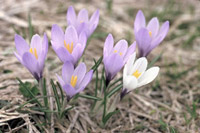
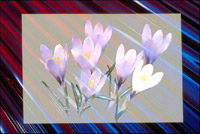
Passaggio 1. Aprire nel programma di grafica una cornice per foto, come sfondo, e dei meravigliosi fiori primaverili di croco, come decorazione.

-
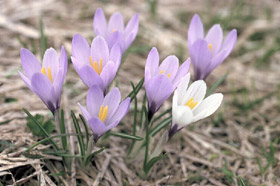
Passaggio 2. Aprire la foto con i fiori e selezionarli con qualunque strumento di selezione disponibile; in Photoshop il modo più semplice è utilizzare la modalità Maschera veloce premendo su
 nella Barra degli strumenti o il tasto rapido Q.
Scegliere lo strumento Matita (B)
 e dipingere i fiori.
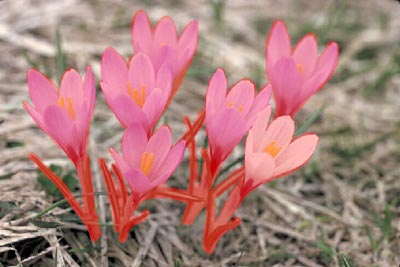
Tornare alla modalità Standard premendo su
 o il tasto rapido Q. Invertire la selezione con il comando Selezione -> Inversa o i tasti rapidi Ctrl+Shift+I.
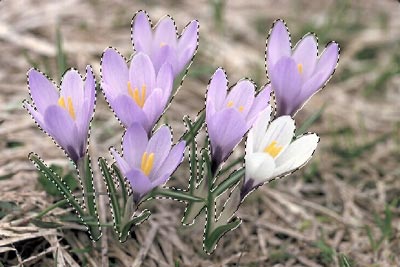
Se si lavora con la versione standalone di AKVIS Chameleon usare le matite del programma per disegnare i contorni blu e rossi. Questi strumenti sono disponibili anche nel plugin e permettono di disegnare o correggere i contorni della selezione, inoltre nel plugin è possibile trasferire la selezione eseguita nell’editor di foto.
- Passaggio 3. Copiare la selezione lanciando AKVIS -> Chameleon - Grab Fragment dal menu Filtro. Se tutto è stato fatto correttamente verrà visualizzato un messaggio che indica l’avvenuto salvataggio del frammento.
- Passaggio 4. Aprire la foto della cornice e lanciare AKVIS -> Chameleon - Make Collage dal menu Filtro. Nella finestra del plugin verrà visualizzato lo sfondo (la cornice) con il frammento (i fiori).
-
Passaggio 5. Selezionare la modalità Fusione dal menu a discesa nel Pannello impostazioni.
Usare lo strumento Trasforma
 per modificare la dimensione, la posizione e l'angolo di rotazione del frammento incollato (i fiori).
Attenzione! Per cambiare la misura mantenendo le proporzioni attivare l’icona
 posizionata nel Pannello impostazioni.
-
Passaggio 6. Premere su
 per avviare il processo di creazione del collage, l'anteprima dell'immagine apparirà nella scheda Dopo.
Quindi premere su
 per applicare il risultato alla fotografia, chiudere il plugin e ritornare all’editor grafico.
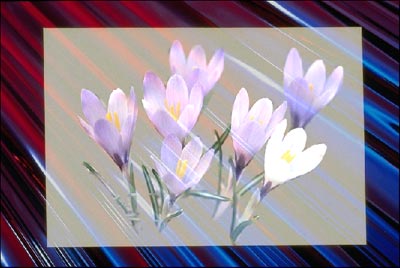
Se si utilizzasse la modalità Camaleonte invece di Fusione la cartolina avrebbe un aspetto diverso, infatti la texture dello sfondo, cioè le righe dell’effetto plastica, non sarebbero visibili attraverso i petali dei crochi.
Chameleon v. 12.2 - 10-giorni di prova gratuita
