Un fiabesco uccello nel bosco incantato
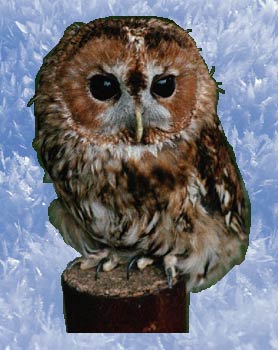
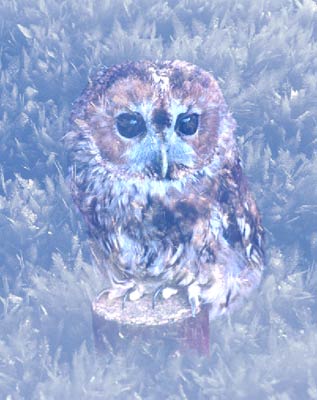
Il bosco fatato è solo un intricato arabesco disegnato dal forte gelo su un vetro. L'uccello per il momento è un comune gufo, ma non appena si addentrerà nell’incantata foresta si trasformerà in un fiabesco uccello.
AKVIS Chameleon è lo strumento adatto alla creazione di fantasiosi scenari.
Il tutorial è stato creato utilizzando il plugin AKVIS Chameleon in Adobe Photoshop, ma si potrà usare qualsiasi altro editor d’immagini compatibile o avvalersi della versione standalone di Chameleon che non richiede il supporto di alcun programma.
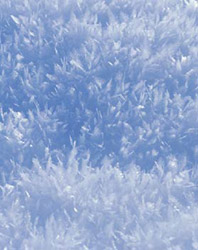
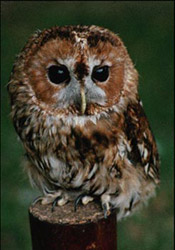
- Passaggio 1. Aprire le due immagini in Adobe Photoshop.
-
Passaggio 2. Effettuare la selezione del gufo in modalità Maschera veloce, ma è possibile usare qualsiasi altro strumento di selezione disponibile.
In modalità Maschera veloce dipingere l’animale con lo strumento Matita. Tornare alla modalità Standard ed invertire la selezione con il comando Selezione -> Inversa.
Se si lavora con la versione standalone di AKVIS Chameleon usare le matite del programma per disegnare i contorni blu e rossi. Questi strumenti sono disponibili anche nel plugin e permettono di disegnare o correggere i contorni della selezione, inoltre nel plugin è possibile trasferire la selezione eseguita nell’editor di foto.
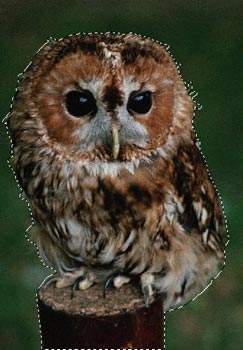
- Passaggio 3. Copiare la selezione lanciando AKVIS -> Chameleon - Grab Fragment dal menu Filtro. Se tutto è stato fatto correttamente verrà visualizzato un messaggio che indica l’avvenuto salvataggio del frammento.
- Passaggio 4. Attivare la foto con il bosco fatato e lanciare AKVIS -> Chameleon - Make Collage dal menu Filtro. Nella finestra del plugin verrà visualizzato lo sfondo (il bosco) con il frammento (il gufo).
-
Passaggio 5. Selezionare la modalità Fusione dal menu a discesa nel Pannello impostazioni.
Usare lo strumento Trasforma
 per modificare la dimensione, la posizione e l’angolo di rotazione del frammento incollato (il gufo).
-
Passaggio 6. Premere su
 per avviare il processo di creazione del collage, l'anteprima dell’immagine apparirà nella scheda Dopo.
Se il risultato è soddisfacente premere su
 per applicare il collage alla fotografia, chiudere il plugin e ritornare all’editor grafico.
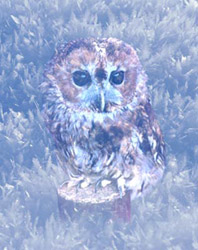
Questo è il magico gufo nella foresta incantata…un esempio da favola.
Chameleon v. 12.2 - 10-giorni di prova gratuita
